Running a HIIT or bootcamp studio means managing back-to-back classes, capped capacities, multiple payment models, and member check-ins — all at the same time. When your software can’t keep up, your staff ends up handling bookings manually, chasing payments, and managing waitlists by hand instead of focusing on coaching.
HIIT studio software handles the scheduling, check-ins, payments, and member communication so your team can spend less time on admin and more time on the floor. GymRoute provides an all-in-one solution for HIIT and fitness bootcamp studio owners to manage bookings, payments, members and staff. Its features include class and schedule management, instructor and staff assignment, auto-filled waitlists, memberships and packages, day passes, check-ins, digital waivers, commission payroll and lead management.
Studio owners on the Ultimate plan get access to a member app and video on demand. To see how GymRoute works for your studio, book a demo with the team.
This guide addresses the features that matter, evaluates pricing and retention tools and explains how GymRoute assists small group training studios with daily operations.
Are HIIT and Bootcamp Classes Different?
They use similar tools for scheduling, member management and payment processing. However, they may require different scheduling formats. HIIT formats may be class-based or utilize structured workouts. HIIT may also utilize rowers, bikes and treadmills along with kettlebells and dumbbells for strength training. Since workouts are planned, studios must be able to schedule classes and have member caps.
Bootcamp classes vary more. They may utilize a circuit of bodyweight exercises, use stations and combine strength and conditioning along with functional movements. In a similar way, outdoor bootcamps may also utilize a combination of running, walking and other cardio exercises.
Station and equipment ratios may also vary. Some operators sell 6-week challenge and training programs rather than individual classes.
Characteristic | HIIT studio | Fitness bootcamp |
Typical format | Indoor timed intervals | Varied group workouts |
Capacity planning | Equipment, station and staff ratio | Space and equipment ratio |
Common purchase | Class packs, memberships and drop-ins | Packs, memberships and challenges |
Important software feature | Class caps and location restrictions | Flexible locations and multi-week bookings |
A practical example is that HIIT studios often don’t need to purchase multiple pieces of software for different offerings. Look for a HIIT studio solution that has capacity, payment and class type rules without creating extra administrative work.
Things HIIT Bootcamp Management Software Needs to Handle


Look for HIIT bootcamp management software that integrates capacity, payment, communication and admin features. Identify operational inefficiencies in your studio that cost you time and delay members from being able to book classes.
Class Caps Set by Staff
HIIT studio software should set capacity limits based on number of staff and equipment. A class should not be able to take 12 members when there are only 8 usable stations.
Your booking rules and capacity should be aligned with your workout design. If your workout requires members to split into two groups and each group uses 4 stations, your capacity should be set to 4. Outdoor workouts have a different capacity set based on the training area and coach-to-member ratio.
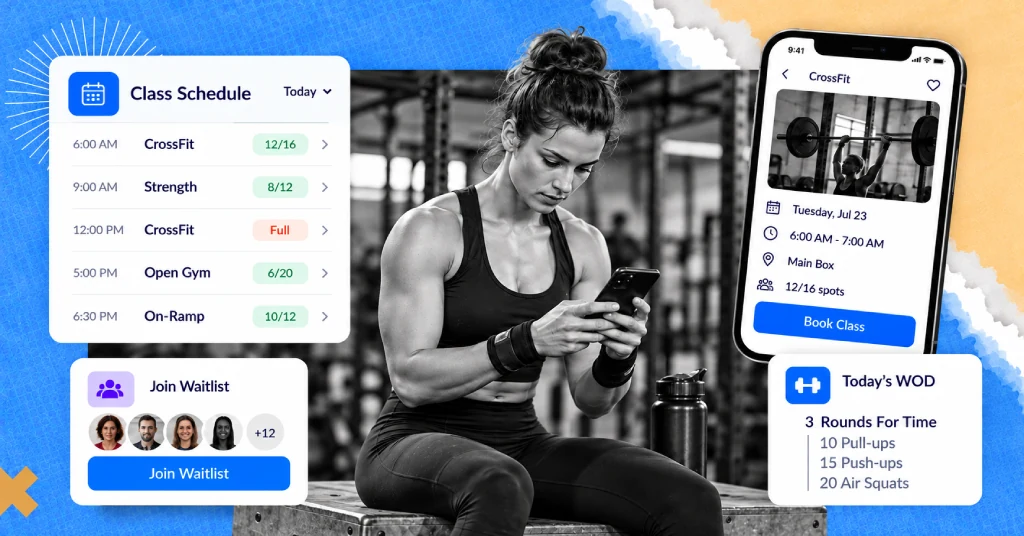
Look for software that lets your staff manage class schedules and waitlists. Some software can automatically fill waitlists when a booked member cancels. Look for software that also lets members book classes without going through the front desk.
Packs, Drop-ins and Memberships
The best HIIT studio software can let members purchase and manage their chosen payment models so they can easily control their own training schedule.
Payment Option | Best Suited to | What to Look Out For |
Drop-in or Day Pass | Occasional visitors | Easy purchase of a single class |
Class Pack | Members with flexible schedules | Remaining class credits and expiration |
Membership | Regular attendees | Access and duration of membership |
Challenge Package | Participants with goals | Duration of package and access |
Add-Ons | Current members | Convenient purchase with other added services |
GymRoute can help your members manage packages, class packs, day passes, and memberships. You can also manage freezes and add-ons through the software.
When assessing HIIT studio software, see if it lets members conveniently purchase and manage their chosen payment models via the member app. The more automated and convenient the purchase process is, the less work it is for your staff and the easier it is for members to return to training.
Challenges and Multi-Week Programs
HIIT Studio Software should make it easy for staff to manage challenges, sell challenge packages and book associated classes.
An example is a conditioning program at a studio that includes group workouts and strength circuits over the course of six weeks with progress check-ins. Packages like these would include an upfront cost, duration, rules to participate, etc.
When considering a booking system, look at how it would handle the challenge of start dates, member payments, and the capacity limit of classes. Also, see if your team can communicate important dates and reminders without having to track participants with spreadsheets.
A Fast Check-In Between Back-to-Back Classes
With back-to-back classes, you need a quick way to confirm attendance. Staff should be able to quickly check people in rather than searching through long booking lists.
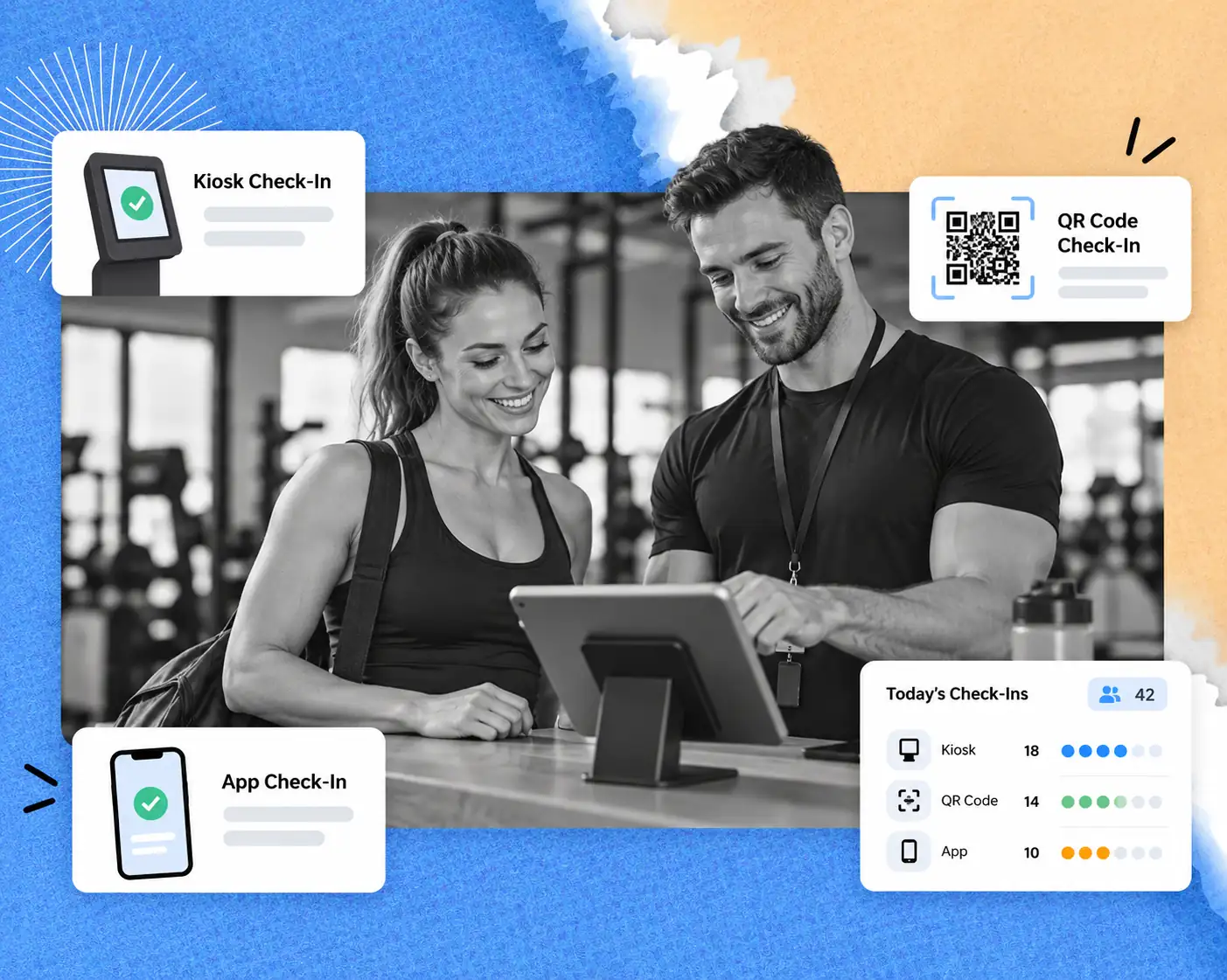
GymRoute offers a few ways to check people in using QR codes, tap, and phone. A kiosk can also be used to help people check in. This is how it works:
- QR code: Members scan on arrival
- Phone/App
- Members check in using their phone or the app
- Tap
- A quick check-in method
- Kiosk
- A dedicated arrival point
For more ways to help staff keep things running on time and attendee lists, see our article on gym check-in systems.
A Way to Book Classes and Manage Packs Without Constant Staff Intervention

Members should be able to manage their packs, book classes, and make payments without having to contact a coach or personal trainer every time.
Members can use the branded app to manage their bookings, and staff can spend less time managing routine tasks.
Look for booking experiences that are optimized for mobile, especially for members booking a session that is close in time to the class. Push notifications can be used to send class reminders, and an integrated purchasing experience can simplify booking.
The integration of additional features should be verified during a demo. Not all fitness solutions support all wearables and training devices.
Waivers and Coach Payment
Digital waivers and flexible coach pay arrangements can help a studio manage the administrative side of group training. HIIT studio software should help a studio manage the collection of digital waivers prior to a member’s first class and calculate coach pay based on the studio’s arrangements.
GymRoute offers solutions to help studio owners manage digital waivers, assign instructors, and manage payroll with commissions, leads, and loyalty points. All of these can help owners align their member and staff management processes.
Ask whether rules can be created for payroll to represent per-class payments and commissions.
Pricing Small Group Training: What Do Owners Charge?

There are many factors that impact small group training prices. Look to the local market, the length of your sessions, the cost of your coaches, the equipment you use, the size and setup of your space, the level of support you give your members, and more. A published boutique-fitness benchmark can help you, but be sure to do your own competitive analysis.
Athletech News reported in October 2025 on Xplor Mariana Tek’s 2026 Boutique Fitness Industry Report, noting that the average boutique class price increased by approximately 6% to $21.32 from the previous year’s $20.10. This figure is for industry reference purposes only and should not impact the prices you charge for classes. Members in your area will pay what you charge, based on the value they perceive. There are several pricing models:
Pricing model | Business advantage | Potential drawback |
Single Drop-In | One-time visits are convenient for members | Revenue can be unpredictable |
Multi-Class Pack | Packages encourage repeated class attendance | Credits require management |
Recurring Membership | Simplifies the management of prepaid credit and class pack memberships | Member must see ongoing value |
Six-Week Challenge | Packages a defined training goal | Short-term format may not suit members seeking ongoing training |
Making your classes as affordable as possible will increase the number of members you have, but helping members see the value in your classes long-term will ensure they remain members for a longer period of time.
Athletech News reported that the Mariana Tek 2025 industry report indicated offers that included 3 or more classes had the greatest revenue impact of all offers that were examined. This is something that should be tested based on your market. To see how offers impacted barre studios, visit our barre studio guide.
GymRoute can simplify management of multiple methods of sale for your business, including memberships, packages, class packs, day passes and add-ons. Ideal setup would depend on your pricing strategy and offerings of your studio.
Keeping your HIIT Members Past their Fifth Visit
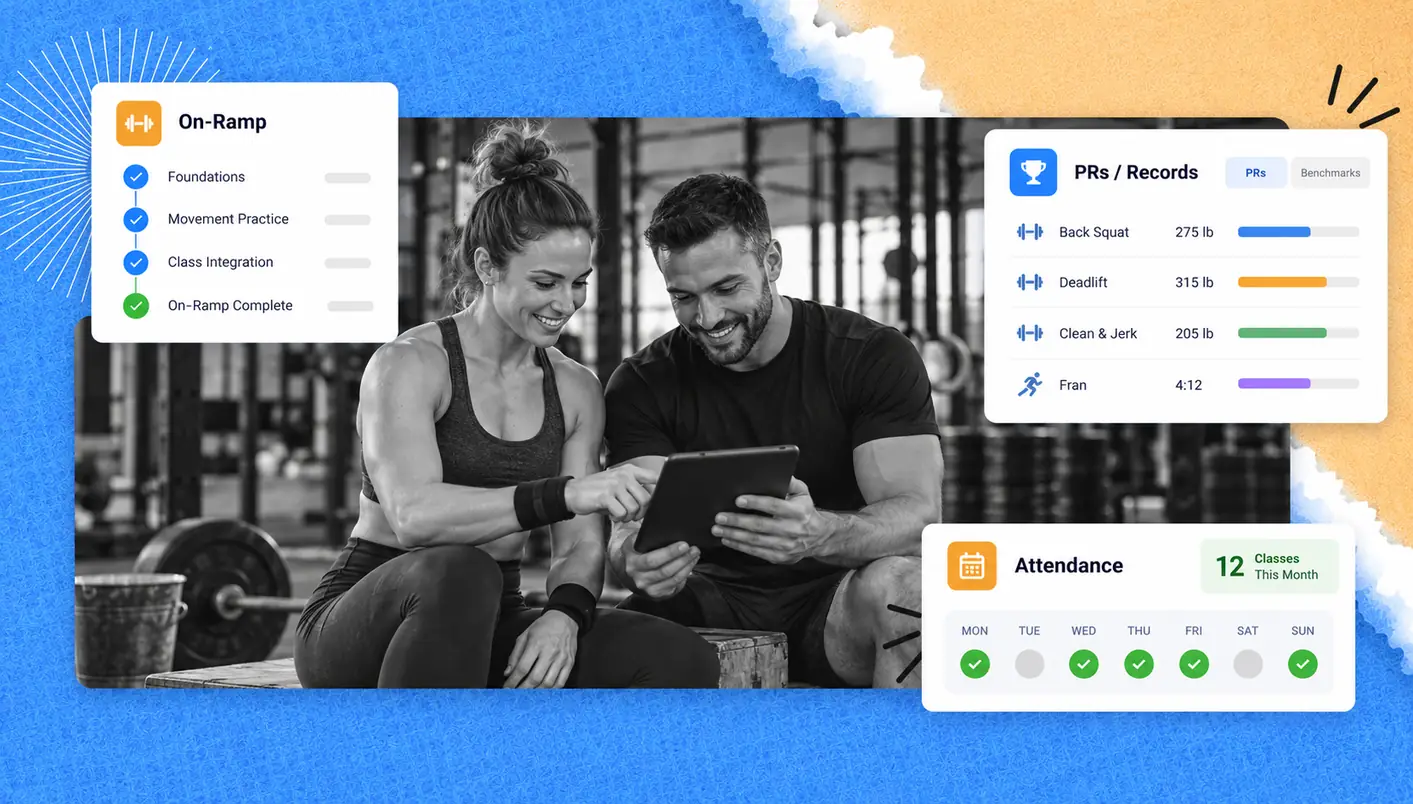
Getting members to return for their second or third visit is a priority for most studios. Client retention rates go up to 90% once a client has visited the studio five times. Those who have a hard time making it to class, or forget their bookings, may give up on forming a fitness routine. Several software solutions help manage your members’ attendance through notifications, booking and offer packages to ease your members’ access to class and manage your classes for you. Lead management and loyalty points can help your staff follow up and reward your loyal members. Six-week challenges give members a goal and a schedule to work towards. The focus is not to replace staff interactions and member relationships, but to give the staff time to build relationships by removing avoidable friction.
How to Choose HIIT Studio Software
The best HIIT studio software for your business is the one that supports your class format, revenue model, and day-to-day operations. Consider the following questions while evaluating software providers.
Can I set limits for class capacity?
Can you manage station-based limits, class types and assignments, and coach assignments?
Does the system sell what I sell?
Can you sell drop-ins and class packs, day passes, memberships and add-on services?
Can I manage multi-week challenges?
Does the system manage packages, participant registration and communication?
How fast are members able to check in?
What are the available options for class check-ins?
Does the member app enable members to manage the entire customer journey?
Can members book, pay and purchase classes through the app?
Can I manage class coaches and admin in one place?
Can you assign classes to coaches, manage digital waivers, lead generation forms and commissions?
What other aspects of your operations model do you need to take into account?
The number of studio locations and whether there are any outdoor classes?
When evaluating fitness studio software, compare your requirements against the offered features to determine the best options for your money.
Frequently Asked Questions (FAQs) About HIIT and Bootcamp Studio Software
Q. What is HIIT Studio Software?
HIIT studio software facilitates the scheduling of capped HIIT classes, sells memberships and class packs, processes drop-ins, tracks attendance and supports member bookings via an app. It helps studio owners consolidate coaching, class capacity, payments and member bookings, all without using manual booking processes and separate spreadsheets.
Q. Are Bootcamp and HIIT the same thing?
No, HIIT is a training method whereby intense effort is done for a short period of time, recovery is done for a short period of time and is repeated. On the other hand, bootcamp is a class format that combines strength training, cardio, and functional training. Many bootcamp classes incorporate HIIT, but not all do. Both bootcamp and HIIT classes can use the same software to manage bookings, payments, attendance and members.
Q. Are fitness bootcamps worth it for studio owners?
Bootcamps can be profitable because coaching costs can be spread among participants with group pricing. Additionally, a lot of bootcamp workouts don’t require complicated or expensive equipment. However, the success of a bootcamp is dependent on a lot of factors, like the number of participants, the staffing and pricing, and the venue. Studio owners should use their bootcamp class capacity and operating expenses to create an estimate, as should be “not every bootcamp is guaranteed.
Q. What should small-group training cost?
It really depends on your market. Athletech News mentioned in its coverage of the 2026 Xplor Mariana Tek industry report that the average boutique class price was around $21.32. You can use that price as a starting point, but you should ultimately determine prices based on your market, class format and coach costs. You should also factor in your operating costs.
Q. What is the best scheduling software for fitness studios?
The best software is the one that works for your business. The most important thing for scheduling software is that it can handle class capacity and coach assignments. It can also help with bookings, payments, waitlists and mobile access. With that said, GymRoute is scheduling and member management software that allows you to do all of the above. You should compare it with other software to see what works best for you.
Q. Can I run outdoor bootcamps with studio software?
Yes, as long as the studio software can manage the bookings and scheduling for your bootcamps, you should be able to run outdoor bootcamps with it. Set up the class capacity, location and timetable. Then, allow your customers to book a spot through the app. Not every studio software is created equal, so double-check with your software that it can manage multiple locations and that it works well with outdoor classes.