The best gym management software for most independent gyms runs billing, class booking and the member app on one plan, at a price that stays predictable as you grow. This comparison covers 10 platforms, from free plans to quote-based enterprise systems, with each tool’s starting price, who it suits and its trade-offs.
GymRoute is our product, and we’ve included it alongside nine competitors so you can judge it on the same criteria. Plans start at $99 a month with billing, scheduling, a branded member app and POS included, no contract and unlimited members. Every price below comes from the vendor’s public pricing page, checked in October 2026.
New to the category? Start with what gym management software is and how it works, then come back to compare tools.
Gym Management Software Comparison Table (2026)
Software | Best For | Pricing (Approx.) | Pros | Cons |
GymRoute | All-in-one growth + management | From $99/month | Billing, scheduling, POS and member app on every plan | Newer player vs. long-established brands |
Mindbody | Large studios & wellness chains | From $79/month per location | Wide adoption, strong scheduling, and integrations | Priced per location; upper plans quoted by sales |
Zen Planner | Martial arts & boutique gyms | From $99/month | Belt tracking, attendance, simple UI | Limited advanced marketing features |
PushPress | Startups & budget-conscious gyms | Free plan, Pro from $159/month | Affordable, simple setup, open integrations | Limited marketing automation |
Wodify | CrossFit & performance gyms | From $199/month | WOD tracking, community features, leaderboards | Niche focus, less suited to general gyms |
Gymdesk | Small gyms priced by member count | From $75/mo for up to 50 active members | Simple pricing by member count | Price rises with active members |
WellnessLiving | Multi-service gyms & studios | Starts around $69/month | CRM, loyalty tools, and strong scheduling | Confirm regular rates on higher plans |
TeamUp | Class-based studios | $189/mo for 101 to 200 active customers | Clear tiers by customer count | Price scales by active customers |
ABC Glofox | Growing gyms & franchises | Quote-based | Part of ABC Fitness, built for growing operations | Overkill for small gyms |
Exercise.com | PTs & training-focused gyms | Quote-based | Training plans, custom app, online programs | No public pricing to compare |
Pricing is relative, and an inexpensive solution isn’t always the best. For example, a higher-priced solution can be more cost-effective if it’s used to replace multiple other solutions.
How We Chose These Tools: Gym Management Software Reviews
We designed our gym management software reviews framework around how software products allow a real gym to run its day-to-day operations. This means the framework judges software based on how it supports operations, rather than how many features the software offers.
We determined our comparison criteria based on vendor pricing and feature information, and research on G2 review claims. This is a desktop comparison, not a claim to have physically tested the products.
Some of the things we looked at included:
- Scheduling and booking: Does the software allow classes, appointments, and reservations to be scheduled?
- Membership and billing: Does the software allow membership and billing? If so, what plans do they appear on?
- Automation and CRM: Does the software allow lead follow-up and other administrative workflows?
- Member app: How do members interact with the business?
- Access control: Does the software manage access and entry to the facility?
- Reporting: Can owners and managers see how the business is performing?
- Pricing and payment processing: What is the starting price? What are the payment processing fees?
- Ease of use: Is the product easy to use?
- Support and data migration: What help is offered during the adoption and/or switching of the software?
- Contracts and scalability: Can the software be changed to meet the business’s needs for members and locations?
Integration and features differ by plan. Important features should be confirmed with the vendor prior to making a decision. Ratings are not included because review scores change often, so check each product’s G2 page before you decide.
The Best 10 Gym Management Software
Gym management software is available for various business models, and its profiles have useful information, including its target customers, price ranges, and strengths and weaknesses.
1. GymRoute: Best all-in-one gym management & marketing software

Best for: Gyms wanting to manage essential operations on a single platform with transparent pricing.
Starting price: Excel at $99/month, Exceed at $199/month, and Ultimate at $299/month.
Pros:
- Billing, scheduling, a member app, and point-of-sale features are included in the mentioned plans.
- The plans are contract-free, and there is no member or staff limit.
- 24/7 support and free data migration are included in all plans. Access control is included in the Exceed plan.
- Marketing automation is included on the Ultimate plan.
- Intuitive, modern interface.
- Branded member app for booking, payments and push notifications.
GymRoute is our product, and we recommend assessing it based on your operational needs rather than assuming it’s right for your gym. For gym owners trying to simplify their day-to-day, consolidating tools on a single platform can help ease the burden of managing multiple services.
Cons:
- Slight learning curve if you’re moving from very basic tools
- More advanced features best suit gyms with growth ambitions
Check out GymRoute’s pricing to evaluate the differences between the Excel, Exceed and Ultimate plans. If you are assessing specific competitors, see our guides to Mindbody alternatives and PushPress alternatives.
GymRoute is a great option when a gym wants to avoid a long-term contract, and migration and training are included.
2. Mindbody

Best for: Studios and wellness businesses that need a platform aligned with their operations.
Starting price: $79 USD/month/location in North America and Asia.
Pros:
- Offers three plans, Starter, Accelerate, and Ultimate, based on tiered pricing.
- Prices each plan based on location, making it easier for customers to determine cost based on their business size.
- Services studios and wellness businesses with operations focused on fitness and wellness.
Cons:
- The starting price is charged per location, so the overall cost for a business with multiple locations may be higher than expected.
- Pricing for upper plans is provided by sales, meaning the starting price may not include all the fees associated with the services provided.
Mindbody may be more applicable for established businesses that need a dedicated platform for studios and wellness. GymRoute and other options may have a more integrated approach to business operations.
Take a look at feature sets and price to compare what best suits your business. See our list of Mindbody alternatives for a closer comparison.
3. Zen Planner

Best for: Gyms and training businesses wanting to evaluate tiered packages.
Starting price: $99/month for the Studio plan, $198/month for Essentials, and $348/month for the Ultimate plan.
Pros:
- Provides a variety of add-on services and integrations.
- Offers a bundle starting at $199/month for new businesses.
- Defines packages for gyms and allows them to evaluate against their operational needs.
Cons:
- The right tier depends on the capabilities your business requires, so check what’s included in each plan before choosing.
- The New Business Bundle starts at a different price from the Studio plan, and should be evaluated separately.
Zen Planner is a reasonable option for businesses interested in a structured set of plans. Evaluate the real benefits and consider support and additional costs before deciding on your preferred plan.
4. PushPress

Best for: Gym owners who want to try a platform without an initial monthly subscription.
Starting price: $0/month (free plan), Pro for $159/month, Max for $229/month.
Pros:
- Provides a free plan, making it ideal for gyms with a low software budget.
- Offers paid Pro and Max plans for gyms wanting to evaluate more features.
- Provides Train, a workout-related add-on for $79/month.
Cons:
- The free plan has a card processing rate of 4.99% + $0.30 per transaction, and 2.89% + $0.30 on Pro.
- Train is an added cost, so gyms that need that add-on should account for it.
For smaller gyms looking to control fixed costs, PushPress is a good starting point. However, gym owners should evaluate payment processing fees against their expected volume before determining that a free plan is the least costly option.
Gyms that process a lot of cards may find that a lower processing rate on a paid plan could tip the scales in their cost analysis.
5. Wodify

Best for: CrossFit Gyms and gyms that value tracking performance and results.
Starting Price: Essentials at $199/month. Accelerate and Ultimate plans are also available.
Pros:
- Add-on Performance Tracking features to track personal records and set leaderboards.
- Allows an unlimited number of clients and employees.
- Has plans at various levels for gyms to compare.
Cons:
- Performance Tracking is an add-on, so price it in if you need PRs and leaderboards.
- Wodify lists an onboarding fee, so ask for the amount in writing.
Wodify is a great option if your gym’s focus is tracking performance and results. To determine the true cost of the software, compare the costs of required add-ons with other software that includes what you are looking for in their base rate.
6. Gymdesk
Best for: Small gyms that are looking for software that charges based on the number of active members.
Starting price: $75/month for up to 50 active members with Gymdesk Payments, or $100/month without it.
Pros:
- Provides a clear starting price for gyms with 50 or fewer members.
- Connects pricing to the number of members, allowing gym owners to better understand the costs associated with the software based on their gym size.
- Users have the option to use Gymdesk without payment processing.
Cons:
- Prices increase with higher active member counts.
- Pricing for 251 or more active members is quote-based, meaning gyms should request a quote for the most up-to-date pricing.
Gymdesk is a good option for smaller gyms with a member-count-based pricing structure. As your gym grows, consider GymRoute for flat monthly rates, and see if it better aligns with expected costs.
7. WellnessLiving: Best for all-in-one wellness businesses

Best for: All-in-one Wellness businesses.
Starting price: Starter plan at $69/month.
Pros:
- Offers a starter plan for businesses that want to compare entry-level subscriptions.
- Features higher-level plans, the Business and BusinessPro plans.
- Targets wellness businesses interested in assessing a broader set of features.
Cons:
- The Business and BusinessPro plans were shown at promotional prices in October 2026, so confirm the regular rates.
- Before assessing the Starter plan, ensure it includes essential features, and then evaluate it against more robust offerings.
WellnessLiving is a good option for all-in-one Wellness businesses. Determine essential features, and compare availability across offerings for each plan.
8. TeamUp: Best for class-based studios

If your business revolves around classes, think yoga, pilates, spin, or martial arts, then TeamUp has carved out its niche precisely for you. Where some gym billing software overloads you with features you’ll never touch, TeamUp focuses on getting class management right. Bookings are easy, waitlists are automated, and cancellations are tracked neatly. That’s gold for studios where attendance fluctuates and every class spot matters.
The member-facing experience is smooth: clients book through a branded portal or app, pay seamlessly, and receive automatic reminders. On the admin side, recurring payments are painless, and you get reporting on attendance trends that help spot which classes are thriving (and which might need attention).
The trade-off? TeamUp isn’t the deepest when it comes to broader gym features like performance tracking or large-scale marketing. But if classes are your core product, TeamUp is less “software” and more “studio assistant.”
Best for: Class-based Studios
Starting price: $189/month for 101 to 200 active customers.
Pros:
- Prices based on active customer counts.
- Part of the evaluation process includes a pricing structure that will allow users to analyze if ABC GloFox fits within their current customer volume.
Cons:
- Active customer counts impact monthly costs.
- A custom-branded app is a $99/month add-on.
TeamUp is worth a look for class-based gyms. Estimate your average customer count and evaluate the price of any add-ons to TeamUp against GymRoute and Mindbody.
9. ABC Glofox: Best for growing gyms with ambition

ABC Glofox has quickly made a name as a modern, sleek, and growth-focused gym membership software. Positioned as a challenger to legacy platforms, it combines all the core features (bookings, billing, check-ins) with tools aimed at helping gyms scale. Its standout feature is its branded mobile app; your gym can have its own app in the App Store or Google Play, giving members a digital touchpoint that feels like your brand, not generic software.
It also shines in multi-location support. Franchises and expanding studios appreciate the way Glofox centralizes management while still giving individual branches autonomy. Reporting dashboards are visual and accessible, making data less intimidating.
However, pricing isn’t always transparent, and smaller gyms sometimes find the branded app overkill. Still, for gyms with ambition, Glofox is a contender that keeps pace with modern member expectations.
Best for: Growing gyms and franchises considering a platform that supports their operational needs.
Starting price: Quote-based.
Pros:
- Is part of ABC Fitness.
- Can be assessed by businesses needing a gym-focused platform for a growing operation.
- Provides an opportunity for customers to request a proposal based on their needs.
Cons:
- No public pricing, so request a written quote to compare costs.
- Make sure features are available, and costs are finalized for each location prior to signing.
ABC Glofox should be on your shortlist if you are exploring a larger scale or a franchise opportunity for your business. Request a written proposal that breaks down costs and compares it to alternative options using the same requirements.
10. Exercise.com
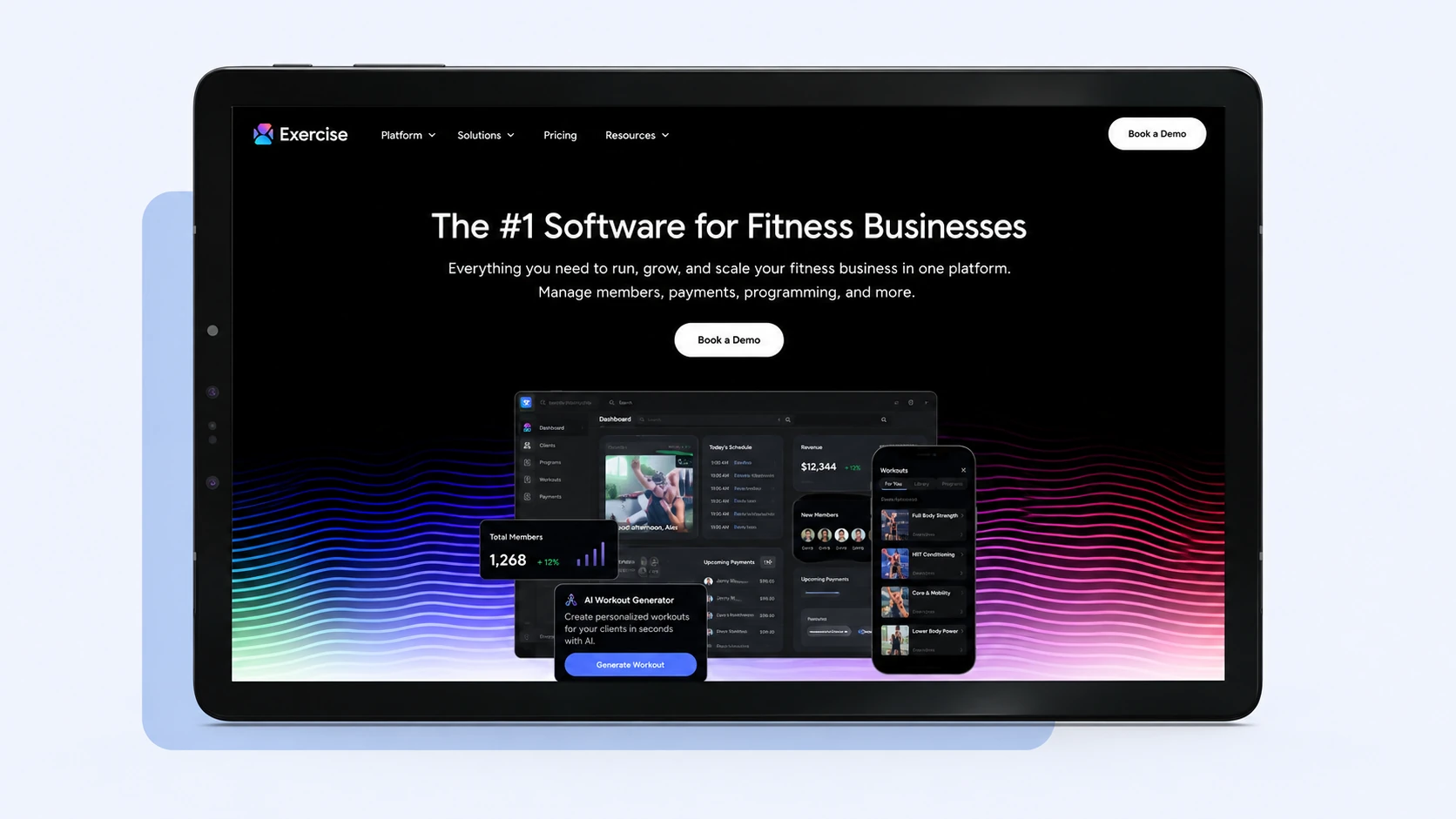
Best for: Gyms evaluating a customizable software platform for their business model.
Starting price: Custom pricing; request a quote from Exercise.com.
Pros:
- Has the potential to attract buyers looking for a customizable solution.
- Gives gym owners another vendor to assess against their required workflows.
- Could warrant a sales call if the gym has some key requirements that off-the-shelf solutions can’t meet.
Cons:
- Pricing is subject to change and must be confirmed directly with Exercise.com.
- Confirm the feature set, implementation costs, and contractual terms prior to comparing it with priced alternatives.
Best Gym Management Software by Gym Type
What works best for your business will be different from another business even in the same market. For example, a multi-location facility will have different software needs than a small independent gym or a CrossFit box. A boutique studio will have different software needs than a large big box gym.
For Small Gyms
Look for low starting prices and ease of administration. Consider the cost of growth. Gymdesk has a starting price of $75/month with Gymdesk Payments for up to 50 active members. PushPress has a free plan, and GymRoute Excel has starting prices of $99/month with no contracts. Processing fees will vary. Look at features and integration, not the base price.
For CrossFit Boxes
For workout-related processes and performance tracking, CrossFit boxes should look at additional offerings such as Wodify’s Performance Tracking add-on, which provides personal records and leaderboards, and PushPress’s Train add-on for $79/month. For core operations on one platform, consider GymRoute. Also, look at CrossFit gym management software to see if they meet your requirements for tracking your particular style of training.
For Fitness and Boutique Studios
For boutique studios, consider class booking, customer packs, and member-facing features. Mindbody is aimed at established studios and wellness businesses, and TeamUp’s pricing is based on the number of active customers. GymRoute provides member scheduling and a member app in all of its plans. For a more focused look at studio requirements, consider software for fitness studios.
For 24/7 Gyms that Require Door Access
Gyms that are open 24/7 should verify that the access control and entry rules work for them and what plan they will need to buy to get those features. For access control, GymRoute has this feature for $199/month from its Exceed plan. Check hardware compatibility before purchasing a system. Explore GymRoute’s gym access control to see if it fits.
For Multi-Location Gyms and Franchises
Compare per-location costs, centralized management, and processes for adding locations. Mindbody’s starting price is $79/month per location, and ABC Glofox uses quote-based pricing. GymRoute publishes flat monthly plans, so ask how additional locations are billed. Compare proposals for the same number of locations, features, and assumptions.
What Features Are Important in Gym Management Systems?
Gym management systems help organize the back-office operations of a fitness business. The right features reduce the need for staff to switch between different tools and help standardize the way routine tasks are executed.
The following features need consideration:
- Scheduling and booking: Your staff should be able to conveniently create and manage class, appointment and reservation schedules. To help assess gym scheduling software, compare it to your actual class schedules and booking rules.
- Billing and payment: See how the software helps automate your payment processes and what fees (if any) are charged for processing. For a gym billing software comparison, see our gym billing software guide.
- Member App: Look at how members will be able to access information and/or interact with your gym via the app.
- CRM and Leads: A gym CRM will help your staff organize and manage leads, follow-up tasks and member relationships.
- Access Control: If you run a gym with extended hours and your staff requires access to different areas of the facility at different times, you may want to look at an access control system with the gym management system.
- Reporting: Identify the reports you and/or your staff need in order to fulfill your day-to-day tasks and/or help make strategic business decisions.
A gym management system is only as good as the features that support the key processes of your gym. Read what gym management software is for a better understanding of the category.
What These Tools Cost
Prices for gym management software start from $0 per month with PushPress Free, and paid entry plans begin from $69 to $99 per month in this comparison. Plans that cost $159 to $348 per month, and higher, exist as well, and enterprise or multi-location plans may require a custom quote.
Owners should account for other costs beyond the subscription, including payment processing, add-ons, onboarding, branded apps, and location fees.
Cost Factor | What to Check | Examples |
Base subscription | Monthly fee and included features | GymRoute Excel starts at $99/month |
Payment processing | Percentage plus fixed fee per transaction | PushPress Free lists 4.99% + $0.30 |
Add-ons | Optional features billed separately | PushPress Train is $79/month |
Customer or member limits | Price changes as the business grows | Gymdesk pricing rises with active members |
Location fees | Charge per site | Mindbody starts at $79/month per location |
Onboarding | One-time or setup fees | Wodify lists an onboarding fee |
When evaluating costs, consider the total amount you would spend at your current size and the cost for a larger scenario. If your gym processes a high volume of credit cards, a small difference in transaction fees can be significant.
For a more detailed breakdown of costs and to compare gym management software prices, read our guide to gym management software cost. The guide should be your next step if cost is the most important factor to you.
Is There Free Gym Management Software?
PushPress has a $0 plan, but “free” has a catch: it charges 4.99% + $0.30 on every card payment. A gym collecting $10,000 a month by card pays about $499 a month in those fees, before any paid add-ons such as Train at $79 a month.
GymRoute has no free plan because it doesn’t need to make its money from your payments. The Excel plan is a flat $99 a month and includes billing, scheduling, the branded member app and POS, with unlimited members and staff, no contract and free data migration. For a growing gym, a predictable monthly fee is easier to plan around than costs that rise with every payment. Read why free gym software breaks when you start growing.
How to Choose Gym Management Software
The first step to selecting the best gym management software is to consider your operation needs, and not a vendor’s list of features. To reduce your choices, use these six variables:
What gym types need: CrossFit boxes might want to focus on tracking workouts, studios would need to schedule classes, martial arts would require attendance systems, and 24/7 gyms would want access control. Check member limits and how prices will increase as your members increase.
Multi-site Businesses: See per-location subscriptions vs. proposals.
Costs: Determine base subscription, add-ons, processing fees, onboarding and other necessary costs.
Card processing volume: Make sure to compare the percentage fee and fixed transaction fee with your actual payment volume.
Contract tolerance: Know what type of contract you’re looking for, or if you’re willing to commit to a longer contract.
Then create a short list of 2-3 platforms and reach out to each vendor to validate what is important to your gym with regard to features and fees. For all demos, use the same requirements so that you can make comparisons.
If you’re just getting up to speed on the category, look at what gym management software is. If it’s time to upgrade, check out our guide on when to switch gym software.
Conclusion
GymRoute is a good choice for gyms seeking a central hub of operational modules in one plan. The Excel, Exceed, and Ultimate versions cost $99, $199, and $299 per month, respectively. These plans come with billing, scheduling, member app, and POS and access control is included with Exceed. All plans also come with no contracts, free data migration and 24/7 support.
Please check the current price of any vendor and make sure that the plan has the features your business requires before choosing any vendor. Then calculate what you would expect to pay per month based on your membership numbers, payment levels and location needs.