Cheapest POS system for gyms
For a gym, “cheapest POS” usually means the wrong question. Most of a gym’s revenue is recurring membership billing, not one-off retail sales, and generic POS apps like Square or Loyverse don’t handle that.
The genuinely cheapest all-in-one option for a brand-new, low-member-count gym is a free-tier gym management platform (e.g., PushPress Core Free at $0/month), even though its per-transaction processing rate is higher.
For gyms with steady membership volume, a low-cost flat-rate platform with lower processing fees (Gymdesk, TeamUp, GymRoute) usually beats a $0/month plan once the total monthly cost is calculated.
Generic retail POS apps (Square, Helcim, Loyverse) are cheap and fine for front-desk merchandise sales, but they don’t replace a membership billing system. Using one as your only system means running dues manually.
The real comparison isn’t software fee vs. software fee. It’s the total monthly cost (subscription plus processing plus add-ons) at your actual membership volume.
Why “cheapest POS for a gym” is a different question
Search “cheapest POS system,” and you get a consistent answer: Square, Loyverse, Helcim, SumUp, Zettle. All are genuinely excellent, low-cost tools for retail. That answer is correct for a coffee shop or a boutique. It is incomplete for a gym, and the gap matters more than it first appears.
A gym has two distinct transaction types, and they are nowhere near equal in size. Understanding that split is the whole key to the question.
Membership billing is most of your revenue
The first transaction type is recurring membership billing: dues charged automatically every week or month, often with contract terms, freezes, cancellations, failed-payment retries, and delinquency follow-up. For most gyms, this is 80 to 95 percent of total revenue. It is the financial engine of the business, and it runs quietly in the background every billing cycle.
Retail is the smaller slice
The second type is point-of-sale retail: a protein shake, a T-shirt, a day pass, a personal training package sold at the front desk. It matters, but for most facilities, it is a minority of revenue. This is the only part a generic retail POS app was built to handle.
Why generic POS apps fall short
Square, Loyverse, and Helcim are excellent at ringing up a one-time sale. But none of them natively run a recurring membership engine with contract logic, automated dunning (retrying failed payments), member portals, scheduling, or access control. A gym that adopts one as its only system ends up running dues through a separate, often manual process. That is exactly how payments get missed, and members quietly stop being charged without anyone noticing.
So the useful answer covers two shopping lists: cheap all-in-one gym platforms that include both membership billing and retail POS, and cheap standalone retail apps for gyms that already have billing handled elsewhere. Both are below, with real pricing.
The real cost framework: three numbers, not one
Every cheap-POS comparison falls into the same trap: a $0/month sticker price hides a processing rate that costs far more over a year than a modest subscription would. For gyms, there is a third number that most comparisons miss entirely.
1. Monthly software fee
The subscription ranges from genuinely $0 to $500+/month, depending on the platform and gym size. Some platforms price by feature tier, some by member count, and a growing number hide the number behind a “contact us” quote form. This is the most visible cost and, for a gym, often the least important of the three.
2. Payment processing rate
The percentage (plus usually a flat per-transaction fee) taken on every charge. For a gym, this applies to your large recurring dues volume, not just retail. The difference between 2.75% and 4.99% sounds trivial until you apply it to $15,000 to $30,000 a month in dues, where it becomes hundreds of dollars every month.
3. Add-on and marketplace costs
This is the layer owners miss most. Several platforms unbundle features you would assume are included, such as a branded app, marketing automation, or a website, as separate paid add-ons. Others charge an extra marketplace commission on bookings made through their consumer app, on top of standard processing. A platform that looks the cheapest on its pricing page can become the most expensive once these are added at your real volume.
The one calculation that matters: multiply your monthly dues by each platform’s processing rate, add the subscription and add any add-on you would actually use. That total, not the sticker price, is what you are comparing.
Gym POS and management software cost comparison
The table below reflects commonly cited, publicly reported pricing as of mid-2026. Rates vary by promotion, region, and negotiated terms, and at least one platform’s free-tier processing rate is reported inconsistently across sources (see the note below the table). Confirm current numbers directly with each provider before making a decision.
| Platform | Monthly fee | Processing rate (cited) | Membership billing? | Best for |
| PushPress Free | $0/mo | ~4.19% to 4.99% + $0.30 | Yes | New / low-volume gyms |
| PushPress Pro / Max | $159 to $229/mo | ~2.75% to 2.89% + $0.30 | Yes | Established, higher-volume gyms |
| Gymdesk | ~$75 to $200/mo (by member count) | ~2.9% + $0.30 | Yes | Predictable, all-inclusive pricing |
| TeamUp | ~$104/mo and up | Varies by processor | Yes | Class-based studios |
| GymRoute | $99 / $199 / $299 (Excel / Exceed / Ultimate) | 2.75% + $0.30 card-present; 1% + $0.25 ACH | Yes | Flat-rate cost; POS from Exceed tier |
| Zen Planner | ~$99/mo base (+ add-ons) | ~2.9% + $0.30 | Yes | Martial arts, established gyms |
| Mindbody | ~$99 to $599+/mo | ~3.5% + marketplace commission | Yes | Multi-location, marketplace reach |
| Square (retail only) | $0/mo | ~2.6% + $0.15 in-person | No | Front-desk retail add-on |
| Helcim (retail only) | $0/mo | Interchange-plus, often under 2% at volume | No | Higher-volume retail counters |
| Loyverse (retail only) | $0/mo | Depends on the linked processor | No | Simple retail on your own tablet |
A note on the PushPress free-tier rate: the current PushPress product page cites 4.99% + $0.30 for Core Free credit card transactions, while several third-party summaries and the platform’s own earlier materials cite 4.19% + $0.30. This guide shows the range and uses the more conservative figure in worked examples; confirm the live rate before relying on it.
Cheapest all-in-one gym platforms (billing plus POS built-in)
These combine recurring billing, scheduling, and retail POS in one system. For most gyms, this is the right shopping list because it avoids running two disconnected tools that never quite reconcile.
PushPress: cheapest genuinely free tier
PushPress Core Free runs at $0/month, with in-person card processing cited between 4.19% and 4.99% + $0.30, depending on the source. Its paid tiers, Pro at $159/month and Max at $229/month, trade a subscription fee for meaningfully lower processing (down to 2.75% + $0.30 card and 0.79% + $0.30 ACH on Max).
The free tier’s higher rate barely matters in dollars at low volume. At higher volume, it becomes the more expensive path, which is why PushPress itself notes most gyms upgrade to Pro once revenue reaches around $10,000/month. Watch the add-on stack, though: marketing automation and a branded app are separate paid modules that raise the real monthly cost well above the entry price.
Gymdesk: predictable member-count pricing
Gymdesk prices by member count rather than feature tier, commonly starting around $75/month for smaller gyms and scaling with membership size, with processing around 2.9% + $0.30. Its appeal for cost-conscious owners is that core features are included at every tier, avoiding the paywalled add-on pattern.
It also supports multiple payment processors rather than locking you into one, which helps if you already have a favorable merchant rate. The trade-off is simply that the monthly fee rises as your membership grows, so model it at your projected size, not today’s.
TeamUp: mid-tier option for class-based studios
TeamUp is commonly cited as starting at around $104/month and scaling with active customers, aimed at class-based formats like yoga, dance, and HIIT. It includes booking, recurring class support, and reporting without aggressive tier-gating, and it consistently earns strong marks for support.
Because it scales by customer count, its position on a “cheapest” list depends entirely on your size. For a small, class-heavy studio, it is competitive; for a large gym, it can drift past flat-rate options upward.
Zen Planner and Wodify: cheap sticker, watch the add-ons
Zen Planner’s base plan is commonly cited at around $99/month, but core marketing automation, a website, and a branded app are separate charges that can push a full-featured setup toward $350 to $525/month. The advertised entry price and the real all-in price are quite far apart here.
Wodify starts similarly at around $99/month, but its free tier reportedly adds a high service fee on top of client transactions. That is worth calculating carefully against your actual sales volume before assuming it is the cheap option, because a percentage fee on dues adds up fast.
RhinoFit and GymMaster: budget-focused, narrower features
RhinoFit is commonly cited starting at around $149/month and positioned as a low-frills, budget option, solid for memberships, payments, bookings, and reporting, with fewer marketing tools than premium platforms. GymMaster starts around $89/month and pairs management with built-in access control.
That access control focus makes GymMaster a relatively cheap option specifically for 24/7 self-service models, though the door hardware is an added cost on top of the software fee. Neither aims to be feature-rich; they aim to be inexpensive and dependable, which for some gyms is exactly right.
Mindbody and Glofox: rarely the cheapest
Mindbody’s published entry plans start around $99 to $129/month per location, but plans used by full-service gyms commonly run $300 to $599/month, and a marketplace commission adds cost to marketplace-driven bookings. Glofox’s pricing is quote-based rather than published, with third-party estimates suggesting a starting point near $100/month before custom quoting.
Neither is likely to be the cheapest for a small or new gym hunting for the lowest total cost. Both offer marketplace reach and polish that budget platforms do not, so they are worth ruling out on purpose rather than by omission, especially if discovery through a consumer marketplace matters to you.
GymRoute: flat-rate tiers with POS from the mid-tier
GymRoute publishes pricing directly across three flat-rate, month-to-month tiers with no contract: Excel at $99/month (membership and package management, digital forms, online booking and scheduling), Exceed at $199/month (adds lead management, point-of-sale, loyalty programs, and inventory management), and Ultimate at $299/month (adds marketing automation, staff management, and multi-location).
All three tiers include unlimited members and staff plus 24/7 support, so a 400-member gym and a 40-member gym pay the same tier price for the same features. Processing runs 2.75% + $0.30 card-present, 3.15% + $0.30 keyed-in, and 1% + $0.25 for ACH, with no setup, PCI, batch, or statement fees layered on top.
If member growth is your plan, watch the pricing model, not just the price. Platforms that charge by member count get more expensive with every person you sign. A flat rate means the win you worked for does not come with a software penalty attached. You can see GymRoute’s full pricing without a sales call.
Cheapest standalone retail POS apps
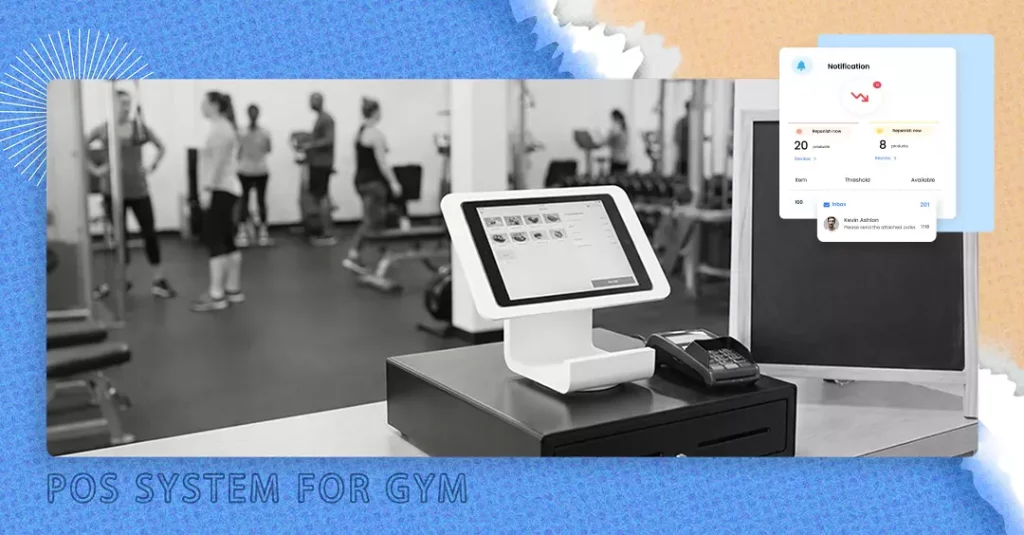
If your gym already runs membership billing through a dedicated platform and just needs a lightweight system for front-desk retail, a generic retail POS app is the cheaper, simpler choice for that specific job. These are not membership billing systems and should not be treated as full gym software.
Square
Square offers $0/month software, with in-person processing commonly cited at around 2.6% + $0.15 per tap or dip in 2026. The basic mobile reader is inexpensive, and more advanced hardware ranges from roughly $50 to $800. It is the most widely recommended free retail POS, with solid inventory and reporting for a small counter. Full current rates are on Square’s official pricing page.
Helcim
Helcim runs $0/month software using interchange-plus pricing, which passes the wholesale card cost through with a small transparent markup and drops further with volume. That makes it a strong choice specifically for gyms with meaningful retail volume, a real pro shop rather than a few shirts. Its published model is detailed on Helcim’s pricing page.
Loyverse
Loyverse offers entirely free core software for iOS and Android, with unlimited items and multi-location support. It is payment-agnostic, so you connect your own lower-cost processor rather than being locked into one, a good fit if you already have a preferred processor relationship. Details are on the Loyverse site.
SumUp and Zettle
Both charge $0/month with inexpensive card readers and flat per-transaction rates, best suited to very low-volume counters or pop-up merchandise tables rather than a gym’s primary point of sale.
The common thread: none of these four run recurring billing, scheduling, or access control. Using one as your only system means dues get collected some other way, which is precisely the setup that leads to missed payments and quiet churn.
The math: what “cheap” actually costs at different volumes
Sticker prices do not tell the real story; total monthly cost does. Here is a worked comparison for a gym processing $15,000/month in dues, roughly 150 members at $100/month, using commonly cited processing rates.
Free-tier platform at $0 software
At the conservative 4.19% + $0.30 rate on about 150 transactions, processing runs roughly $674/month on top of $0 software, near $8,088/year. At the higher 4.99% figure now cited by the vendor, it climbs to about $794/month. The “free” plan is doing a lot of quiet work against you at this volume.
Flat-rate mid-tier platform
Take GymRoute’s Exceed tier as the worked example: $199/month plus 2.75% + $0.30 on card-present dues is roughly $458 in processing on $15,000 across 150 charges, for a combined total near $657/month, with POS, loyalty, and inventory included and no per-member surcharge as you grow past 150. That total lands below the free tier’s all-processing cost at this volume.
The crossover point
The pattern holds generally. At low volume (a new gym under roughly 50 to 75 members), the $0/month tier’s higher rate costs little in absolute dollars, making it genuinely the cheapest. Past roughly 100 to 150 active paying members, a modest subscription paired with a lower processing rate usually becomes the cheaper total, often by a wide margin once annualized. That crossover is the single most useful number to calculate, and it is specific to your member count and average dues.
Run it on your own numbers before your next demo. Ten minutes of arithmetic on your real dues volume routinely reverses the ranking that a pricing page suggests. Vendors who publish their rates make this easy; the ones who do not are asking you to skip the step.
Which is actually the cheapest for your gym?
Use your current or projected membership volume and business model as the filter, not the subscription price alone. Each situation below points to a different answer, and the honest answer is not always GymRoute.
New gym, under ~75 members
A $0/month all-in-one platform is typically genuinely the cheapest, since the higher processing rate applies to a small transaction volume and the zero fixed cost matters most while cash flow is tightest. PushPress Core Free is the clearest example.
Established gym, 100+ members
Run the math above on your own numbers. A paid tier with a lower processing rate very often beats the free tier’s total cost once volume is high enough, even though the sticker price is no longer $0. This is where flat-rate platforms tend to win.
Retail is a meaningful share of revenue
Prioritize a platform with a POS genuinely built in rather than bolting on a separate app. The reporting and inventory headaches of two disconnected systems usually cost more in staff time than the software fee ever would.
24/7 or self-service gym
Weigh access control integration specifically. A platform that includes it (GymMaster and GymRoute both do) avoids paying for a third, separate access control system on top of software and processing.
Multi-location or franchise scale
The “cheapest” calculus shifts toward negotiated enterprise pricing, where per-location costs may drop with volume. Get a quote rather than assuming a small-gym platform’s per-location math holds at scale.
Common mistakes when choosing a “cheap” POS
Picking on subscription price alone
A $0/month platform with a high processing rate can cost more per year than a $159/month platform with a low one, once real membership volume is applied. Always calculate both numbers together.
Using a generic retail POS as the only system
Square, Helcim, and Loyverse are excellent at retail but run no recurring billing. A gym using one as its sole system usually collects dues manually somewhere else, which is where missed payments and quiet churn creep in.
Ignoring marketplace commissions
Platforms with a consumer marketplace charge extra when a client books through it rather than directly. That is valuable if the marketplace genuinely brings in members you would not otherwise reach, and a pure cost if it does not.
Underestimating add-on stacking
A competitive-looking base price can double once a branded app, marketing automation, or website is added as a separate module. Ask for the full stack price, not just the entry tier, before comparing.
Not checking processor flexibility
Some platforms lock you into their own processor; others support several. If you already have a negotiated merchant account with favorable rates, processor lock-in can erase the savings a lower sticker price seemed to offer.
Frequently asked questions
What is the cheapest POS system for a small gym?
For a brand-new or small gym of roughly 50 to 75 members, a free-tier all-in-one gym platform such as PushPress Core Free ($0/month software) is typically the cheapest genuine option, because it includes membership billing, scheduling, and POS together rather than requiring a separate system for each. The trade-off is a higher processing rate (cited between 4.19% and 4.99% + $0.30), which costs little at low volume but is worth reassessing as membership grows.
Can I just use Square or Helcim for my gym?
You can use them for front-desk retail, supplements, apparel, day passes, but neither runs recurring membership billing, scheduling, or access control, which make up most of a gym’s operations and revenue. Gyms that try to run dues through a generic retail POS usually end up managing billing manually, which creates more admin work and payment-tracking risk than the software savings are worth.
Do gyms need special POS software instead of a regular POS?
For the membership side, yes: regular retail POS software lacks contract management, automated failed-payment retries, freezes and cancellations, and scheduling, all of which gym platforms build in natively. For the retail side alone, a regular POS app works fine and is often cheaper than a gym platform’s bundled retail module.
What is the cheapest gym software with built-in POS?
Among platforms combining billing, scheduling, and POS in one system, PushPress Core Free ($0/month, higher processing rate) is the cheapest entry point for low-volume gyms, while Gymdesk (from around $75/month) and GymRoute ($199/month Exceed tier, flat rate with unlimited members, POS and inventory included) are commonly cited as more cost-predictable once a gym has steady volume. GymRoute’s 2.75% + $0.30 card-present rate undercuts several competitors’ flat-rate processing with no setup, PCI, batch, or statement fees.
How much does gym POS software typically cost per month?
Published starting prices commonly range from $0/month (free tiers with higher processing rates) to around $150 to $250/month for full-featured mid-tier plans, with premium and enterprise platforms reaching $300 to $600+/month per location before add-ons and marketplace commissions. The subscription alone understates the true cost; always add expected monthly processing at your actual membership volume before comparing.
Is a free POS actually cheaper for a gym in the long run?
It depends entirely on transaction volume. At low member counts, a free platform’s higher processing rate applies to a small dollar amount and genuinely is the cheapest. Once a gym passes roughly 100 to 150 steady paying members, the math commonly flips: a modest subscription with a lower processing rate usually costs less in total than a $0/month plan’s higher percentage on a larger volume. Run the calculation with your own numbers rather than assuming either direction.
Why might my gym’s card processing cost more than the advertised rate?
Two reasons usually. First, keyed-in and online transactions often carry a higher rate than card-present ones, so your blended rate lands above the headline number. Second, some processors add setup, PCI, batch, or statement fees on top of the percentage, which the pricing page may not feature prominently. Ask for the full fee schedule in writing, and confirm which rate applies to recurring dues specifically, since that is your largest volume.
The bottom line
The cheapest POS for a gym is not a product; it is a calculation. It is the lowest total of software plus processing plus add-ons at your real membership volume, and the winner changes with your size.
Under roughly 75 members, a $0/month all-in-one platform usually wins on pure cost. Past 100 to 150 members, a flat-rate platform with a lower processing rate and no per-member penalty typically pulls ahead and keeps pulling ahead as you grow. Name the specific thing you need (billing, retail, access control, scheduling), calculate the total at your own numbers, and ignore the sticker price until you have.
If you want POS, loyalty, and inventory alongside membership billing at a flat rate that does not rise as you add members, GymRoute’s Exceed tier is built for exactly that. You can book a demo to see the total-cost math on your own member count.