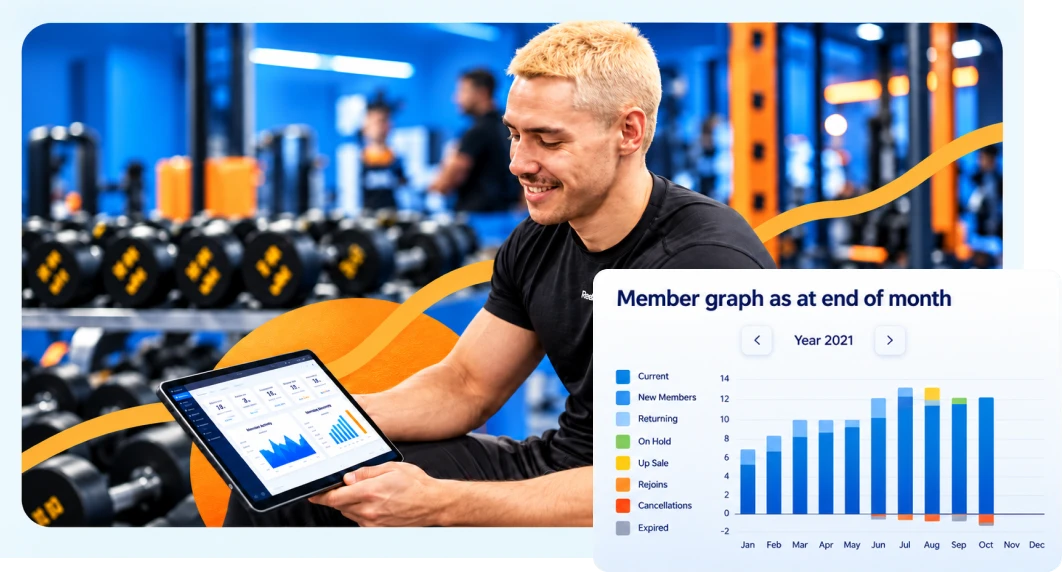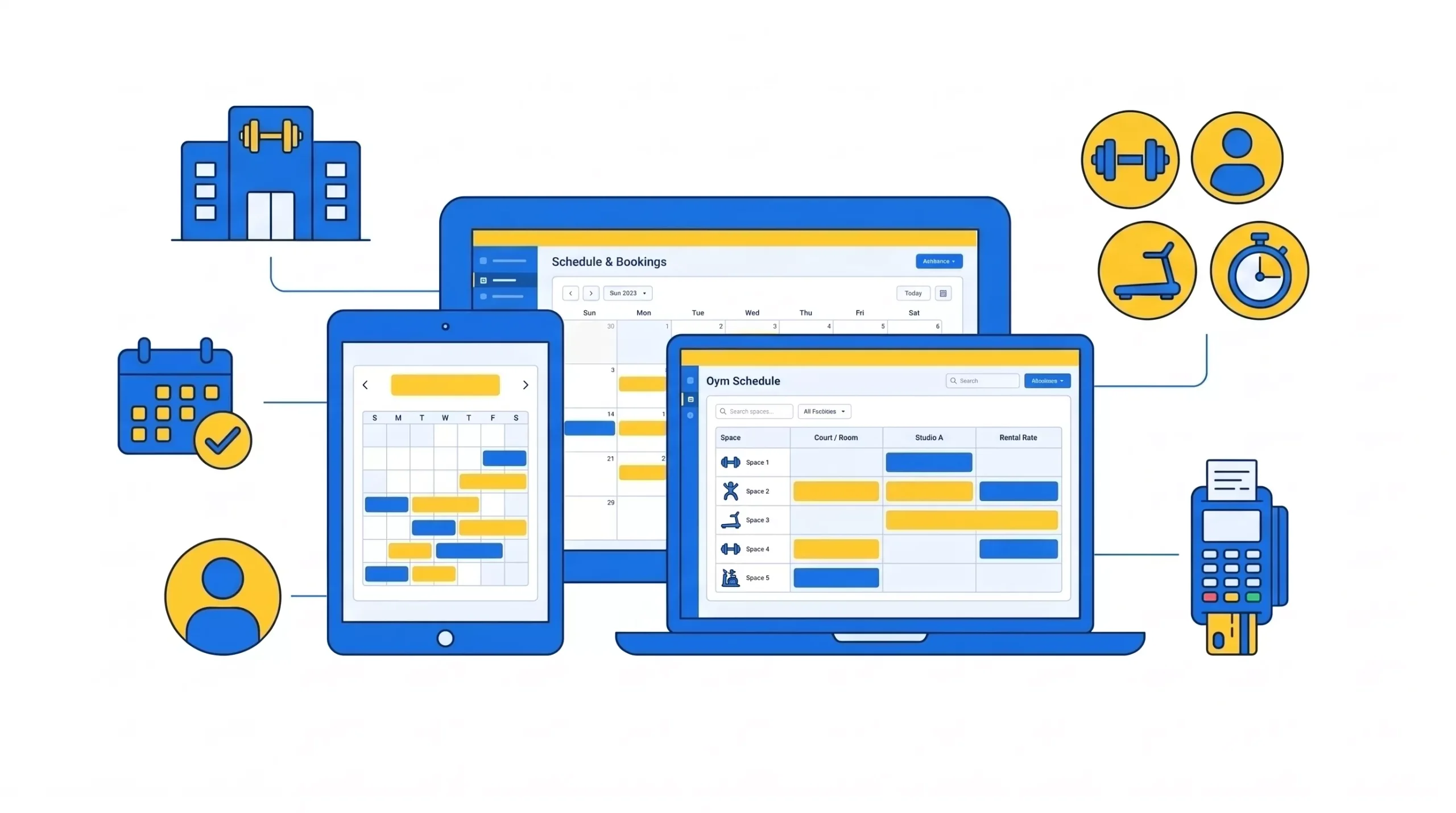
Gym software, also called gym management software, is an all-in-one platform that runs the business side of a fitness facility from one system: member records, recurring billing, class scheduling, attendance, staff management, marketing, and reporting.
It replaces the spreadsheets, paper waivers, standalone card readers, and separate email tools most gyms start with. Instead of six disconnected tools, one connected system where a member’s booking, payment, attendance, and contract all live on the same record.
The category goes by several names that mean roughly the same thing: gym management system, fitness studio software, member management software, health club software. The distinction that matters is not the name; it is scope. A booking tool schedules classes. Gym software runs the business.
The simplest test: if a member books a class, and that action does not automatically update your schedule, charge their account, log their attendance, and feed your retention report, you do not have gym software. You have a calendar.
What does gym software actually do?
Every vendor lists twenty features. In practice, the category does eight jobs. If a platform does these well, the rest is decoration.
- Member and membership management. Store member profiles, contracts, and status. Build plans that match how you actually sell: monthly recurring, class packs, family plans, drop-ins, and freezes for injury or travel. This is the foundation on which everything else hangs.
- Recurring billing and payments. Set billing once and let it run, including automatic retries when cards decline. This is the single highest-value job on the list, and the one most gyms underestimate.
- Class scheduling and booking. Publish the timetable, let members self-book and cancel from their phones, cap class sizes, and run waitlists that auto-notify the next person when a spot opens.
- Attendance and check-in. Log who shows up, and more importantly, flag who has stopped. Attendance data is the earliest churn signal you have.
- Reporting and analytics. Revenue, membership growth, class utilization, retention, per-coach performance. The point is deciding based on data instead of instinct.
- CRM and lead management. Capture inquiries, track them through a pipeline, automate follow-up, and measure which sources actually produce members.
- Staff management and payroll. Shift scheduling, permissions, hours tracking, and commission or per-class pay calculation.
- A member-facing app. One place for members to book, pay, update cards, and manage their own accounts, which removes a surprising volume of front desk work.
Most gyms buy for jobs 1 through 3, then discover jobs 4 through 8 are where the returns actually compound. For a deeper feature-by-feature breakdown, see our complete guide to gym management software.
How does gym software work?
Modern gym software is cloud-based, meaning it runs on the vendor’s servers and you reach it through a browser or app rather than a machine at your front desk. Everything syncs in real time, and you can run the business from anywhere.
Follow a single member through the system because this is where the value becomes obvious.
A prospect fills out a form on your site. That creates a lead in the CRM, which triggers an automated follow-up sequence. They book a trial class, which appears on your timetable and reserves capacity. They sign a digital waiver on their phone. They convert to a membership, and their plan, contract, and card land on one record. From then on, billing runs automatically. Their bookings update your schedule. Their check-ins feed your attendance data. When their visits drop off, an at-risk flag fires and someone reaches out before they cancel.
Nobody retyped anything. That is the entire proposition. One action moves through the whole system.
Run those same steps across a booking app, a card reader, a spreadsheet, and a Mailchimp account, and every handoff is a manual step where data goes stale or gets lost.
On-premises versus on-premise: almost every gym today runs cloud-based software. No server to maintain, automatic updates, real-time sync, access from anywhere. On-premise installations survive mainly in older or very large operations with specific data-residency requirements. For an independent gym, the cloud is the default.
Unified platform vs separate tools: which is actually better?
This is the real strategic decision, and most articles skip it by assuming the answer. Both approaches are defensible. Here is the honest comparison.
The case for separate specialist tools
Best-of-breed tools are usually better at their one job than any module inside an all-in-one. A dedicated email platform will out-feature almost any gym software’s built-in marketing. A dedicated CRM will out-feature a built-in lead tracker.
You also avoid vendor lock-in. If your email tool disappoints, you swap it without migrating your entire business.
Separate tools genuinely win when you have an unusual requirement that no all-in-one serves well (a specific rank curriculum, a bespoke programming methodology, a franchise-mandated system), you already have a marketing stack that works and staff trained on it, or you are small enough that a free booking tool plus a card reader genuinely covers you.
The case for one unified platform
The advantage is not the features. It is that the tools share one member record.
Consider what “integration” actually costs when tools are separate. Your booking app knows who attended. Your billing tool knows who paid. Your email tool knows who opened. But none of them knows that the member who stopped attending three weeks ago is the same member whose card failed last month and who never opened your last four emails. That member is about to cancel, and no single tool can see it because the signal only exists when you combine the data.
Then there is the arithmetic nobody runs. A booking tool at $50, an email platform at $40, a CRM at $60, a payment processor with its own monthly fee, and a scheduling add-on. That stack is $200+/month before processing, and it still requires someone to reconcile it. Several all-in-one platforms cost less than that and reconcile themselves.
Unified wins when you want one bill and one support number, your staff turnover means training on five systems is a recurring tax, you need cross-tool data to see retention risk, or you are growing past the point where manual reconciliation is survivable.
The honest answer
For most independent gyms and studios under a few hundred members, unified wins, not because the features are better but because the reconciliation cost of separate tools is invisible until it is enormous, and it is paid in your evenings.
For larger operations with specialist needs and staff to manage them, hybrid is common and sensible. Run an all-in-one for operations; keep a specialist tool for the one thing it does uniquely well.
The approach that reliably fails is the accidental stack: six tools nobody chose, accumulated one problem at a time, none of them talking. That is not a strategy; it is sediment. If your current stack still has a spreadsheet at the center of it, this is what that actually costs you.
Count your stack before you price a replacement. Most owners underestimate what they already spend, because it arrives as four small charges rather than one. Add up every tool touching a member (booking, payments, email, waivers, spreadsheets) plus the hours someone spends reconciling them. That number, not the $99, is what a unified platform is actually competing against.
What CRM capabilities should gym software have?
CRM is the most misrepresented feature in this category. Many platforms label a contact list with notes as a “CRM.” It is not. Here is what actually matters, roughly in order.
- Lead capture from every source. Website forms, paid ads, walk-ins, referrals, and phone inquiries all land in one pipeline. If leads arrive in three places, some will be missed.
- Pipeline stages you define. Inquiry, trial booked, trial attended, follow-up, converted, lost. Without stages, you have a list, not a pipeline, and you cannot see where prospects stall.
- Automated follow-up sequences. Triggered by behavior, not by someone remembering. A lead who books a trial and does not attend should get a different message from one who attends and does not convert. This is where most gyms leak the most revenue, since the majority of leads need multiple touches and manual follow-up dies at touch two.
- Source attribution. Which channel produced this lead, and which channels produce members rather than just inquiries? Without it, you are guessing where to spend.
- Task assignment and ownership. Someone specific owns each lead, with a due date. Unowned leads go cold.
- Trial and intro-offer tracking. Trials are their own funnel with their own conversion rate. If your CRM cannot report on trial-to-member conversion separately, you are blind to the most important step.
- Two-way member communication. Email and SMS from inside the platform are logged against the member record, so the next person to talk to that member sees the history.
- Reporting that closes the loop. Cost per lead, lead-to-member conversion, and cost per acquired member, by source. This is the difference between a CRM and a database.
For a platform-by-platform look at how the major systems handle this, see our comparison of the best fitness business CRM software platforms.
What you probably do not need: enterprise CRM features like complex deal-stage forecasting, territory management, or lead scoring models. Those belong to businesses with long B2B sales cycles. A gym’s sales cycle is measured in days.
The buying question to ask: “Show me the report for trial-to-member conversion rate by lead source, for last month.” If the answer involves exporting to a spreadsheet, it is not a CRM.
Which gym software handles staff payroll and attendance?
This is where lightweight platforms stop, and mature ones keep going, and it is a common reason gyms outgrow their first system.
The distinction that trips people up: “staff management” and “payroll” are used interchangeably in vendor marketing, and they are not the same thing. Staff management means scheduling shifts and setting permissions. Payroll means calculating what each person is owed, which, for a gym, is rarely a simple hourly rate.
What to look for, in order of how often it forces a switch:
- Multiple pay structures. Real gyms pay coaches several ways at once: hourly for floor shifts, per class for group sessions, percentage commission on personal training, and sometimes a bonus on retail or membership sales. If your software only handles hourly, someone is running a spreadsheet.
- Time tracking tied to actual shifts. Clock in and out against the schedule, with variance visible. This matters most for the FLSA compliance question of tracking hours accurately for non-exempt staff.
- Per-class attribution. Which coach taught which class, with how many attendees? This drives both pay and the performance reporting that tells you which coaches retain members.
- Commission calculation. If trainers earn a percentage of session revenue, the software should calculate it from actual sessions delivered, not from a manual tally.
- Payroll export or integration. Most gym software does not file your payroll taxes. It calculates what is owed and exports to a payroll provider. Confirm which providers it exports to before assuming it fits your stack.
- Permissions and role separation. A coach should see their own schedule and roster. A manager should see revenue. Not the same view.
- Multi-location and multi-role staff. One coach working two sites, or teaching classes and working the desk, should not require two records and manual math.
Platforms that address this seriously: GymRoute includes staff management at its Ultimate tier with unlimited staff at a flat price, which matters because most platforms that scale by staff count punish you for hiring. Zen Planner, Mindbody, and ClubReady all market payroll capability at their higher tiers. Verify the depth against your actual pay structures rather than trusting the feature name, because “we support commissions” can mean anything.
The buying question to ask: “Here is how I pay my head coach: 20 hours hourly, six classes a week at a per-class rate, and 40% commission on PT. Show me that configured.” Watch what happens.
Watch for the per-staff charge. Platforms that price by staff seat quietly tax you for hiring, which is backward for a business whose growth depends on adding coaches. Before you compare monthly prices, ask what the bill looks like when you go from four coaches to twelve. Flat-rate platforms with unlimited staff (GymRoute is one) do not change.
How much does gym software cost?
Most gym software runs $30 to $300/month for independent gyms and studios, with enterprise platforms running higher. But the subscription is the smaller half of the story.
Verified pricing, mid-2026
| Platform | Starting price | Processing rate | Scales with members? |
| Vagaro | $30/mo base (+$10/calendar) | From ~2.2% | Yes (per calendar) |
| RhinoFit | $57/mo flat | Not published | No (unlimited members) |
| WellnessLiving | ~$69/mo (Starter) | Proprietary, ~market standard | Yes (tiered) |
| Gymdesk | $75/mo (up to 50 members) | 2.9% + $0.30 | Yes (member count) |
| GymMaster | $89/mo (Foundation) | Not disclosed | Yes (member count) |
| GymRoute | $99/mo (Excel) | 2.75% + $0.30 card-present; 1% + $0.25 ACH | No (unlimited members) |
| Zen Planner | ~$99/mo (Studio base) | ~2.97% + $0.47 | Yes (active members) |
| ABC Glofox | ~$110/mo (Essential) | 2.5% to 2.9% | Yes (tiered) |
| TeamUp | $119/mo (0 to 100 customers) | Varies by processor | Yes (customer count) |
| Mindbody | ~$129/mo+ per location | 2.75% in-person; 3.5% online + 20% marketplace | Yes (location/usage) |
| Pike13 | $139/mo (annual billing) | Via selected merchant | No (per location) |
| ClubReady | $149/mo (Launch) to ~$499 | Not disclosed | Yes (tiers) |
| PushPress | $0 (Core Free), $159 Pro, $229 Max | 4.19% free; 2.89% Pro; 2.75% Max; 0.79% ACH | No |
| Wodify | ~$179/mo per location | 2.6% + $0.25; 1.5% + $0.30 ACH | No (per location) |
Prices observed in July 2026 from vendor pricing pages and credible third-party listings. Entry tiers only. Vendors change pricing frequently; confirm current rates directly. For a deeper breakdown of what these platforms cost once processing and add-ons are included, see our guide to gym management software cost.
The math that reorders this table
At 150 members paying $100/month, which is $15,000 in monthly dues:
- PushPress Core Free ($0/mo) at 4.19% = ~$629 processing. Total: $629.
- GymRoute Excel ($99/mo) at 2.75% = ~$413 processing. Total: $512.
- Zen Planner Studio ($99/mo) at 2.97% + $0.47 x 150 = ~$516 processing, plus the $39/mo branded app add-on. Total: $654.
- Wodify Essentials ($179/mo) at 2.6% = ~$390 processing. Total: $569.
The free platform is the most expensive one on that list. And the $99 platform beats the $179 platform only until you add the app, at which point it loses.
The lesson: subscription price ranks these almost backward from total cost. Always calculate subscription plus processing at your real dues volume before comparing anything.
Run this on your own numbers before your next demo. Take your monthly dues total, multiply by each platform’s processing rate, add the subscription and add any add-ons you would actually need. It takes ten minutes, and it routinely reverses the ranking people walk in with. Vendors who publish their rates make this easy; vendors who do not are asking you to skip the step.
For a wider field of platforms assessed on more than price, see our comparison of the 21 best gym management and check-in software options.
Three pricing models, and what each costs you later
Flat by tier. One price regardless of member count. Predictable, and the advantage compounds as you grow. GymRoute, PushPress, RhinoFit, Wodify, and Pike13 price this way.
Scaling by member count. Cheap at 40 members, expensive at 400. Gymdesk, Zen Planner, TeamUp, WellnessLiving, GymMaster, Glofox, Vagaro, and Mindbody all scale. This is not inherently bad; it just means you must model your cost at your 12-month projection rather than today’s roster.
Quote-only. No public price. Glofox, Mariana Tek, and ClubReady’s upper tiers work this way. It does not make them bad products, but it does mean you cannot size the decision without entering a sales process.
The hidden costs to ask about
- The branded member app. The single most common add-on. Zen Planner charges $39/month for it. Vagaro charges extra. Others include it.
- Website. Zen Planner charges roughly $99/month.
- Marketing automation. Zen Planner’s Engage add-on is roughly $249/month, which is more than most platforms’ entire top tier.
- The fixed per-transaction fee. Zen Planner’s $0.47 versus a $0.30 standard costs an extra $34/month at 200 charges, before any percentage difference. On small-ticket transactions like drop-ins, the fixed fee can exceed the percentage entirely.
- Setup, PCI, batch, and statement fees. Several processors add these on top of the headline rate. GymRoute publishes that it charges none of them, and you can see full pricing without a sales call, which is worth checking against any competitor’s actual invoice rather than their pricing page.
Which gym software offers reliable 24/7 human support?
This is the question vendors answer least honestly, so it deserves care.
“24/7 support” means at least four different things across this industry:
- A 24/7 help center, which is documentation, not support.
- A 24/7 chatbot, which is deflection.
- 24/7 email or ticket submission, where you can submit at 3 am and hear back on Monday.
- Genuine 24/7 access to a human who can resolve a problem.
Only the fourth is what you actually want at 6 am on a Saturday when billing has broken, and members are at the door. Most “24/7” claims are one of the first three.
What the independent review data actually shows:
The strongest support reputations belong to TeamUp (4.8 out of 5 across 337+ reviews, with unusually consistent praise for live chat responsiveness), Gymdesk (4.8 out of 5 across 148 reviews, with reviewers specifically citing fast email support), and PushPress (4.8 out of 5 across nearly 200 reviews). None of these three advertise 24/7 phone support. They are rated well because responses are fast and competent during their coverage, which in practice matters more than nominal hours.
Vendors advertising 24/7 support include GymRoute, Vagaro, WellnessLiving, RhinoFit, and Legitfit. GymRoute’s is a stated 24/7 commitment; verify the channel and response time against your own test before relying on it, and note that GymRoute has a thinner independent review base than the three above, which makes external verification harder.
The weakest support reputation on the list is Mindbody. Its Capterra support rating sits around 3.8 to 4.0, PissedConsumer shows 1.4 out of 5, and reviewers consistently describe hold times exceeding 45 minutes and multi-day ticket delays. For a direct look at how Mindbody’s cost and support compare against a flat-rate alternative, see GymRoute vs Mindbody. Glofox’s support is widely reported to have declined following the 2022 ABC Fitness acquisition, with a recurring theme that phone support is friendly but unable to resolve issues; we covered the options in our guide to Glofox alternatives. Zen Planner’s support is polarized: some reviewers describe it as fast and thorough, others as absent during billing disputes.
How to actually test this before you buy:
Submit a support ticket at an inconvenient hour during your trial, ideally a real question, and time the response. Ask the salesperson directly: “What are your actual support hours by channel, and what is your median first-response time?” A specific answer is a good sign. Vagueness is the tell.
Then ask the question that matters most: “It is 6 am Saturday, billing has failed for 40 members, and my front desk is calling me. What happens?” The answer to that is the product.
Ask it of everyone, including us. Any vendor confident in their support will answer that question with specifics rather than a brochure line. If the answer is a help-center link, you have learned something useful before you signed anything.
Who uses gym software?
The category spans most of the industry, and the differences matter more than the similarities.
- Independent gyms and fitness studios. The largest group, often running one- or two-person teams where the owner is also the coach and the front desk. The value here is time, and the constraint is usually that nobody has the time to configure a complex system.
- Boutique and class-based studios (yoga, Pilates, spin, dance). Need class-pack pricing, waitlists, and recurring bookings. The timetable is the business.
- CrossFit and functional fitness boxes. Programming, drop-ins, community engagement, and increasingly performance tracking and leaderboards.
- Martial arts schools. The clearest dividing line in this category. Dojos need belt and rank progression, family billing for the parent with three kids enrolled, and attendance-based testing eligibility. Software built for a spin studio genuinely does not know what a jiu-jitsu belt curriculum is. This is the single most common reason a gym discovers its software does not fit.
- 24/7 and open-gym facilities. Access control matters more than booking. Members enter freely, so the door needs to know who has paid. We compared the options in our guide to the top gym access control systems.
- Personal trainers and appointment-based businesses. Lighter needs: bookings, programming, payments. A full gym platform is often more than they need.
- Multi-location and franchise operations. Per-site reporting, corporate rollups, and consistent member experience across locations.
Inside each business, the software serves three different people with different needs. Owners watch revenue and retention. Coaches manage schedules and rosters. Front desk staff handle check-ins and sign-ups. A platform that serves the owner brilliantly and the front desk badly will fail, because the front desk is who uses it forty hours a week.
Why gym software matters, and where it does not
What it genuinely buys you:
- Protected revenue. Automated billing with retry logic recovers payments that fail silently in a manual system. At 200 members, a few percent of failed payments never chased is real monthly money walking out the door.
- Earlier warning on churn. Attendance tracking flags the member who has gone quiet, so you can reach out before the cancellation rather than after. This is the highest-leverage thing the software does, and the least used.
- Decisions from data. Which classes fill, which sit empty, which coaches retain members and which lead sources convert? Scheduling and pricing calls stop being guesses.
- Scale. The habits that work for 40 members (memory, a spreadsheet, a sticky note) collapse somewhere between 150 and 300. Software does not notice the difference.
Where it does not help, and this is worth being clear about:
Software will not fix a gym with a weak offer, poor coaching, or a bad location. It will not make members stay if the experience is not worth staying for. It will not sell memberships; you are not asking people to buy. The software is leveraged on a working business, not a substitute for one. Gyms that switch platforms, hoping to fix a growth problem, usually discover that the platform was not the problem.
There is also a real cost: setup time, staff training, and migration disruption. Simple platforms with responsive onboarding shorten it. Feature-heavy ones can stretch it into weeks, with Mindbody’s onboarding frequently reported at up to eight weeks.
How to choose gym software
Six steps, in order.
1. Name the one thing that is broken. Billing, rank tracking, no-shows, lead follow-up, payroll math, door access. If you cannot name one specific thing, software is probably not your problem, and switching will cost you weeks for nothing.
2. Check whether your current platform solves it at a higher tier. Upgrading is almost always cheaper and less disruptive than migrating.
3. Calculate the total cost at your real volume. Subscription plus processing at your actual dues, plus any add-ons you would genuinely need. Then check whether pricing scales with member count and model it at your 12-month projection.
4. Buy for your discipline, not for the feature count. A martial arts school and a spin studio need genuinely different things. Fit beats features. The generic basics are table stakes everywhere; the discipline-specific capability is what separates software that works from software you fight every Monday.
5. Test the experience your staff will actually have. Run your busiest morning through a trial: check-in, a full class with a waitlist, a retail sale, a failed payment. If retail is a meaningful part of your revenue, our guide to the cheapest POS systems for gyms covers why a generic retail till is not a substitute. The tool your front desk figures out fastest is usually the right answer, regardless of what the spec sheet says.
6. Ask four questions before signing.
- What is the exact processing rate, in writing, including any setup, PCI, batch, or statement fees?
- Does pricing scale with my member count?
- Can I bring my own payment processor?
- Do you migrate my data and stored cards, or do I?
Can you switch gym software without losing your data?
Yes, and migration anxiety keeps more owners on outgrown software than any other factor.
Two things do the stalling: member records and stored cards.
On record, any reputable provider imports your existing members, plans, contracts, and history. The good ones do it as a guided white-glove setup rather than handing you a CSV template. PushPress, TeamUp, and Gymdesk all offer free migration. If PushPress specifically is what you are weighing against, we compared it against the field in our guide to PushPress alternatives.
On stored cards, the fear is having to ask every member to re-enter their payment details, which would be a churn event in itself. The mechanism that prevents it is card tokenization: payment tokens transfer directly between processors, so nobody re-enters anything and billing continues uninterrupted. Done properly, members do not notice you moved.
The tell during sales: ask any vendor to walk you through exactly how the data import and card migration work. A specific, confident answer is a good sign. Vagueness is the red flag.
Frequently asked questions
What is gym software exactly?
Gym software, or gym management software, is an all-in-one platform that runs the business side of a fitness facility from one system: member records, recurring billing, class scheduling, attendance, CRM, staff management, and reporting. It replaces spreadsheets, paper waivers, standalone card readers, and separate email tools. The defining characteristic is that everything shares one member record, so a booking automatically updates the schedule, charges the account, logs attendance, and feeds retention reporting without anyone retyping.
Help me understand the core features of modern gym management platforms.
Eight jobs matter: member and membership management (profiles, contracts, plans, freezes), recurring billing with failed-payment retries, class scheduling and booking with waitlists, attendance tracking that flags at-risk members, reporting on revenue and retention, CRM and lead management with automated follow-up, staff management and payroll, and a member-facing app. Most gyms buy for the first three and discover the last five are where returns compound. Everything else on the vendors’ list is decoration on top of these eight.
Explain how gym management software helps run a studio.
Follow one member through it. A prospect fills out a web form, creating a lead that triggers an automated follow-up. They book a trial, which reserves capacity on your timetable. They sign a digital waiver on their phone. They join, and their plan, contract, and card land on one record. Billing then runs on schedule with automatic retries. Their bookings update the timetable. Their check-ins feed attendance data. When visits drop, an at-risk flag fires, and someone reaches out before they cancel. Nobody retyped anything at any step. That is what running a studio on software means in practice.
Contrast the benefits of a unified gym platform versus separate tools.
Separate specialist tools are usually better at their individual job, and you avoid lock-in. They win when you have an unusual requirement that no all-in-one serves, or you already have a marketing stack that works. A unified platform wins on the shared member record: only one system can see that the member who stopped attending three weeks ago is the same one whose card failed last month and who has not opened your last four emails. That member is about to cancel, and no single tool can see it.
Unified also usually costs less, since a booking tool at $50 plus email at $40 plus a CRM at $60 exceeds most all-in-one platforms while still requiring manual reconciliation. For most independent gyms under a few hundred members, unified wins. For larger operations with specialist needs and staff to manage them, a hybrid is sensible. The approach that fails is the accidental stack of six tools nobody chose.
Detail the essential CRM capabilities I should look for in fitness center software.
Lead capture from every source into one pipeline; pipeline stages you define; automated follow-up triggered by behavior rather than by someone remembering; source attribution showing which channels produce members rather than just inquiries; task assignment so every lead has an owner; trial and intro-offer conversion tracked as its own funnel; two-way email and SMS logged against the member record; and reporting on cost per lead and cost per acquired member by source.
You do not need enterprise features like territory management or complex lead scoring, since a gym’s sales cycle is days, not quarters. The test question: “Show me trial-to-member conversion by lead source for last month.” If the answer involves a spreadsheet export, it is a contact list, not a CRM.
What are the best gym management tools for tracking staff payroll and attendance?
First, separate the terms: “staff management” means scheduling and permissions, “payroll” means calculating what people are owed, and vendors use them interchangeably. Look for support for multiple pay structures at once (hourly, per-class, PT commission, retail bonus), time tracking against scheduled shifts, per-class attribution to the coach who taught it, commission calculated from actual sessions delivered, payroll export to your provider, and role-based permissions.
GymRoute includes staff management at its Ultimate tier with unlimited staff at a flat price, which matters since platforms that scale by staff count effectively charge you for hiring. Zen Planner, Mindbody, and ClubReady all market payroll at higher tiers. Test it by asking a vendor to configure your actual head coach’s pay structure during the demo.
Recommend gym software that handles member billing and scheduling easily.
For billing plus scheduling specifically, several fit well under $200/month. Gymdesk ($75, everything included, 2.9%) and GymRoute ($99, flat with unlimited members, 2.75% card-present and published rates) both cover it without add-ons. TeamUp ($119) is the strongest for class-based studios and has the best support reputation in the category. PushPress Pro ($159) has the best ACH rate at 0.79%, which matters if you can move members off cards.
The thing that actually separates them is failed-payment recovery: confirm the retry schedule and whether members get automated card-update prompts, because that feature quietly protects a few percent of monthly revenue. If you are operating in the US specifically, ACH support and state-level tax handling matter too, which we covered in our roundup of the top US-based gym management software.
Compare gym software options that feature custom branded mobile apps.
Branded apps carrying your gym’s name rather than the vendor’s are available from GymRoute (fully branded down to colors, logos, and interface, included from the $99 Excel tier), Glofox (white-label, its specialty, ~$110/mo), Exercise.com (fully custom, quote-based), Virtuagym, and WellnessLiving (at higher tiers). Zen Planner offers one as a $39/month add-on. Vagaro offers one as a paid add-on. Gymdesk, PushPress, and TeamUp include member apps that carry more of the vendor’s branding. Confirm two things before buying: which tier the branded app requires, and whether there is a one-time app store submission fee.
Find gym management systems that include built-in marketing automation tools.
GymRoute includes marketing automation at its Ultimate tier ($299) alongside staff management and multi-location. Mindbody has deep marketing tooling at enterprise pricing. WellnessLiving and Virtuagym both include automation in their platforms. Zen Planner sells it as the Engage add-on at roughly $249/month on top of the base plan, which is more than most competitors’ entire top tier.
Gymdesk includes email marketing, SMS, and automations at every tier with no add-ons. The capability to verify is behavior-triggered sequences, meaning campaigns that fire based on what a member does or stops doing, rather than one-off blast campaigns, since the triggered kind is where the retention value is.
Which fitness business platforms offer reliable 24/7 human support?
Be careful here, because “24/7” describes at least four different things: a help center (documentation), a chatbot (deflection), 24/7 ticket submission (you submit at 3 am, hear back Monday), or genuine round-the-clock human access. Only the last is what you want when billing breaks at 6 am Saturday. GymRoute, Vagaro, WellnessLiving, RhinoFit, and Legitfit all advertise 24/7 support; verify the channel and response time yourself.
The strongest independently-rated support belongs to TeamUp (4.8/5, 337+ reviews, consistent live chat praise), Gymdesk (4.8/5, 148 reviews), and PushPress (4.8/5, ~196 reviews), none of which advertise 24/7 phone lines, but all of which are rated well for fast, competent responses. Mindbody has the weakest reputation, with a 1.4/5 PissedConsumer rating and reviewers reporting 45-minute holds. Test it during your trial by submitting a real ticket at an awkward hour.
How much does gym software cost?
Roughly $0 to $700/month for most independent gyms, plus payment processing of 2.2% to 4.19%. The processing usually costs more than the subscription: at $15,000 monthly dues, PushPress Core Free at $0/month costs about $629 in processing, more than GymRoute Excel at $99 plus 2.75% ($512 all-in). Watch three things beyond the headline: whether pricing scales with member count (about half of platforms do), add-ons like the branded app or marketing automation, and the fixed per-transaction fee, where $0.47 versus $0.30 costs an extra $34/month at 200 charges.
Is gym software worth it for a small gym?
Usually, but not always. Under roughly 40 to 50 members, a free or cheap booking tool plus a card reader genuinely can work, and PushPress Core Free at $0/month covers a lot at that size. The math changes around 100 to 150 members, when processing rates start to dominate total cost and manual reconciliation starts eating real hours. The honest test: add up the hours you spend weekly on billing, scheduling, and chasing payments, multiply by what your time is worth, and compare it to $99. Most owners find the answer obvious once they actually do the arithmetic.
What is the difference between gym software and a member app?
A member app is one feature: the member-facing piece where people book and manage their accounts. Gym software is the full system behind it, including everything owners and staff use for billing, scheduling, CRM, payroll, and reporting. Every credible gym platform includes a member app; an app alone cannot run a business. The confusion matters because “member app” is often how the category is searched, but what people need is the platform.
The bottom line
Gym software is the operating system for a fitness business. It takes the admin who keeps owners at the front desk long after the last class (billing, scheduling, member tracking, lead follow-up, payroll, reporting) and runs it from one connected platform where everything shares a single member record.
You do not need it to open a gym. Plenty of owners start with a spreadsheet and a card reader, and at 30 members, that is fine. You do need it to run one past the point where memory and manual reconciliation stop scaling, which arrives sooner than most people expect.
The decision was never really whether to use software. It is the one that fits your discipline, your size, and how your staff actually work, and whether you want one platform or several. Calculate the total cost at your real volume, name the specific thing that is broken, and test the thing your front desk will touch forty hours a week.