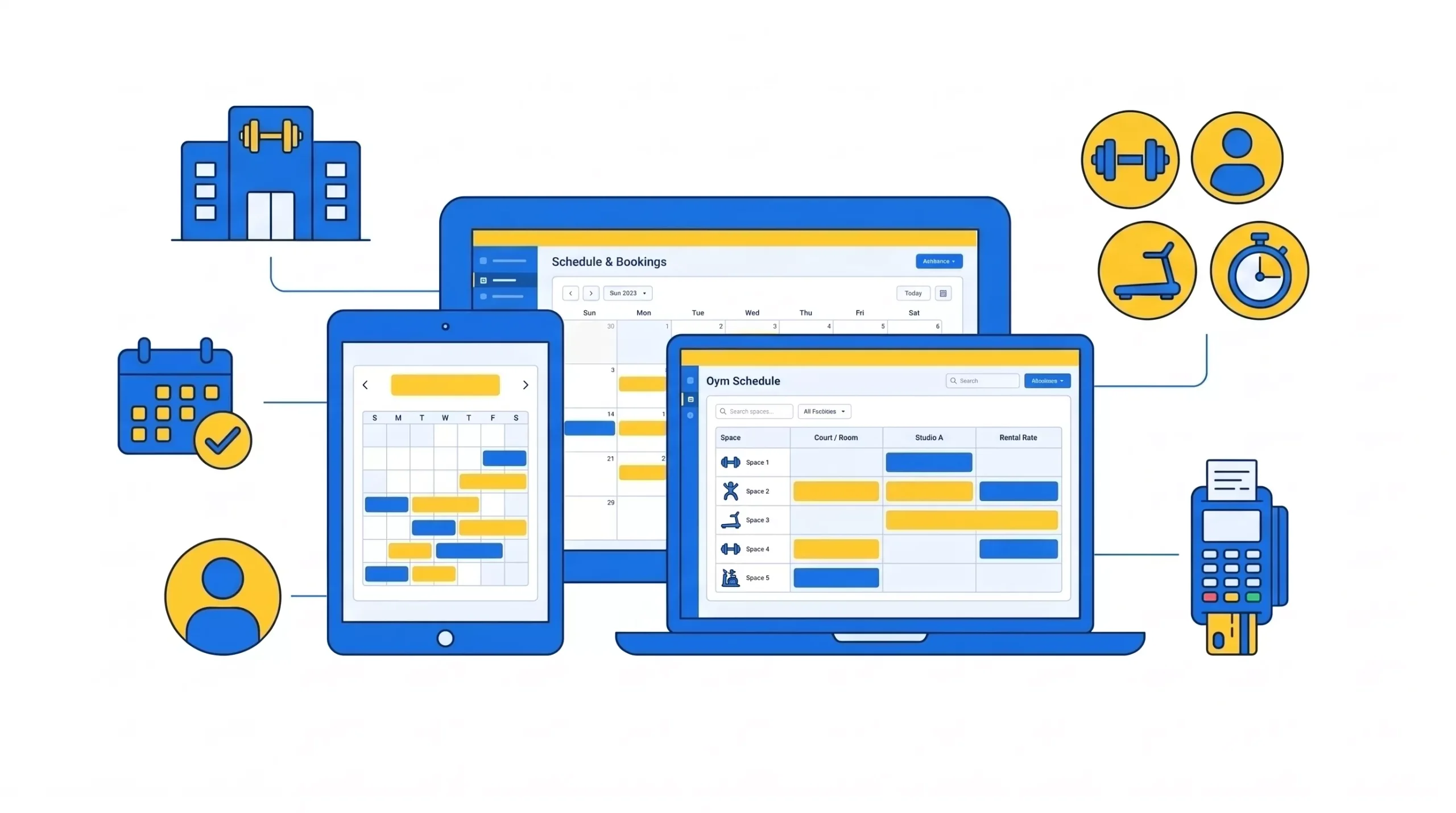
Gym management software is a platform that gym owners and staff use to manage memberships, billing, class bookings, member sign-in and reporting in one place.
It brings all your tools under one roof and makes everyday work simpler as your fitness business grows. If you plan to try gym management software, knowing its features, cost and practical advantages will help you pick the right one.
GymRoute combines the main gym functions in flexible plans that suit your business needs. Whether you run a single fitness club or multiple branches, the right system saves time for your staff. They spend less time on admin and more time with members.
What Is Gym Management Software?
Gym management software is an online system that ties together the administrative and operational duties of a fitness business. People also call it a gym management system or simply gym software.
It helps gym owners manage member details, payments, schedules, access and overall business performance, without separate spreadsheets and manual methods.
Rather than keeping membership records in one application, taking payments through another service and booking on paper calendars, your staff can work from one system.
When a new member joins your gym, their details, payment information and booking permissions move through connected workflows. This gives members a smoother start and gives you better transparency on the day-to-day business.
What Does Gym Management Software Do?
Gym management software can automate and organize most of the dull tasks that come with running a gym, including sign-ups, attendance and revenue. It replaces spreadsheets, paper waivers, manual booking lists and disjointed payment methods with digital reporting.
Specific features vary depending on the provider and plan. Common uses include:
Gym operation | Traditional approach | Software-based approach |
|---|---|---|
Memberships | Spreadsheets and paper | Centralized member records |
Payments | Manual tracking of payment receivables | Recurring billing and payment monitoring |
Class booking | Calendars and messaging apps | Online schedules and reservations |
Check-in | Paper attendance | Digital check-in and access control |
Reporting | Manually compiled figures | Consolidated business reports |
Retail sales | Separate till or card reader | Integrated point-of-sale workflows (where supported) |
These features cut down repetitive administration and help you find important information quickly. Automated billing shows your team when a payment has failed, and online booking gives members an easy way to reserve classes.
For gym owners, the biggest advantage is better visibility of membership, attendance and payments. Instead of spending hours trying to reconcile individual records, teams can concentrate on service quality, member engagement and business growth.
How Does Gym Management Software Work?
Gym management software works by linking your different operating components into one member record. From a single dashboard, authorized users can handle member registration, payments, bookings and other functions.
A typical workflow starts when a prospect becomes a member, and it usually looks something like this:
- A prospect inquires and staff log them as a lead.
- They join, and the lead becomes a member record.
- Staff pick a plan and set up recurring billing.
- The member books a class from the app and checks in at the door.
- At month end, the owner pulls revenue, attendance, and sign-up numbers from reports.
Since every step happens in the same record, staff don’t have to enter the same details again in different systems.
There are two deployment models that are common:
Model | How it works | Main consideration |
|---|---|---|
Cloud-based software | Platform can be accessed via an online connection from supported devices | Internet connection and account security are required |
On-premise software | The software runs on infrastructure managed at the gym | The gym manages and maintains the infrastructure |
Cloud-based gym management software is useful for owners who need to check operations from a distance or oversee several sites. For businesses that have specific infrastructure needs, on-premise systems might be an option, though the gym then looks after the upkeep.
Prior to selecting a provider, check supported devices, data security measures, backup policies and offline capabilities. These details matter because you need reliable access to your operational data every day.
Gym Management Software Features: 14 Modules to Know

The best gym management software supports 14 business functions, which we cover below. Not every gym needs all 14 modules, so focus on the ones that match how you operate.
1. Membership Management
Membership management lets you plan, renew, freeze or cancel a membership in one record. It removes the need for spreadsheets and makes it easier for staff to verify membership status and handle basic changes.
GymRoute has built-in features for managing memberships. Discover how centralized gym membership software can help you manage the whole membership process.
2. Billing and Payments
Billing tools help gyms with recurring charges and with monitoring payment issues. They cut down manual follow-up and make it easier to track revenue collection.
Better visibility of billing problems lets staff deal with them before outstanding balances build up, which matters for gyms that see frequent failed payments.
3. Scheduling and Booking
Scheduling software controls class timetables, appointment schedules and waitlists. It replaces manual calendars with a booking system that members and staff find much easier to use.
GymRoute’s gym scheduling software helps you organize fitness activities. To find out more about the scheduling workflow, check out our guide to gym scheduling software.
4. Access Control and Check-In
Access control connects member eligibility to the check-in process and your entry system. Depending on the setup, it can ease front-desk bottlenecks and limit entry to authorized members.
GymRoute’s gym access control system covers this area, and the access controller is available as a paid add-on. For more information, see our gym access control guide.
5. POS and Inventory
A gym point-of-sale system handles front desk transactions and retail sales, such as supplements, drinks or fitness accessories. If inventory tools are part of your plan, staff can also track stock levels with them.
GymRoute’s gym POS system starts with the Exceed plan and goes up from there, so look at the plan details before buying.
6. Lead Management
Lead management helps teams keep track of inquiries, follow-ups and prospects moving toward membership. In the past, staff had to move prospects from one spreadsheet or inbox to another. Now they can manage sales in a more organized way.
Review GymRoute’s gym CRM software to see how a structured inquiry process can help with conversions. Our gym lead management guide also covers the follow-up side in more detail.
7. Member Mobile App
A member app lets people access their account features and book services from their phone. The functions available will vary based on the app and its settings.
GymRoute’s member app for gyms gives members a more accessible digital experience. A custom branded app is also available as a paid add-on.
8. Marketing Automation
Gyms can use marketing automation to send email and SMS messages to members and prospects. You can use these campaigns for announcements, promotions and follow-ups after a trial visit.
Marketing comes with GymRoute’s Ultimate plan. Our article on gym marketing systems explains how communication fits into a wider member engagement strategy.
9. Loyalty and Retention
Loyalty tools support rewards and incentives that encourage members to keep coming back. If you want these features, GymRoute’s loyalty program starts with the Exceed plan.
You can also check out these loyalty program ideas for campaign inspiration.
10. Waivers and Digital Forms
Digital forms let gyms collect and organize member data without relying on paper. Gyms use them for registration, waivers and other admin tasks, and signed forms stay attached to the member record.
Check what forms and workflows a provider supports prior to going paperless. Waivers are usually the easiest place to start.
11. Facility Rental
Facility rental software helps gyms handle rentals of spaces like courts, studios and rooms. It can simplify availability and reservations for the different groups using your venue.
GymRoute offers facility rental software for gyms that make money from renting out their space.
12. Staff Management
Staff management helps operators plan activities that relate to staff, such as rosters and trainer schedules. As part of the buying process, verify which scheduling and staff admin functions are included. GymRoute’s pricing table does not list them as separate rows.
13. Reporting and Analytics
Reporting tells gym owners how much money they are making, how many people are coming in and who has joined recently. These insights help guide decisions on class use, member engagement and operational priorities.
Before you compare vendors, decide which numbers matter most for your gym, such as active members, cancellations, attendance and revenue.
14. Multi-Location Management
Multi-location management lets operators run activities across several locations from one unified system. Each platform has its own functions and permissions, so verify that it supports your locations and reporting needs.
As a fitness business expands, consistency becomes more important, and our multi-location gym management guide explains why.
Hardware and Integrations to Plan For
Software is only one part of the setup. Most gyms also need some hardware and a few connections to other tools:
- Entry hardware: door controllers, turnstiles, key fobs, or QR code scanners for check-in.
- Payment hardware: card readers at the front desk for retail sales.
- Payment processing: the gateway that runs recurring billing and card payments.
- Everyday tools: email, accounting software, and the booking widget on your website.
Ask each vendor what works out of the box and what costs extra, because hardware is often where the final quote grows.
Who Uses Gym Management Software?

There are three primary users of gym management software: owners and managers, front-desk staff and coaches or instructors. You can customize workflows to fit any independent gym, boutique studio, CrossFit box, martial arts school or multi-location fitness business.
User or business type | Main requirement | Useful capability |
|---|---|---|
Business owners and managers | Business visibility and control | Memberships, billing, reports |
Front-desk or reception team | Simple admin processes | Check-in, payment, member records |
Coaches and instructors | Organized classes and appointments | Scheduling, attendance, bookings |
Boutique studios | Manage smaller classes and appointments | Booking, member communications |
Martial arts schools | Coordinate memberships and sessions | Memberships, scheduling, payments |
Multi-location operators | Consistent processes across branches | Centralized management, branch reporting |
The correct setup depends on how you generate revenue, run sessions and track members. Membership billing and check-in might matter more for an independent gym, while booking tools could be more essential for a studio. A growing chain should evaluate its cross-location needs before it adopts a plan.
How Gym Management Software Pricing Works
The cost of gym software depends on several factors, including the billing model, the features you choose, your payment setup and your business needs.
GymRoute plan | Monthly price | Key distinction |
|---|---|---|
Excel | $99 | Entry-level paid plan |
Exceed | $199 | Adds point of sale, access control, inventory control, and loyalty program |
Ultimate | $299 | Adds marketing, widget customization, integrations, and video-on-demand |
We took this pricing from GymRoute’s pricing page in October 2026. The prices are per month and are not the industry average. Every plan comes with no contracts, unlimited users and staff, 24/7 customer support and free data migration.
Providers price their services in different ways, such as quote-based pricing, tiered pricing or a flat monthly fee. Some vendors also charge extra for payment processing, onboarding, hardware or add-on modules. These extra costs can make two plans that look similar end up very different.
When you evaluate your options, consider the entire cost of ownership and not just the subscription. Our gym management software cost guide breaks this down in more detail.
How to Choose Gym Management Software
Choosing gym management software comes down to seven checks: gym type, member volume, payment processing, access control, data migration, support and contract terms.
Take some time to pinpoint the daily tasks that take up most of your time. Then compare providers on those tasks, not just on the number of features they offer.
1. Match the Software to Your Gym Type
Pair the software with your gym type. Determine whether your business is an open gym, instructor-led, appointment-based, a facility rental or a multi-branch operation. Your operating model should set the priorities.
2. Estimate Your Membership Needs
Take into account how many members you have now and how much you expect to grow. Verify that the plan can handle your member records, staff accounts and reporting at that size.
3. Review Payments Carefully
Inquire about recurring payments, payment failures, refunds and transaction fees. Make sure the workflow lines up with your payment preferences. You should also ask whether the provider follows PCI DSS, the card industry’s security standard.
4. Confirm Access Control Compatibility
If you use electronic entry, check the supported hardware, integrations and any plan limitations before signing.
5. Plan Migration and Onboarding
Ask who does the work, which records can move across, whether there is a need for data cleanup and what happens if data goes missing.
6. Evaluate Support
Review the support hours, contact options, onboarding instructions and technical support. It is worth sending a test question before you buy to see how fast they reply.
7. Read the Contract Terms
Compare subscription prices, renewal terms, cancellation terms, additional fees and the features you are paying for.
Which Features Matter Most When You Buy?
Business situation | Recommended starting priorities |
|---|---|
Small independent gym | Memberships, billing, and check-in |
Class-based studio | Scheduling, bookings, and member records |
Retail-focused fitness facility | POS, inventory, and payments |
Gym with retention issues | Billing visibility, member communication, and loyalty |
Multi-branch operator | Centralized workflows and proven multi-location features |
This table is a general guide to selecting capabilities, not a promise that every capability comes in a specific GymRoute plan. Check plan placement before buying.
For comparison, read our best gym management software roundup. You can also see how GymRoute compares with Mindbody, PushPress and Gymdesk.
Questions to Ask in a Demo
A demo is more useful when you come prepared. Bring these questions with you:
- Can you show my exact setup, not just the standard demo?
- What does each plan include, and what costs extra?
- How do failed payments and refunds work?
- Which records can you migrate, and who does the work?
- Which hardware works with your access control?
- What reports can I see on day one?
- What support is available, and when?
- What are the renewal and cancellation terms?
How to Switch Gym Software Without Losing Your Data
Switching software can feel risky, but a clear plan protects your data. Separate tools make employees work across multiple apps for membership, billing, scheduling and reporting, while gym management software brings all of it into one system.
Prior to transitioning, ask your old provider which information can move across and in what format. Then confirm with the new provider that it can accept the data, whether the data needs changes and who will handle the transfer.
Membership information, contact details, billing records, booking details and signed waivers may all be part of the move. Do not assume that every type of information will migrate automatically, and treat historical records and payment details separately.
GymRoute’s pricing page states that data migration is free, but confirm the exact extent of this with GymRoute before you start.
Before going live, check membership statuses, verify upcoming bookings, review the payment setup and reconcile a few sample records. Keep a secure copy of your current records and follow privacy and security protocols.
If you still use separate tools, our guide on the benefits of all-in-one gym management software explains why the move is worth it.
Find Out How GymRoute Fits Your Gym
Your business should have space to grow, and daily tasks should feel easier on the right platform. If you want to simplify membership admin, billing and bookings, check out GymRoute plans based on your priorities.
The return on investment comes down to how much time the software saves, which payment issues it prevents and what value its features provide. Use your own data when you work out the savings, not software figures that promise a revenue increase.
Schedule a demo with GymRoute to discuss your needs and find the best starting point.
Frequently Asked Questions About Gym Management Software
Is a gym management system the same as gym management software?
Yes, gym management software and gym management system are two terms for the same type of digital solution. Both refer to platforms that help gyms run their operations, but the features, integrations, prices and ease of use vary by product.
Do I need special hardware to use gym management software?
Not to get started. Billing, bookings and member records run in a web browser. You only need extra hardware for things like door access, card payments at the front desk or QR check-in.
Can members book and pay from their phone?
With most platforms, yes, through a member app or an online booking page. Ask whether the app comes included or costs extra. For GymRoute, a custom branded app is a paid add-on.
Is there free gym management software?
Some vendors offer free tiers, but you should check the limits and payment handling fees on each vendor’s live pricing page. GymRoute does not offer a free plan, but you can book a free demo to see the software before you buy. Paid plans start at $99 per month.
How much does gym management software cost?
According to GymRoute’s pricing page in October 2026, Excel costs $99/month, Exceed $199/month and Ultimate $299/month. Plans come with different features, so compare them before making your selection.
Can I switch gym software without losing data?
Yes, if you plan it properly. Export your records, check what the new system can import and verify sample records before you switch. GymRoute lists free data migration on its pricing page.