Key takeaways
- A gym access control system is the hardware and software that decides who enters your facility, when, and how, replacing manual front-desk check-ins with automated, membership-linked entry.
- Small-to-mid gyms and studios that want gym access control built into their management platform typically pick GymRoute, GymMaster, or Exercise.com.
- Larger facilities and franchise operators tend to run enterprise access hardware (Gantner, HID Global, or Motionsoft) integrated with their gym management stack.
- Pure cloud access control platforms, Kisi, Brivo, Swiftlane, Openpath / Avigilon Alta, are strong when you already have a preferred gym management platform and just need the entry layer.
- Whichever platform you pick, the three questions that matter more than brand are: does it link entry to live membership status, does it stop credential sharing, and does it produce clean attendance data?
What is a gym access control system?
A gym access control system is a combination of hardware and software that manages who can enter your gym, when, and how, typically enabling automated, secure, and 24/7 access for members and staff. Instead of a front-desk staff member manually checking IDs and membership status, the system does it in real time based on rules you set.
The best systems link entry directly to live membership status, so when a payment fails or a membership expires, the door simply doesn’t open. That single feature is where most of the ROI on access control lives.
Core components of a gym access control system
Every modern access control system, no matter the brand, is built from three layers:
1. Authentication devices (hardware)
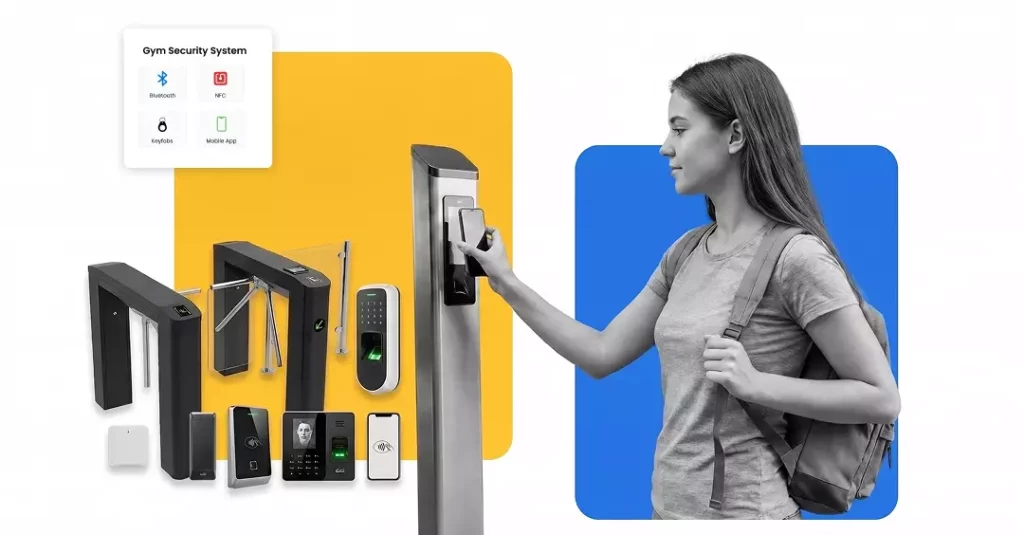
- RFID card readers and key fobs
- Mobile-based entry (Bluetooth, NFC, or QR code)
- Biometric scanners (fingerprint or facial recognition)
- Turnstiles, magnetic locks, strike locks, and gates
2. Access control software
Cloud or local software that links credentials to member profiles, sets time and day permissions, tracks entries and exits, sends alerts for unauthorized access or tailgating, and integrates with the rest of the gym management stack, scheduling, billing, and reporting.
3. Member identification method
Each member is assigned a credential, a key fob, a PIN, a QR code in the app, or a biometric template that the reader recognizes and the software validates against the member’s live account status.
How it works: a typical member flow
A new member signs up, receives a mobile app login or an RFID fob, taps at the reader, the system checks membership status in real time, the strike lock or turnstile releases, and the entry is logged. If the membership has expired or a payment has failed, the door stays locked, and the member sees a message on their app.
Why gyms use access control systems
Access control is one of the few gym investments that pays back on both the revenue side (reducing sharing and freeloading) and the cost side (reducing staffing hours). Here’s how the benefits actually break down.
| Benefit | How it helps | Where the ROI shows up |
| 24/7 member entry | Members can work out outside staffed hours | Higher perceived membership value; fewer cancellations |
| Automated security | Only paying, active members may enter | Recovered revenue from stopping expired memberships |
| Attendance tracking | Full log of who enters and when | Better data for retention, class demand, and staff scheduling |
| Front-desk automation | No need for staff at every entry | 15–25 hours a week of admin cost removed |
| Integration with gym software | Billing, class booking, and door access in one system | Fewer errors; better reporting |
| Tailgating detection | Prevents non-members from entering behind a paying member | Directly protects membership revenue |
| Multi-location management | One dashboard controls entry at every location | Cleaner operations for expansion |
Access control vs. traditional keys
| Feature | Access control system | Traditional keys |
| Track individual usage | ✅ | ❌ |
| Set time-based rules | ✅ (e.g., peak-only, off-peak-only, staff hours) | ❌ |
| Revoke access instantly | ✅ (delete credential) | ❌ (rekey locks) |
| Link to membership billing | ✅ | ❌ |
| Support 24/7 unstaffed hours | ✅ | ❌ (major security risk) |
If you’re planning to run a 24-hour gym, reduce front-desk hours, or add a second location, a modern access control system moves from “nice to have” to non-negotiable.
Top 11 gym access control systems in 2026
Below are 11 of the most-used gym access control platforms in the US market for 2026, sorted by fit for typical independent and multi-location gym operators. Each entry covers what the system is, key strengths, limitations, and pricing, with vendor sources linked directly to each claim.
1. GymRoute
Type: All-in-one gym management software with integrated access control (key fob, mobile app, PIN, biometric-ready)
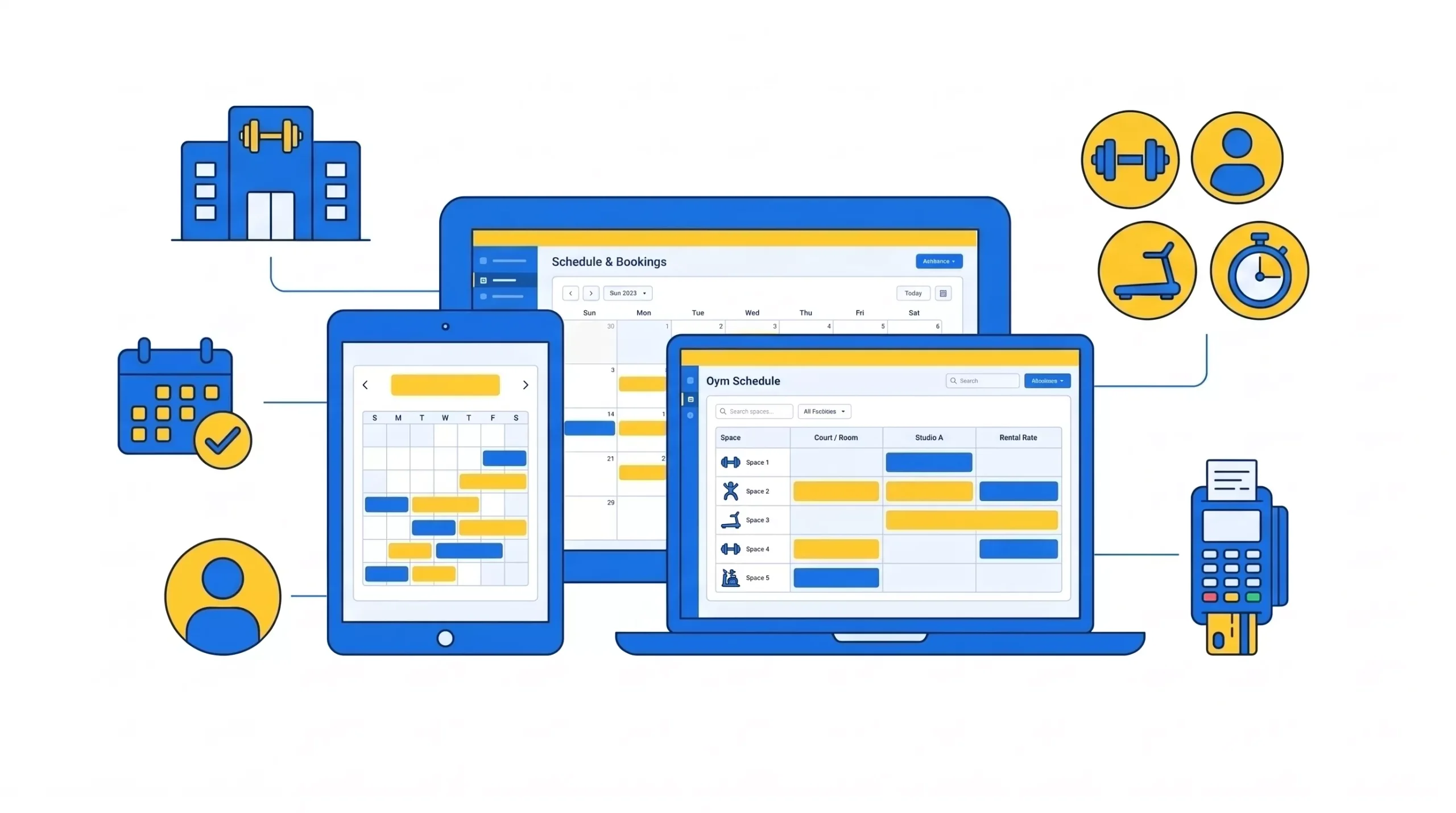
GymRoute links access control directly to live membership status, so entry is automatically granted or denied based on payment status, membership type, or time-of-day rules. It integrates with strike locks, magnetic locks, and turnstiles, which means it works with the vast majority of existing gym door hardware.
Pros:
- Full gym management + access control from a single dashboard, bookings, billing, CRM, POS, reporting, and door access, all synced
- Multiple entry methods supported: key fob, mobile QR, PIN, NFC, and Bluetooth
- Access rules linked to membership type, payment status, VIP status, or time-based restrictions
- Integrates with existing surveillance systems and produces entry logs plus unauthorized-access alerts
- Multi-location management from one dashboard
- Custom-branded mobile app for members
- Published pricing rather than custom quotes
- Fast onboarding with minimal technical setup
Cons:
- Door hardware (readers, locks, turnstiles) is sourced through a partner or existing supplier; GymRoute handles the software and configuration, not the physical readers themselves.
Best for: Independent gyms, boutique studios, Pilates and yoga studios, and multi-location operators who want access control fully integrated with their management platform.
Pricing: Published on the GymRoute pricing page; no custom-quote gate.
2. Kisi
Type: Cloud-based pure access control (mobile app, key card, PIN)
Kisi is one of the most widely used dedicated access control platforms in fitness. It’s cloud-first, has strong analytics, and integrates with gym management software rather than replacing it.
Pros:
- Clean cloud dashboard with real-time alerts
- Strong analytics and reporting
- Scales across multi-site operations
- Integrates with several gym management platforms via API
Cons:
- Access control only; you still need separate gym management software for bookings, billing, and CRM
- Requires compatible door hardware; costs add up as you scale readers
Pricing: Typically ~$50–$100 per reader per month plus hardware; official pricing is quote-based.
3. Brivo
Type: Enterprise cloud-based access control (card, mobile, remote unlock)
Brivo is one of the longest-running names in cloud access control and is used across gyms, offices, and multi-tenant properties. It’s more of an enterprise-security platform that gyms adopt, rather than a gym-specific tool.
Pros:
- Deep remote management capabilities
- Integrates with commercial video and alarm systems
- Analytics-rich reporting
- Widely supported by third-party integrators
Cons:
- Access control only, no gym management features
- Monthly cloud fees add up with the door count
- Overkill for single-location small gyms
Pricing: Approximately $20–$50 per door per month; reader hardware roughly $500–$800 per door.
4. Gantner
Type: RFID wristbands, key fobs, biometric lockers, and turnstiles
Gantner is a European hardware specialist widely used by large health clubs, franchise chains, and wet-area facilities (swim clubs, spas). Its wristband and locker integration is one of the best in the industry.
Pros:
- Extremely high throughput for busy facilities
- Integrated locker and wet-area access
- Robust, commercial-grade hardware built for high-traffic gyms
Cons:
- Higher upfront capital expenditure
- Often requires a specialist integrator
- Better suited to large facilities than independent studios
Pricing: Custom; expect $5,000+ for hardware plus integration on typical installations.
5. GymMaster
Type: All-in-one gym management with integrated RFID and Bluetooth door access
GymMaster is one of the longer-running gym management platforms that includes access control as a native feature, including its own tailgating detection option.
Pros:
- Full integration: billing, POS, member app, 24/7 access, tailgating detection
- Long track record in 24-hour gyms
- Direct hardware support
Cons:
- Tailgating hardware costs extra
- Reporting and analytics not as deep as pure access platforms like Kisi or Brivo
Pricing: $89–$189 per facility per month across Foundation to Professional tiers.
6. Swiftlane
Type: Multi-credential access control with face recognition, QR, PIN, key card, and app
Swiftlane is one of the newer entrants and specializes in intercom + facial recognition, plus elevator control for multi-story facilities.
Pros:
- Face recognition and intercom built into the same device
- Elevator access control for multi-floor gyms
- Full 24/7 remote control
Cons:
- Biometric use raises privacy compliance considerations (GDPR, CCPA, BIPA)
- Higher upfront hardware costs than card-only systems
Pricing: Hardware typically $500–$1,500+ per unit; monthly platform fee roughly $10–$30 per unit.
7. HID Global
Type: RFID, smart cards, biometric readers; OEM for gym integrators
HID Global is one of the most trusted names in access hardware globally. It’s not a gym-specific software; it’s the underlying reader and credential ecosystem used by many other platforms.
Pros:
- Enterprise-grade security
- Broad reader and credential ecosystem
- Biometric and mobile credential options
- Reliable choice for large chains and franchises
Cons:
- No turnkey gym software needs integration by a third party
- Higher deployment complexity than plug-and-play platforms
Pricing: Readers typically $300–$700+ per unit; software and cloud services quoted separately.
8. Exercise.com (via Kisi integration)
Type: Gym management platform with door access provided by Kisi
Exercise.com is a customizable gym management platform that delivers access control through a Kisi integration rather than proprietary hardware.
Pros:
- Unified flow from booking to check-in
- Supports mobile and key fob credentials
- 24/7 access ready
Cons:
- Relies on third-party Kisi hardware and pricing
- Total cost of ownership can be higher than that of platforms with native access
Pricing: Exercise.com’s base plans start at around $100+ per month, with Kisi access billed per door.
9. EZFacility (via Brivo integration)
Type: Gym management platform with door access powered by Brivo
EZFacility offers access control through its Brivo partnership, providing PCI-DSS-certified payment plus remote door management.
Pros:
- PCI-DSS certified
- Remote access management
- Supports RFID and mobile credentials
Cons:
- Pricing not publicly listed
- The feature set depends on partner integrations
Pricing: Contact the vendor for a quote; typically $50–$150 per month per door based on public estimates.
10. Motionsoft (with Gantner integration)
Type: Enterprise gym operations software with key fob, RFID, or biometric entry
Motionsoft is aimed at enterprise health club chains and multi-location operators, with Gantner hardware compatibility for entry and locker access.
Pros:
- Enterprise-grade features
- Multi-location synchronization
- Compatible with Gantner high-throughput hardware
Cons:
- Designed for large gyms, overkill for independents
- High implementation cost
Pricing: Custom; expect five-figure annual licensing plus hardware costs for typical enterprise deployments.
11. Openpath (Avigilon Alta)
Type: Modern cloud-based access control (mobile app, key card, badge, video)
Openpath, now branded as Avigilon Alta Access, is one of the fastest-growing cloud access platforms in North America. It combines mobile-first entry with cloud video verification.
Pros:
- Strong mobile-first design
- Integrated cloud video verification
- Enterprise reporting and analytics
- Motorola / Avigilon backing means a strong roadmap and support
Cons:
- Higher price point than smaller cloud access platforms
- Requires proprietary readers
- Access control only, no gym management features
Pricing: Reader hardware typically $500–$1,000+ per door; cloud platform subscription quoted separately.
Full comparison table
| Provider | Type | Best for | Entry methods | Approximate price |
| GymRoute | Gym mgmt + access | Independent & multi-location gyms and studios | Key fob, mobile QR, PIN, NFC, Bluetooth | Published pricing |
| Kisi | Cloud access | Gyms already on another platform | Mobile, key card, PIN | ~$50–$100 per reader/mo |
| Brivo | Cloud access | Enterprise multi-site | Card, mobile | ~$20–$50 per door/mo |
| Gantner | Hardware + software | Large health clubs, wet-area facilities | RFID wristband, biometric | $5,000+ hardware |
| GymMaster | Gym mgmt + access | 24-hour gyms | RFID, Bluetooth | $89–$189/mo |
| Swiftlane | Cloud access + biometric | Multi-floor facilities | Face, QR, PIN, card, app | Hardware $500–$1,500+ |
| HID Global | Hardware / OEM | Franchise chains | RFID, smart card, biometric | Reader $300–$700+ |
| Exercise.com | Gym mgmt + Kisi | Custom app-first gyms | App, RFID (via Kisi) | $100+/mo + Kisi |
| EZFacility | Gym mgmt + Brivo | Mid-size operators | RFID, mobile | Quote-based |
| Motionsoft | Enterprise + Gantner | Large chains | RFID, biometric | Custom (5-figure) |
| Openpath / Avigilon Alta | Cloud access | Modern facilities | Mobile, card, badge | $500–$1,000+ per door |
How to choose the right gym access control system
Picking an access control system isn’t a shopping-list exercise. It’s a fit-to-operating-model exercise. Here’s how experienced gym operators typically narrow it down.
Step 1: Decide whether you want an all-in-one or a specialist
Pick an all-in-one gym management platform with built-in access control (like GymRoute or GymMaster) if:
- You want one dashboard for bookings, billing, member management, and door access.
- You don’t want to manage two vendors, two contracts, and two support teams.
- You want membership status to automatically drive door access with zero manual sync.
Pick a specialist access control platform (like Kisi, Brivo, or Openpath) if:
- You already have a gym management platform you love and just need the entry layer.
- You have complex commercial-property requirements (multiple tenants, elevator control, integrated video).
- Your gym is inside a larger facility that has its own access standards.
Step 2: Map your entry points
Walk your gym and count every door, turnstile, and secure area you need to control. Front entrance, back staff door, locker rooms, spa or wet zones, PT areas, group studios. Each of these is a separate cost line in most quotes, so map before you shop.
Step 3: Decide on entry methods
Most gyms today run a mix. Key fobs remain popular for reliability. Mobile QR and NFC are the fastest-growing methods because members always have their phones on them. Biometrics deliver the strongest security against sharing but require careful handling of privacy compliance (BIPA in Illinois, GDPR-equivalent state laws in California, Colorado, Virginia).
Step 4: Pressure-test the membership integration
The single most important question to ask any access control vendor is: “When a member’s payment fails on Monday morning, when exactly does the door stop opening for them?” The best systems answer “instantly.” Weaker systems answer “next billing cycle” or “manual staff action required.”
Step 5: Ask about the scale
If you’re planning a second location, franchise expansion, or a change from staffed to hybrid hours, ask specifically about multi-location management, per-location reporting, and how new locations are added to the system.
Common installation gotchas
Even with the right platform selected, most gym owners hit at least one of these during installation. Ask about all five before you sign a contract.
- Landlord approval for turnstiles and magnetic locks. Turnstiles require floor anchoring; maglocks need continuous power and fire-code-compliant emergency release. Both usually need written landlord consent for leased facilities.
- Power and data cabling. Many installations run over budget because power and network cabling to the reader locations wasn’t planned in advance. Do the wiring survey before the install week.
- Fire-code compliance. In the US, doors on egress paths must fail open in a power outage. Check with a local fire marshal or your integrator before installing any lock hardware.
- QR code screenshot sharing. If your platform uses QR codes and doesn’t refresh them frequently, members will screenshot and share them. Choose a system with time-based refreshing QR codes to prevent this.
- Tailgating on high-traffic mornings. No credential system stops tailgating on its own. Either add a turnstile at the main entrance or accept a small level of tailgating and use camera-based alerts to catch repeat offenders.
What access control actually pays back
The three biggest revenue leaks in gyms are expired-but-still-attending members, credential sharing, and unstaffed-hours access for non-members. A well-configured access control system closes all three.
- Expired-membership leakage typically costs gyms around 3–8% of expected revenue in facilities without access control, because members whose payments fail continue attending until staff manually catch it. Linking access to real-time billing status closes this gap the moment it opens.
- Credential sharing is hard to measure precisely, but any 24-hour gym operator will confirm it exists at a meaningful level. Time-limited QR codes, biometric options, and tailgating alerts all reduce it.
- Reduced front-desk hours are the most visible cost-saving. Even reducing front-desk staffing by 15 hours per week at $18/hour saves roughly $14,000 per year in wages while improving member self-service.
The break-even math for most independent gyms is short: an access control system linked to gym management typically pays back within 3–6 months on staffing savings alone, with recovered membership revenue and reduced sharing as pure upside.
FAQ
What is a gym access control system?
A gym access control system is a security setup, combining hardware like readers, locks, and turnstiles with software that manages permissions and decides who can enter your gym and when. It replaces manual check-ins by validating each member’s credentials (fob, mobile app, PIN, or biometric) against their live membership status.
What is a gym fob?
A gym fob is a small RFID-enabled device attached to a keychain that a member taps against a reader to unlock a door or check into a facility. It’s linked to the member’s account inside the gym’s access control software, so if the membership expires or a payment fails, the fob simply stops working.
Can access control integrate with my gym management software?
Yes, the strongest access control setups are the ones that integrate with your management software so that entry is automatically linked to billing status and membership type. Platforms like GymRoute provide access control as part of the same system as booking, billing, and CRM, so no manual sync is needed.
How much does a gym access control system cost?
Costs vary widely by hardware and coverage. Software-only cloud access typically runs $20–$100 per door per month. All-in-one gym management platforms with access control included run $89–$249 per month per facility. Hardware, readers, locks, and turnstiles are a one-time investment ranging from a few hundred to several thousand dollars per entry point.
What are key tags in gym access control?
Key tags are small digital access devices, usually attached to a keychain, that use RFID or barcode technology to identify a member at a reader. Functionally, they work the same as key fobs, and modern systems support them alongside mobile app credentials so members can choose which format they prefer.
What does multi-gym access mean?
Multi-gym access lets members enter multiple locations under the same membership, common for chains, franchises, and reciprocal networks. It relies on a unified access control platform that recognizes the member’s credentials at any participating facility and validates membership status in real time across all locations.
Wrap up
A gym access control system used to be a nice-to-have. In 2026, with 24-hour access as the default expectation and front-desk hours getting more expensive every year, it’s a core part of every operational and financial plan.
The right choice depends less on brand and more on whether the platform links entry to membership status, stops credential sharing, produces clean attendance data, and scales as you add locations. Answer those four questions for each vendor on this list, and the shortlist gets short quickly.
For independent gyms, boutique studios, and multi-location operators who want access control built into the same platform that handles booking, billing, and CRM, GymRoute is the fastest path from decision to live operation.
Ready to see it in action? Book a free GymRoute demo and see how integrated access control, billing, and member management stack up against your current setup.