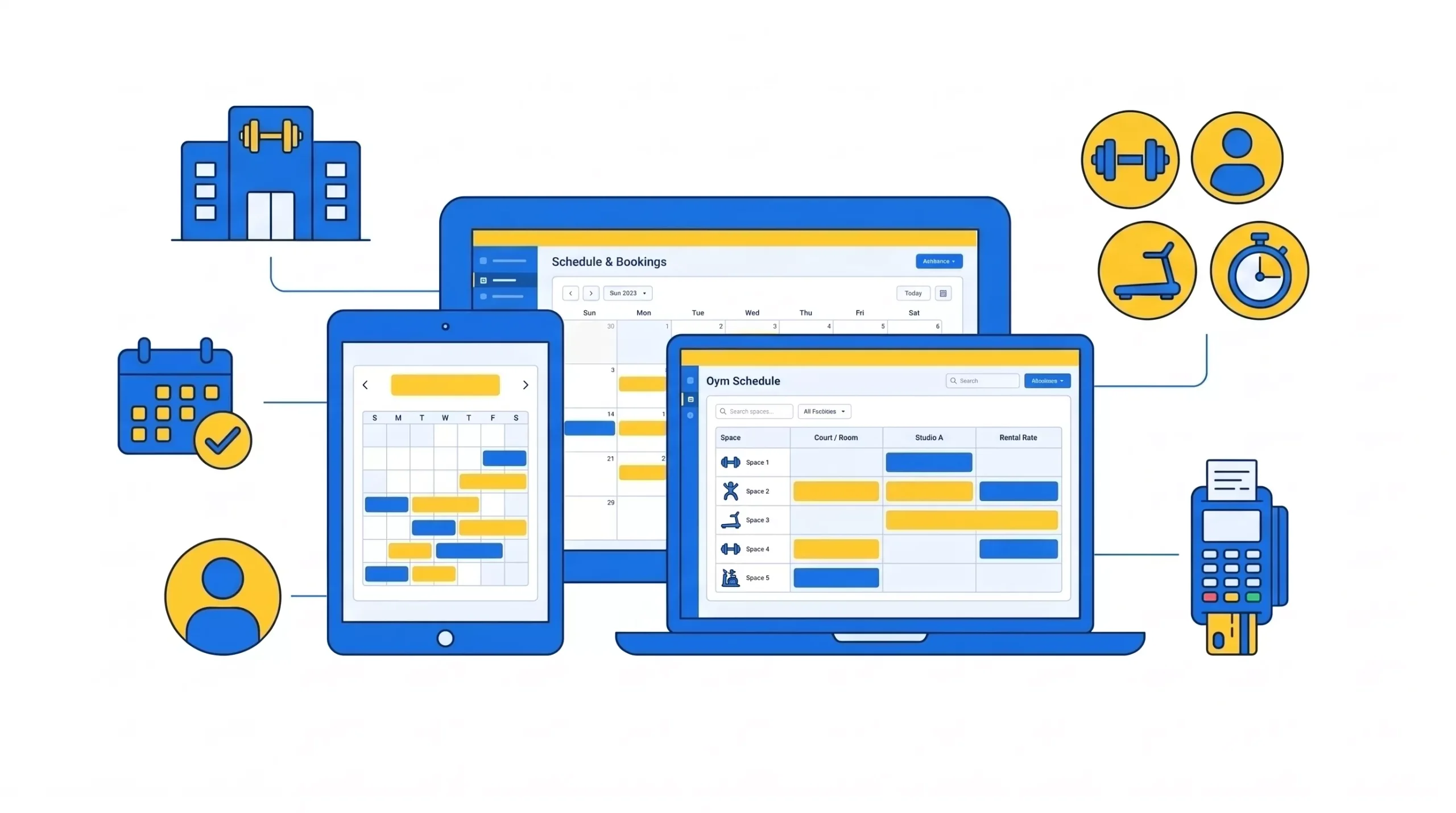
The best POS for a small studio depends on what you sell. If your studio runs on classes, memberships, and recurring billing (fitness, yoga, Pilates, dance, martial arts), you need studio-management software with a built-in POS, GymRoute, Vagaro, or Mindbody, not a generic retail register. If you mostly sell appointments or products (salon, tattoo, art, photography), Square is the popular free-to-start default, with Shopify POS best for product-heavy studios.
On cost: expect $0 to $200/month for software, $0 to $2,000 upfront for hardware, and roughly 2.3% to 3.5% per card transaction. The cheapest option flips with your size: free tiers win under about 50 clients, and paid platforms with lower processing rates win above roughly 150. The single biggest mistake small studios make is buying a retail POS when class scheduling and membership billing are what actually run the business.
First, what kind of “studio” are you?
“Studio” means very different things, and the right POS follows from that. Before comparing systems, place yourself in one of these buckets:
- Class- and membership-based studio (fitness, yoga, Pilates, dance, martial arts, wellness): revenue comes from class packs, recurring memberships, and scheduled sessions. Scheduling and billing are the core; a plain retail POS will not cut it.
- Appointment-based studio (salon, beauty, tattoo, massage, photography): revenue comes from booked one-to-one appointments, deposits, and tips.
- Product- and retail-based studio (art, pottery, ceramics, craft, maker): revenue comes from selling physical goods in person and often online.
Most studios are primarily one of these with a little of another (e.g., a yoga studio that also sells mats and water bottles). Pick your primary model and choose the POS that owns it.
Quick comparison: best POS by studio type
| Studio type | Best pick | Why | Starting price* |
| Fitness/yoga/Pilates/martial arts | GymRoute | Built-in class scheduling, memberships, recurring billing + POS | ~$99/mo |
| Fitness (established/multi-location) | Mindbody | Deep feature set + client marketplace | Custom (higher) |
| Mixed service studio (salon + classes) | Vagaro | Booking + POS + marketing, budget-friendly | from ~$30/mo |
| Salon/beauty /solo practitioner | GlossGenius | Sleek booking + payments for solo pros | ~$24/mo |
| Appointment/retail hybrid (art, tattoo) | Square | Free to start, appointments + retail | $0 + fees |
| Product-heavy/e-commerce | Shopify POS | Best in-person + online inventory sync | from ~$39/mo |
| Retail with premium hardware | Clover | Polished terminals, own-processor option | Varies |
Prices are indicative figures published by vendors and third-party directories as of mid-2026 and change frequently. Confirm current pricing and processing fees directly with each vendor.
1. Best POS for fitness, yoga, Pilates & wellness studios
If your studio sells class packs and monthly memberships and needs clients to book a spot, a standard retail cash register won’t work. You need a platform where scheduling, memberships, billing, and POS live under one roof. This is the category where a purpose-built studio system beats a generic POS decisively.
GymRoute: best all-in-one for fitness & wellness studios
GymRoute is an all-in-one gym and studio management platform that combines class and appointment scheduling, membership and package management, automated recurring billing with failed-payment recovery, a built-in POS with inventory, access control, a client app, and a CRM in one system. It is built specifically for fitness, yoga, Pilates, dance, martial arts, and wellness studios rather than adapted from a retail tool.
Why it fits small studios: The POS isn’t bolted on; it’s tied to the same member profiles that drive scheduling and billing, so a mat sold at the front desk, a class pack, and a monthly membership all live on one record. Memberships are fully customizable (class packs, unlimited plans, family plans, add-ons) with recurring payments, freezes, and no-show/cancellation rules. Pricing targets small-to-mid studios rather than enterprise budgets, and there’s no marketplace commission skimming your bookings.
Pricing: plans start at $99/month (Excel) with the built-in POS included, and higher tiers at $199 (Exceed) and $299 (Ultimate) add lead management, loyalty, inventory, marketing automation, and multi-location. All tiers are flat-rate with unlimited members and staff, and processing runs 2.75% + 30¢ card-present and 1% + 25¢ ACH, with no setup, PCI, batch, or statement fees.
Best for: Independent fitness, yoga, Pilates, dance, and martial arts studios that want scheduling, memberships, billing, and POS in one affordable system.
See it for your studio: book a free GymRoute demo and walk through class scheduling, membership billing, and the front-desk POS.
Mindbody: best for established or multi-location boutiques
Mindbody is the long-standing heavyweight for boutique fitness and yoga. It handles complex scheduling, automated waitlists, memberships, and front-desk retail and includes a consumer marketplace where local clients discover studios.
Why it fits: Depth and the built-in marketplace suit high-volume or scaling studios. The tradeoffs are cost and complexity; it’s one of the pricier options with a steep learning curve, and the marketplace lists competitors alongside you. Better once you’re already at volume than on day one.
Best for: Established or multi-location boutiques that want maximum features and a discovery marketplace.
Vagaro: best budget all-in-one for mixed studios
Vagaro is a popular, budget-friendly all-in-one for service studios that mix group classes with one-to-one appointments (Pilates, dance, personal training, or a studio that also does beauty). It bundles booking, POS, client management, and marketing.
Why it fits: Lower cost than Mindbody with a clean interface and a branded-app option. Advanced marketing tools cost extra, but the core booking-plus-POS is a strong value for small studios.
Best for: Small-to-mid studios that blend classes and appointments and want a low monthly cost.
2. Best POS for salon, beauty & solo appointment studios
If your studio revolves around individual appointments, client notes, deposits, and tips, your POS needs to double as a calendar.
GlossGenius: best for solo and boutique beauty studios
GlossGenius is a favorite among solo stylists, estheticians, and small boutique beauty studios for its clean interface, built-in booking site, client communication, and low flat subscription. It handles booking, payments, tips, and reminders smoothly.
Best for: Solo practitioners and small beauty studios that want a polished, branded booking-and-payment experience.
Square Appointments: the best free-to-start for appointments
Square Appointments pairs booking with Square’s POS and payments. The entry tier is free (you pay processing fees); it takes deposits to reduce no-shows, sends reminders, and lets clients tip individual providers. It’s the easiest “start today” option for solo operators and small teams.
Best for: New or budget-conscious appointment studios (tattoo, massage, small salons) that want zero monthly software cost to begin.
3. Best POS for art, pottery, craft & retail-heavy studios
If your studio sells physical goods, art, ceramics, supplies, merch, or hosts one-off workshops, your needs lean toward retail-first with light booking.
Square POS: best free-to-start hybrid
Square is the go-to for small independent creative studios. It handles retail transactions cleanly, offers a free base tier (you pay a flat processing fee, about 2.6% + 15¢ in-person on the free plan in 2026), and includes Square Appointments for booking workshop seats or studio time. Sleek, portable, easy to set up.
Best for: Craft, pottery, and art studios that want no monthly software fee and both retail plus simple booking.
Shopify POS: best for online + in-person selling
Shopify POS is the standard if you sell your work both online and in person. It keeps physical and e-commerce inventory perfectly synced so you never double-sell a one-of-a-kind piece. It requires a paid Shopify plan.
Best for: Maker and craft studios with a real e-commerce storefront alongside the physical space.
Clover POS: best premium hardware & own-processor option
Clover offers polished countertop terminals and, unlike Square, lets you choose your own payment processor, useful for negotiating lower interchange-plus rates once volume grows. Upfront hardware costs are higher.
Best for: Brick-and-mortar retail studios that want premium hardware and processor flexibility as they scale.
4. Best POS for photography, design & recording studios
Service-based creative studios rarely have clients walking up to a counter; payment happens through invoices, contracts, and deposits.
For these, dedicated client-management platforms like HoneyBook, Dubsado, or Studio Ninja act as the point of sale: they bundle proposals, contracts, and click-to-pay deposits into one client link. If you just want simple billing after a session, Square Invoices is a reliable, no-monthly-fee option.
Best for: Photographers, designers, and audio engineers who need contracts + invoicing more than a countertop terminal.
What is the cheapest POS system for a small studio?
The honest answer is that “cheapest” is a calculation, not a product, and the winner flips depending on your size. The lowest sticker price is almost never the lowest total cost once payment processing is included.
The three numbers that decide it
Every POS comparison hides the real cost behind a single monthly figure. There are actually three numbers, and for a small studio the first one matters least.
Monthly software fee. Anywhere from $0 to $150+/month for a small studio. It is the most visible cost and usually the smallest.
Payment processing rate. A percentage plus a flat fee on every transaction. This applies to all your revenue, class packs, memberships, and retail alike, which is why it usually dwarfs the subscription.
Add-ons and commissions. Branded apps, marketing modules, or a marketplace commission on bookings. These turn an advertised cheap plan into an expensive one, and they are the layer most owners miss.
The cheapest options by studio size
Under roughly 50 clients or $5,000/month in revenue: a free-tier system genuinely is cheapest. Square at $0/month software (about 2.6% + 15¢ in-person) costs little in absolute dollars at this volume, and the zero fixed fee matters most while cash flow is tightest. For a brand-new studio, this is the right starting point.
Around 75 to 150 clients: the math starts to flip. A flat percentage applied to growing revenue quietly overtakes a modest subscription with a lower rate. This is the crossover zone, and it is worth calculating rather than assuming.
Above roughly 150 clients or $15,000/month: a paid platform with a lower processing rate is usually cheaper in total, often by a wide margin once annualized, and you get scheduling and membership billing included rather than bolted on.
The math that reorders the ranking
Take a small studio running $10,000/month across roughly 120 transactions, using commonly cited 2026 rates:
- Free retail POS at $0 software and 2.6% + 15¢: about $278/month in processing. Total: ~$278, but with no class scheduling or membership billing, so you are likely paying separately for those.
- Studio platform with built-in POS at $99/month and 2.75% + 30¢: about $311 in processing, for a total near $410, with scheduling, recurring billing, and POS all included in that number.
At this volume, the free option still wins on raw cost, but only if you genuinely do not need scheduling or membership billing. The moment you add a separate booking tool at $50 and a billing tool at $40, the “free” route costs more and requires you to reconcile three systems by hand.
The calculation is worth ten minutes: multiply your monthly revenue by each system’s processing rate, add the subscription, then add anything you would need to buy separately to cover scheduling and memberships. That total is the real comparison, and it routinely reverses the order a pricing page suggests.
Why the cheapest POS is rarely the cheapest system
For a class- or membership-based studio, this is the trap. A free retail POS looks cheapest because it is only pricing one job: ringing up a sale. It is not pricing the class scheduling, the recurring billing, the waitlists, or the no-show rules that your revenue actually depends on.
Add those back as separate subscriptions and the free system becomes the expensive one, before counting the staff hours spent reconciling tools that do not talk to each other. If scheduling and memberships are central to your studio, compare studio platforms against each other on total cost, and treat the free retail options as what they are: a good fit for product- and appointment-led studios, and an incomplete one for everybody else.
Fitness studio POS systems with integrated payment processing under $200/month
“Integrated payment processing” means the POS and the payment rail are one system, so a card swipe, a class pack, and a monthly membership all settle through the same processor and land on the same client record. The alternative, bolting a separate processor onto a booking tool, is where reconciliation problems start.
For a fitness studio, several platforms clear the $200/month bar with processing built in rather than bolted on.
Platforms under $200/month with processing included
Square ($0/month software, about 2.6% + 15¢ in-person). Processing is fully integrated, and there is no monthly software fee, but it is retail-first: class scheduling and recurring membership billing are not native, so a class-based studio typically needs another tool alongside it.
Vagaro (from about $30/month base). Booking, POS, and payments in one system, with pricing that scales as you add bookable calendars. Strong fit for studios mixing classes with appointments.
Gymdesk (from roughly $75/month by member count, around 2.9% + 30¢). Membership billing, scheduling, and POS together, with pricing that rises as your client list grows.
GymRoute (from $99/month with POS included; 2.75% + 30¢ card-present, 1% + 25¢ ACH). Flat-rate tiers with unlimited members and staff, so the price does not climb as you grow, and no setup, PCI, batch, or statement fees layered on top. Both the $99 Excel and $199 Exceed tiers sit under the $200 line, with Exceed adding inventory, loyalty, and lead management on top of the POS.
Zen Planner (base around $99/month, roughly 2.9% + 30¢). POS included in the flat-rate plans, though marketing and branded-app add-ons sit outside that price.
PushPress (Core Free at $0/month, Pro $159/month). Built-in POS at every tier. The free tier’s processing rate is high (commonly cited between 4.19% and 4.99% + 30¢), so it suits low volume rather than an established studio.
What “under $200” actually buys you
The subscription is only half the number. A platform at $99/month with a 2.75% rate and one at $99/month with a 4.19% rate are not the same price, and on $10,000 of monthly revenue the gap is roughly $144 every month. Compare the pair together, always.
Also check whether the processing rate is genuinely integrated or simply “supported.” A platform that lets you connect your own processor gives you rate flexibility but leaves you managing two relationships; a platform with native processing is simpler, but you take the rate offered. Neither is wrong, but they are different products.
The question to ask any vendor under $200: “What is my all-in monthly cost at $10,000 in revenue, including processing and any add-on I would need for scheduling and memberships?” A vendor confident in their pricing answers in one number.
What is the cheapest POS system for a small gym?
A small gym differs from a studio in one way that changes the answer: more of its revenue is recurring membership dues rather than class packs or retail, so the processing rate applies to a larger, steadier base. That makes the rate matter more and the subscription matter less.
The honest answer by gym size
Under roughly 50 members: a free-tier platform genuinely wins. PushPress Core Free at $0/month software includes POS and membership billing, and its higher processing rate applies to a small dollar volume, so the absolute cost stays low while cash flow is tightest.
Between 50 and 150 members: this is the crossover zone. A free tier’s higher rate starts to overtake a modest subscription with a lower one. Run the numbers rather than assuming, because the answer genuinely flips somewhere in this range depending on your average dues.
Above 150 members: a flat-rate platform with a lower processing rate is usually cheapest in total. At $15,000 in monthly dues across 150 charges, a 4.19% rate costs roughly $674/month in processing alone, while a $99/month platform at 2.75% costs about $458 in processing for roughly $557 all-in, and that includes POS, scheduling, and billing rather than just a register.
Why the free option stops winning
The pattern is consistent: platforms with no monthly fee charge a higher processing rate, and platforms with a monthly fee offer a lower one. Which wins depends entirely on your volume, which is why a blanket “cheapest” answer does not exist.
For a gym, the volume is usually large enough that the rate dominates sooner than owners expect. A single percentage point on $15,000 a month is $150, which is more than most platforms’ entire subscription.
What is the cheapest POS system for a small business?
Outside fitness, the answer is more straightforward, because most small businesses do not need scheduling or recurring billing at all.
The genuinely cheapest options
Square is the most widely recommended free POS: $0/month software with integrated processing at about 2.6% + 15¢ in-person, plus an inexpensive mobile reader. For a small retailer, cafe, or market stall, this is usually the answer.
Loyverse offers free core POS software for iOS and Android with unlimited items, and is payment-agnostic, so you can connect a lower-cost processor rather than accepting a bundled rate.
Helcim charges $0/month software and uses interchange-plus pricing, which passes the wholesale card cost through with a transparent markup and drops as volume grows. It is often the cheapest option once card volume is meaningful.
SumUp and Zettle both run $0/month with inexpensive readers and flat per-transaction rates, best for very low-volume counters and pop-ups.
The catch for service businesses
Free retail POS systems are cheapest precisely because they do one job: taking a payment. If your business also runs on appointments, memberships, or recurring billing, you will end up buying a second system for that, and the combined cost usually exceeds a single platform that does both.
That is the whole distinction this guide keeps returning to. A retail-first business should buy the cheapest competent register. A schedule- or membership-driven business should compare all-in platforms instead, because “free POS plus paid booking plus paid billing” is rarely the cheap option it appears to be.
How much does a POS system cost?
POS pricing stacks four separate charges, and quotes usually feature only the first. Here is the full anatomy, using commonly cited 2026 figures.
1. Software subscription
$0 to $200 per month for most small businesses, with the majority of independent operators landing between $30 and $100. Free tiers exist and are legitimate; they typically recover the cost through a higher processing rate. Enterprise and multi-location systems run higher.
2. Hardware
$0 to roughly $2,000 upfront, depending on how much you buy. A mobile card reader starts around $50. A tablet-and-stand setup runs a few hundred. A full countertop station with receipt printer, cash drawer, and scanner reaches $1,000 or more. Commercial-grade units typically last four to seven years, so amortize rather than treating it as a monthly cost.
Studios often need far less hardware than retailers. If you are ringing up occasional merch and mostly billing memberships online, a card reader may be all the hardware you need.
3. Payment processing
Roughly 2.3% to 3.5% plus a per-transaction fee on every card sale, and for most businesses this is the largest ongoing line by a wide margin. Flat-rate pricing (a single published percentage) is simplest and best at low volume. Interchange-plus pricing is usually cheaper once volume climbs, because you pay the wholesale rate plus a fixed markup rather than a blended average.
4. Add-ons and hidden fees
The layer that breaks budgets. Per-terminal fees, loyalty or marketing modules, integration charges, support tiers, and early-termination penalties can add $100 to $300 a month beyond the advertised price. Some processors also add setup, PCI compliance, batch, or statement fees on top of the headline rate, so ask for the full fee schedule in writing.
What it totals for a small studio
A realistic first-year figure for a single-location small studio is $900 to $2,000 all-in, assuming a modest hardware setup, a mid-tier software subscription, and normal processing volume. Lean operations running a card reader on an existing tablet land well below that; multi-station or multi-location setups climb well above it.
The number to build your comparison on: annualize everything. Twelve months of subscription, plus twelve months of processing at your real revenue, plus hardware divided across its useful life. A system that looks $50 cheaper per month can easily be more expensive once its processing rate is applied to a full year of sales.
The mistake that costs small studios the most
The single most common error is buying a generic retail POS when the business actually runs on scheduling and memberships. A class-based studio using a plain retail register ends up bolting on a separate booking app and a separate billing tool, then manually reconciling all three, which creates double entry, missed recurring charges, and no single view of the member.
If class scheduling, recurring memberships, or no-show policies are central to how you make money, prioritize a studio-management platform with a built-in POS (GymRoute, Vagaro, or Mindbody) over a retail-first system. If you mostly ring up products or one-off appointments, a retail-first POS (Square, Shopify, Clover) is the simpler, cheaper fit.
A note on processing fees
Watch the fee structure, not just the monthly price. Flat-rate systems like Square are cheapest when you’re small, but the flat percentage (2.6%+ in-person) starts to bite once card volume climbs past roughly $15,000–$20,000/month, at which point interchange-plus pricing (available through Clover with your own processor, or built into studio platforms’ payment options) can save real money. Also confirm whether a platform adds its own fee on top of the processor’s, and how it handles refunds.
Frequently asked questions
What is the best POS for a small fitness or yoga studio?
For small fitness, yoga, or Pilates studios, the best POS is a studio-management platform with a built-in POS because revenue runs on class scheduling and recurring memberships. GymRoute, Vagaro, and Mindbody lead this category. GymRoute and Vagaro are the common picks for small independent studios wanting scheduling, membership billing, and POS in one affordable system, while Mindbody suits established or multi-location boutiques that want a client marketplace.
What is the best POS for a small studio overall?
It depends on your model. For class- and membership-based studios (fitness, yoga, dance), GymRoute is the best all-in-one because scheduling, memberships, billing, and POS live in one system. For appointment or retail studios (salon, tattoo, art), Square is the popular free-to-start default. For product-heavy studios selling online and in person, Shopify POS is best for inventory syncing.
What is the cheapest POS system for a small studio?
It depends on your size, and the answer flips as you grow. Under roughly 50 clients or $5,000/month in revenue, a free-tier system like Square ($0/month software, about 2.6% + 15¢) is genuinely cheapest because the higher rate applies to a small dollar volume. Between 75 and 150 clients, you hit the crossover zone. Above roughly 150 clients or $15,000/month, a paid platform with a lower processing rate usually costs less in total, and includes scheduling and billing rather than just a register.
Is Square good for a fitness or yoga studio?
Square Appointments can work for a very small or brand-new studio because it’s free to start and handles basic booking and payments. But it isn’t built for class scheduling, membership billing automation, waitlists, or no-show policies the way a studio platform is. Once you rely on recurring memberships and class packs, a purpose-built system like GymRoute usually manages the workflow better and reduces manual reconciliation.
How much does POS software for a small studio cost?
Costs range widely. Retail-first systems like Square start free (you pay processing fees, about 2.6% + 15¢ in-person in 2026); Shopify starts around $39/month. Studio-management platforms with built-in POS generally run from roughly $30 to $150+/month depending on features and studio size, with GymRoute positioned for small-to-mid studios. Beyond the monthly fee, compare processing rates and whether the platform adds its own transaction fee.
Do I need studio software or just a POS?
If class scheduling, memberships, or recurring billing are central to your revenue, you need studio software with a built-in POS, not a standalone retail POS. A standalone POS handles payments but not booking, membership billing, waitlists, or no-show rules, forcing you to run separate tools and reconcile them manually. Studios that only sell products or one-off appointments can use a simpler retail POS.
Which POS has the lowest transaction fees for a studio?
For high volume, interchange-plus pricing usually beats flat-rate. Flat-rate systems (Square) are cheapest when you’re small but grow expensive past ~$15,000–$20,000/month in card sales. At that point, Clover, paired with your own processor or a studio platform’s negotiated payment rates, can lower per-transaction costs. Always confirm the current rate, any added platform fee, and refund handling before switching.
What POS lets clients book classes and pay in one place?
Studio-management platforms combine booking and payment in one client-facing flow. GymRoute, Vagaro, and Mindbody let members book a class, buy a pack or membership, and pay from the same system, with the sale tied to their profile. GymRoute pairs this with a branded client app, automated recurring billing, and a front-desk POS for retail, so bookings and payments never live in separate tools.
Disclaimer:
Pricing, plan names, and feature availability change frequently across all vendors. Figures here are indicative and drawn from vendor and third-party sources as of mid-2026; always confirm current details directly with each provider before purchasing.