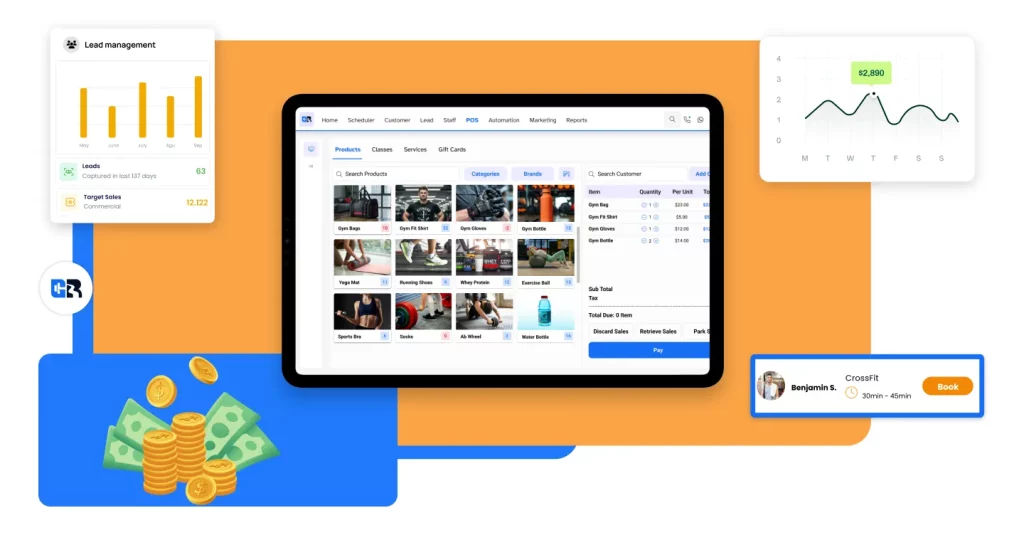
Gym management has three main goals: run daily operations smoothly, collect payments on time, and keep members happy so they stay longer. You don’t need more spreadsheets or more staff effort. What matters is having one simple system. Think of gym software as your gym’s control room. It manages bookings, memberships, billing, and follow-up in one place. The best gym management software is easy for members, clear for staff, and strong on automation, like failed payment retries and reminders. Using one system stops the need to juggle multiple tools and reduces mistakes.
Gym management software is one tool that helps you run your gym. It handles members, bookings, payments, staff, and leads in one place. It replaces messy spreadsheets and “did you pay?” messages with a clear system.
Most gyms don’t struggle because the workouts are bad. They struggle because the gym runs on a weak system.
Your gym is not failing. Your system is.
A gym can have great trainers. A nice space. Good equipment. And still lose money.
Why?
Because the day-to-day operations leak money and trust.
Here’s what that leak looks like:
- A payment fails, and nobody sees it for a week
- A lead asks for prices and gets no reply
- A class booking gets messy, and the front desk argues with members
- Staff give different answers becausethe rules are not clear
- Members feel the gym is “too much.” Then they leave
This is not about working harder. It is about having one clear system.
A quick “System test” (30 seconds)
If you say yes to 3 or more, you need gym software.
- Do you chase late payments by hand?
- Do you track leads in notes, spreadsheets, or chats?
- Do members ask “how do I book?” too often?
- Do staff make mistakes with freezes, upgrades, or refunds?
- Do you struggle to see churn risk early?
- Do you waste time checking who is paid and who is not?
Gym management software fixes the boring problems that hurt the business.
This guide will explain gym management software in simple words. So you can easily select the best gym management software for your gym.
What is gym management software
Gym software is your gym’s control room. It helps you manage members, bookings, payments, and staff in one place.
You can think of it as a gym system that connects these things:
- Members records
- Booking calendar
- Payment and billing
- Staff roles and reports
Why it replaces
A lot of tns start with tools that were never built for gyms:
- Spreadsheets
- Paper sign-in sheets
- Notes in phones
- Message in WhatsApp
- Manual billing
That works for a short time. Then you grow. Then it breaks.
What does it help you run
A good gym member software helps you run:
- Memberships and packages
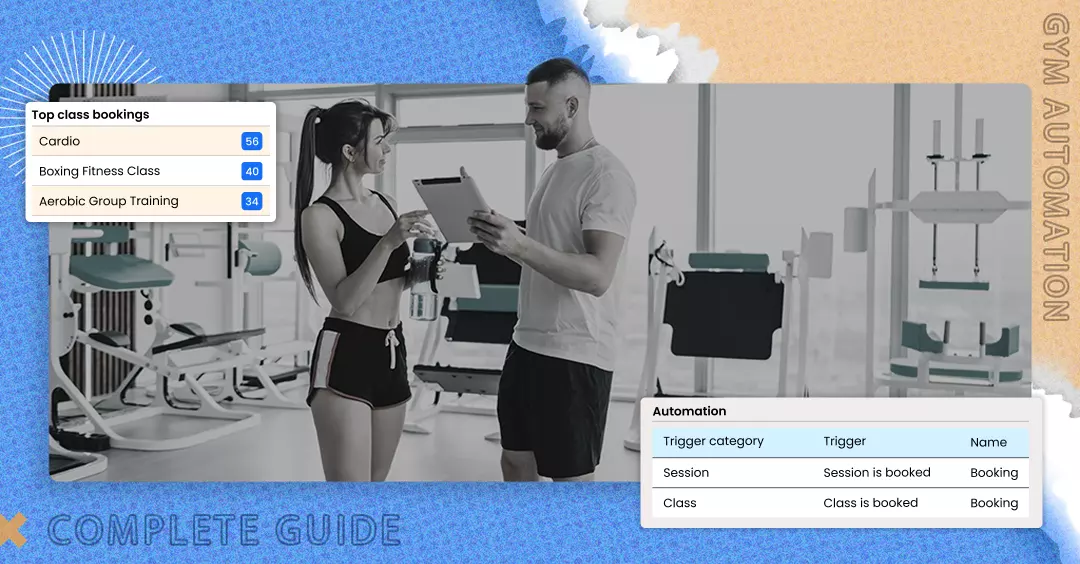
- Class and appointment bookings
- Auto-billing and card updates
- Member check-ins
- Leads, trails, and follow-ups
- Reports
Simple rule: If it touches money or members, it should live inside one system.
Why gym owners need gym software in 2026
In 2026, members expect speed and ease. If your gym feels messy, people cancel fast.
Members today compare your gym to every app they use. They do not stay this long. But they feel it.
If booking is hard, they skip classes. If payment is confusing, they get annoyed. If messages are slow, they lose interest.
What changed in the gym world
In 2026:
- People expect to book from their phone
- People expect auto-pay
- People expect reminders
- People expect clean rules
- People switch gyms faster than before
This is not “luxury.” It is a basic service now.
What happens when you run a spreadsheet and messages
This is the common chain:
- You missed a payment
- You feel awkward chasing it
- The members avoid the chat
- They stop coming
- They cancel
It feels like “churn.” But it started as a system issue.
Other common problems:
- Empty classes because there is no waitlist or auto-fill
- Lost leads because follow-up is not tracked
- Staff make mistakes because there is no clear process
- Bad data because updates happen in 4 different places
What gym software actually gives you
Good gym software does not “magically grow your gym.” It does something more useful:
- It makes the gym easier to run
- It reduces human error
- It helps you get paid on time
- It helps you follow up faster
- It helps you see problems early
That is how it protects revenue.
The 12 must-have features in gym management software
The best gym management software is the one that covers these 12 features well and feels easy for members and staff.
A lot of tools promise everything. Ignore the promises. Use a checklist.
For each feature below, you will see:
What it is → Why it matters → what to check in a demo
1. Online scheduling and booking
A calendar where members can book classes or PT sessions online. Booking is where the member experience starts. If booking feels hard, your gym feels hard.
What to check in a demo:
- Can a member book a class in under 10 seconds?
- Can you set caps, time windows, and rules?
- Can members cancel inside your rules without staff help?
Tip: Test booking on a phone, not on a laptop.
2. Automated billing and payments
The system charges memberships on schedule. Manual billing creates late payments, awkward chats, and lost revenue.
What to check in a demo:
- Can it run monthly and weekly memberships?
- Can it handle upgrades, downgrades, and freezes?
- Can it store payment history cleanly?
3. Failed payment retries
The system retries failed payments and sends reminders. Failed payments are “silent churn.” The member often disappears if you do not act fast.
What to check in a demo:
- Does it retry automatically on a schedule you set?
- Does it notify the member clearly?
- Can you set rules like “no booking if balance is overdue?”
4. POS (Point of Sale) for front desk sales
A gym POS system to sell items like drinks, shirts, supplements, and day passes. Front desk sales are small but steady. POS also keeps sales linked to member profiles.
What to check in a demo:
- Can staff sell fast during busy times?
- Can it track stock and low-stock alerts?
- Can it handle discounts with permission rules?
5. Member profile and member portal
A member record + Self-service portal. The less the front desk has to do, the smoother your gym runs.
What to check in a demo:
- Can members update card details themselves?
- Can they buy packs, renew, and book without help?
- Can staff see notes, attendance, and payment status fast?
6. Mobile app
A mobile app for members. Members live on phones. An app makes your gym feel modern and easier to use.
What to check in a demo:
- Is the app fast and clear?
- Can members book and see schedules easily?
- Can you send push updates?
7. Waitlist
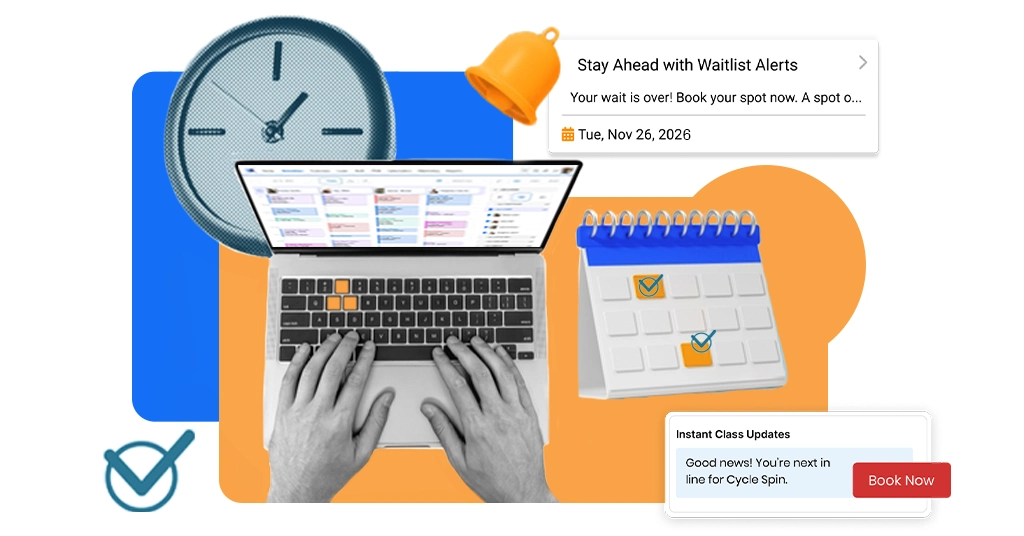
A queue that fills spots when someone cancels. A waitlist turns cancellations into filled classes.
What to check in a demo:
- Does it auto-fill quickly?
- Can you set cut-off times?
- Can you control fairness?
8. Lead management
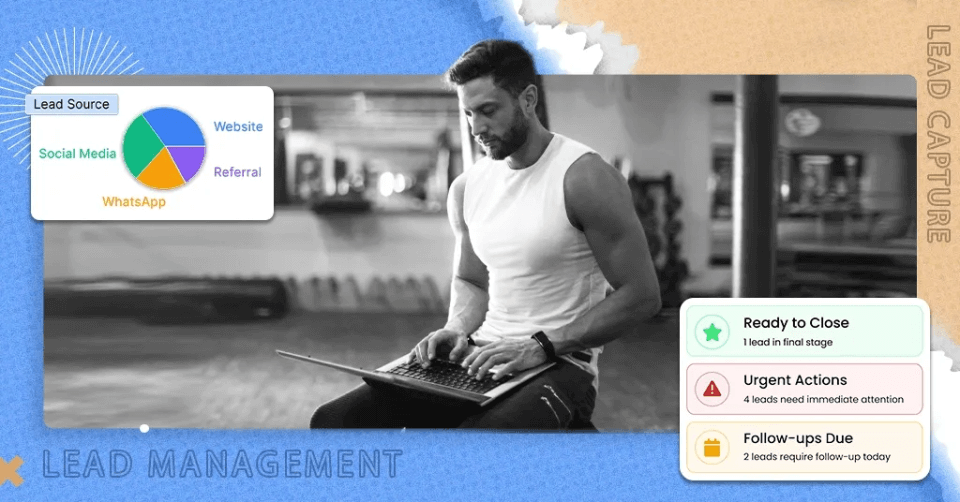
A simple pipeline to track leads. Most gyms lose leads because nobody owns follow-up.
What to check in a demo:
- Can you see all leads in one place?
- Can you assign leads to staff?
- Can you track the source?
Good lead flow looks like:
Inquiry → Booked trial → Attended → Sold membership → Onboarded
9. Built-in marketing
Tools to message leads and members. You need more than ads. You need reminders, win-back, and “We missed you” messages.
What to check in a demo:
- Can you send SMS inside the tool?
- Can you automate key messages?
- Can you segment members?
10. Staff management
Staff access control inside the software. Not every staff member should be able to refund, discount, or change billing.
What to check in a demo:
- Can you set roles?
- Can you restrict billing edits and refunds?
- Can you track who changed what?
11. Reports and analytics
Dashboards and reports. You cannot fix what you cannot see.
What to check in a demo:
- Can you see revenue and attendance together?
- Can you spot churn risk?
- Can you export clean reports for accounting?
12. Access control
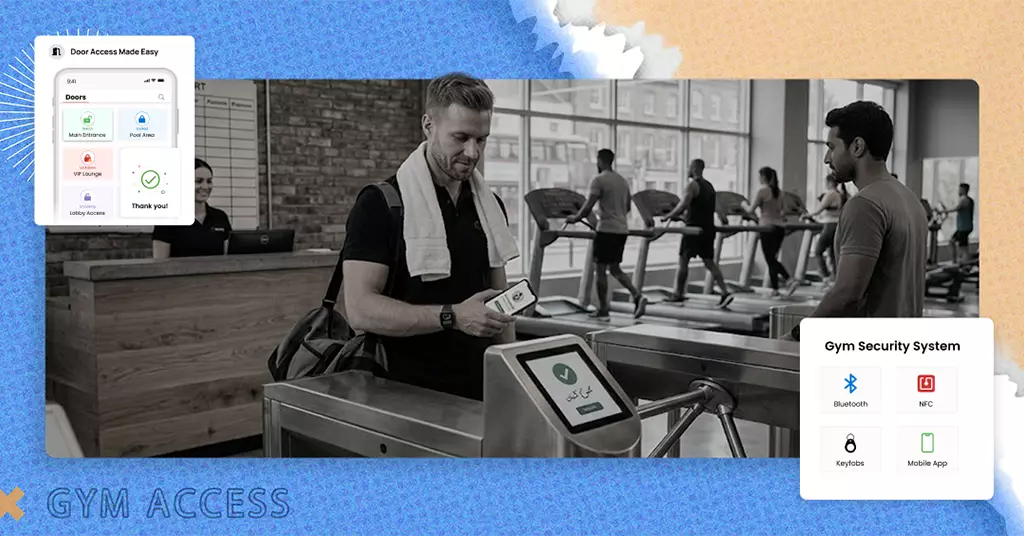
Door access linked to member status. If you sell 24/7 access, doors must work, and rules must be automatic.
What to check in a demo:
- Does it work with your door setup?
- Can it auto-block access when unpaid?
- Who supports the hardware when it fails?
13. Multi-location management
One software for multiple branches. Without this, growth becomes admin chaos.
What to check in a demo:
- Can members use more than one location?
- Can you compare branches fast?
- Can you keep pricing and rules consistent?
Gym software by gym type
Pick software based on your gym type. Don’t buy a “perfect” tool for the wrong business model.
This section is here to stop repetition. We will not explain features again. We will focus on what matters most by type.
New gym opening (start strong from day 1)
If you are opening soon, your biggest risk is building messy habits.
What matters most:
- Fast setup before launch
- Pre-sale offers and lead capture
- Easy trials and follow-ups
- Staff training so everyone uses the system the same way
Quick win:
- Build 3 offers before launch (trial, starter pack, monthly)
- Build 3 auto-messages (lead reply, trial reminder, trial follow-up)
Boutique studios (yoga, Pilates, HIIT)
Studios win on routine and experience.
What matters most:
- Class packs and memberships
- Waitlists that actually fill classes
- A clean app experience
- Retention messaging (missed-you, win-back)
A simple studio rule:
- If a class is full, you should never have empty spots.
CrossFit / functional fitness gyms
These gyms run on community and progress.
What matters most:
- Easy booking rules
- Member engagement features
- Tracking that feels motivating
- Strong coach workflow
If your members love results, your system should show results clearly.
24/7 access to gyms
Access gyms sell freedom. So the system must handle rules without staff.
What matters most:
- Access control that is reliable
- Self-service joining
- Auto-billing with retries
- Kiosk or easy check-in
The goal:
- Members join and start without long front desk steps.
Multi-branch gym chains
Chains need control, not extra admin.
What matters most:
- Central dashboard
- Branch-level reports
- Shared memberships (if you offer that)
- Roles and permissions by branch
Simple chain rule:
- If one branch does it one way and another branch does it another way, churn rises.
The best gym management software options in 2026
These are popular tools that cover core gym needs. Your best option depends on your gym type, budget, and required features.
Below are short, honest reviews.
Same format each time:
Best for → Top features → One weakness → Pricing range (if known)
Pricing changes. Always confirm on the vendor page before you buy.
1. GymRoute
Gyms that want an all-in-one system for booking, billing, leads, and daily operations.
Top features:
- Member and package management
- Online booking and scheduling
- Billing and payments
- One system for staff and member workflows
One weakness: If you need advanced training programming tools, test that part early.
Pricing range: Plans listed from $99/month.
2. Exercise.com
Gyms that want a custom platform and are okay with quote-based pricing.
Top features:
- All-in-one platform positioning
- Strong focus on branded app and full business toolkit
One weakness: You need a clear scope, because pricing is quote-based.
Pricing range: Quote-based (“Get a quote”).
3. Mindbody
Studios and gyms that want a mature platform with booking, payments, and reporting.
Top features:
- Booking and business tools
- Payments and reporting
- Plans start at a published entry level
One weakness: Total monthly cost can rise with higher tiers and add-ons, so you must confirm your full monthly number.
Pricing range: Starting at $99/month per location.
4. Glofox
Boutique gyms and studios that want a modern member experience.
Top features:
- Strong booking and member experience focus
- The vendor promotes simple monthly pricing and “locked for life” messaging
One weakness: Pricing is often not fully listed upfront, so you may need a quote to confirm.
Pricing range: Request a quote.
5. Zen Planner
Gyms and studios that like member-based pricing tiers and structured bundles.
Top features:
- Pricing tiers based on “active members.”
- Bundles that can includea website and other tools
One weakness: Cost can rise as your active member count grows, so plan for growth.
Pricing range: Zen Planner explains tiered pricing by active members, and their bundles show monthly prices across tiers.
6. Wodify
Functional fitness gyms that want booking, billing, and member engagement tools.
Top features:
- Scheduling, payments, and client management
- Member app that supports booking and workout logging
One weakness: Plan details matter. Confirm which plan includes the exact tools you need.
Pricing range: Wodify promotes a new customer offer starting at $179/month per location.
7. PushPress
Gyms that want a modular setup with clear plan options.
Top features:
- Clear plan tiers
- Higher tiers add more CRM and growth tools (depending on plan)
One weakness: A “full setup” can get expensive when you add multiple pieces, so price it out fully.
Pricing range: Starting at $24/month.
8. TeamUp
Group fitness businesses that want simple booking and clean operations.
Top features:
- Booking and memberships
- Lead management and marketing options
One weakness: If you need deep multi-location controls, test those workflows early.
Pricing range: Pricing shown at $12 /month for 1–100 customers (with currency options).
9. GymMaster
24/7 gyms that want software plus door access control options.
Top features:
- Pricing options for software-only and software + door access
- Plans shown with member limits per tier
One weakness: Hardware, install, and support planning adds complexity. You need clear responsibility.
Pricing range: Pricing shown starting around $89/month per site for software-only, with higher pricing for door access plans.
10. RhinoFit
Budget-aware gyms that still want core features.
Top features:
- Member management and scheduling
- Listings often show low starting price tiers
One weakness: Pricing can vary by plan and by access control setup, so confirm what you’re actually buying.
Pricing range: Listings show plans starting around $97/month.
Best gym management software by region
Region matters for payments, taxes, and support. Pick software that fits how your country handles billing and compliance.
Best picks for the US
- Good modular choice: GymRoute
- Good custom build choice: Exercise.com
- Good functional fitness choice: Wodify
Best picks for the UK
- All-in-one pick: GymRoute
- Booking-first pick: TeamUp
- Mature studio platform: Mindbody
Best picks for the Gulf (GCC)
For the Gulf, confirm VAT setup, local payment support, and support hours before you buy. This matters more than features.
- All-in-one pick: GymRoute is positioned for UAE gyms in its UAE-focused content
- Access-control-led pick (24/7 model): GymMaster (software + door access plans)
- Global studio platform: Mindbody can work in many regions; confirm local payment support for your country
Comparison table
Use this table for a fast first filter. Then use the demo checklist to make the final choice.
| Software | Best for | Booking | Billing | CRM + leads | Marketing | Multi-location | Access control | Ease of use | Price range |
| GymRoute | All-in-one gyms | Strong | Strong | Strong | Strong | Yes | Yes/Varies | Easy | From $99+ |
| Exercise.com | Custom platform | Strong | Strong | Strong | Strong | Yes | Varies | Medium | Quote |
| Mindbody | Mature platform | Strong | Strong | Medium | Medium | Yes | Integrations | Medium | From $99/location |
| Glofox | Boutique studios | Strong | Strong | Medium | Medium | Yes | Integrations | Easy | Contact vendor |
| Zen Planner | Tiered pricing | Strong | Strong | Medium | Medium | Some | Integrations | Medium | Tiered / bundles |
| Wodify | Functional fitness | Strong | Strong | Medium | Medium | Some | Options vary | Medium | From $79/location offer |
| PushPress | Modular setup | Strong | Strong | Medium–Strong | Medium–Strong | Some | Integrations | Medium | $159–$229+ |
| TeamUp | Group fitness | Strong | Strong | Medium | Medium | Limited | No | Easy | $104+ |
| GymMaster | 24/7 access to gyms | Strong | Strong | Medium | Medium | Yes | Yes | Medium | $89–$129+ |
| RhinoFit | Budget-friendly core | Strong | Strong | Basic–Medium | Basic | Some | Options vary | Medium | $57+ (varies) |
Note: “Integrations” means access control may require a partner or extra setup.
How to choose the right gym software in 30 minutes
You can choose the right gym software fast by writing your gym type, picking your top 3 needs, and scoring demos with a simple checklist.
You do not need weeks of research. You need a fast, clear decision method. Here is a 30-minute plan that works.
Minutes 1–5: Write your gym type in one line
Examples:
- “Small gym with memberships and PT.”
- “Pilates studio with class packs.”
- “24/7 gym with door access.”
- “Two branches, growing to four.”
This one line will stop you from buying the wrong tool.
Minutes 6–10: Pick your top 3 needs (only 3)
Pick the three needs that protect money and time.
Common top 3 needs:
- Auto-billing + failed payment retries
- Booking + waitlists
- Lead tracking + follow-up
- Staff permissions
- Access control
- Multi-location dashboard
If you pick 7 needs, you will not choose well. You will get overwhelmed.
Minutes 11–20: Run the “real life” demo test
Do not watch slides. Ask them to do real tasks.
Ask the rep to do these live:
- Add a new lead
- Book a class
- Sell a membership
- Show what happens when a card fails
- Show churn or attendance reports
- Show staff role restrictions
If they can’t show it fast, your staff will struggle later.
Minutes 21–25: Score each tool (1–5)
Use this simple scorecard:
- 5 = works great and feels easy
- 3 = works but feels clunky
- 1 = needs add-ons or can’t do it
Add one more column: deal-breaker.
Examples of deal-breakers:
- No payment retries
- No waitlist
- Poor mobile booking
- Weak reporting
- Access control doesn’t fit your setup
One deal-breaker is enough to say no.
Minutes 26–30: Avoid these 7 mistakes
These mistakes waste money:
- Buying for “future features” you won’t use
- Ignoring failed payment handling
- Choosing software that your staff dislikes
- Not testing mobile booking speed
- Not checking support quality
- Not confirming full cost (fees + add-ons)
- Skipping data migration planning
Simple truth: the best system is the one your staff will actually use every day.
Demo checklist
Use this checklist in every demo. If a tool fails the checklist, it will cause problems later. Copy this list into your notes.
Booking and member experience
- Can a member book a class in under 10 seconds?
- Can members cancel and rebook inside clear rules?
- Can members buy packs and memberships without staff help?
Billing and money
- Can the system auto-charge memberships?
- Does it retry failed payments automatically?
- Can members update card details themselves?
- Can you see overdue accounts quickly?
Leads and follow-up
- Can you track leads from inquiry to sale?
- Can you assign leads to staff?
- Can you set follow-up reminders?
Marketing and retention
- Can you send SMS inside the tool?
- Can you send quick win-back messages to inactive members?
- Can you segment members (new, active, inactive)?
Staff control and reporting
- Can staff roles be restricted (refunds, discounts, billing edits)?
- Can you see revenue and attendance in one dashboard?
- Can you spot churn risk early?
Growth and scale
- Can it scale to multi-location later?
- If you need 24/7, can it handle access control?
Final verdict
Choose gym software that makes booking easy, billing automatic, follow-up fast, and reporting clear. If you want one system for most needs, GymRoute is a strong all-in-one pick.
Book a demo with GymRoute to see how it fits your gym’s workflow.
Here is the simplest way to decide:
- If you want an all-in-one system with published entry pricing and broad daily tools, GymRoute is a strong choice.
- If you want a custom-built platform and you can handle quote-based pricing, Exercise.com can fit.
- If you run a 24/7 model and door access is core, GymMaster is built around that type of setup.
- If you run functional fitness and want a member app with workout logging, Wodify is worth a close look.
FAQs
1. What is gym management software?
Gym management software is one system that runs your gym in one place. It manages memberships, bookings, billing, staff roles, and leads. It replaces spreadsheets, WhatsApp messages, and manual follow-ups. Think of it like your gym’s control room. If it touches money or members, it belongs here.
2. Do small gyms really need gym software?
Yes, because small gyms feel system problems faster. One missed payment, one lost lead, or one messy booking can hurt cash flow. Software keeps things clean from day one. It saves time, reduces mistakes, and stops you from running the gym through memory and manual chasing.
3. When should I switch from spreadsheets to gym software?
Switch when your gym starts leaking time and money. If you chase payments manually, lose leads in chats, or handle booking problems daily, it’s time. Spreadsheets work only for a short phase. Once you grow, they break. A system prevents chaos before it becomes normal.
4. What features matter most in gym management software?
The core features are booking, billing, failed payment retries, member profiles, and lead tracking. These protect revenue and reduce daily stress. The best software isn’t the one with the most features. It’s the one that feels easy for members and clear for staff every day.
5. Why are failed payment retries such a big deal?
Because failed payments are silent churn. If a card fails and nobody notices, the member often disappears before you fix it. A good system retries automatically, sends reminders, and applies rules like “no booking if overdue.” This protects cash flow without awkward manual chasing.
6. How do I choose the right gym software quickly?
Choose in 30 minutes. Write your gym type, pick your top 3 needs, and test real tasks in demos. Don’t watch slides. Ask them to add a lead, book a class, sell a membership, and show a failed payment flow. If it’s slow, your staff will struggle.
7. How much does gym management software cost in 2026?
Most gym software starts around $50–$100/month and can go higher based on features, locations, and add-ons. Some tools use quote-based pricing. The real cost is not just the monthly plan. Always confirm payment fees, SMS charges, setup costs, and upgrade pricing.
8. What is the biggest mistake gym owners make when buying software?
They buy based on promises instead of workflows. Many tools look good on paper but feel clunky in real life. The biggest mistake is not testing booking speed, failed payment handling, and staff permissions. The best system is the one your team will use daily.
9. How hard is it to migrate from my old system?
Migration is easier than most gym owners think, but only if planned. You usually move member data, memberships, payment status, and packages. The risk is messy data from spreadsheets or old tools. A good vendor helps with onboarding and checks everything before you go live.
10. Does region matter when picking gym management software?
Yes. Region affects payments, taxes, and support. US gyms should check card billing and automation. UK gyms should check booking flow and membership rules. GCC gyms must confirm VAT setup, local payment support, and support hours. Region fit often matters more than extra features.
Final verdict
Choose gym software that makes booking easy, billing automatic, follow-up fast, and reporting clear. If you want one system for most needs, GymRoute is a strong all-in-one pick.
Book a demo with GymRoute to see how it fits your gym’s workflow.
Here is the simplest way to decide:
- If you want an all-in-one system with published entry pricing and broad daily tools, GymRoute is a strong choice.
- If you want a custom-built platform and you can handle quote-based pricing, Exercise.com can fit.
- If you run a 24/7 model and door access is core, GymMaster is built around that type of setup.
- If you run functional fitness and want a member app with workout logging, Wodify is worth a close look.