Many gym owners reach a moment when they know they need better software. They want to save time. They want to chase payments. They want members to book classes without calling again and again.
They want smooth check-ins, a clean dashboard, easy reports, and strong support. But before picking any software, they must book a demo. And that is where the questions start. A clear gym software demo checklist can make that process easier and help gym owners focus on what really matters.
Some gym owners wonder if the software will be too hard to use. Some worry about hidden fees. Some fear that the company will show the “perfect” part of the tool and hide the problems.
Others think the demo will waste time. These thoughts make many gym owners delay the demo. But delaying only slows down growth.
The fitness world is changing fast. Studies show 67% of members now prefer digital tools for bookings and check-ins. Another report shows gyms using automation save 25% hours per week. And more than 84% of people prefer a gym that offers easy mobile access.
This guide solves those problems. It gives gym owners a clear path. It answers their questions. It cuts the confusion. It keeps things simple. The goal is to help every gym owner feel confident before clicking “Book a Demo.”
Why a demo matters more than you think
A demo is not a sales trick. It is a test. A chance to see the software live. A moment to ask hard questions. A way to see if the tool fits your gym, not someone else’s.
A demo helps a gym owner:
- See real features
- Test real functions
- Check the speed of the system
- Understand real costs
- Understand support
- See if the software solves real problems
A smart gym owner never skips the demo. It protects their time. Their money. Their members. And the future of the gym.
Step 1: Know what you need
Before booking any demo, a gym owner should understand what they truly want. This step saves stress later.
Identify your pain points
These are the things that waste time or cause trouble. Everyone has their own list.
Common pain points:
- Too much manual work
- Hard-to-manage class schedules
- Missed or late payments
- Poor member communication
- No real tracking of member growth
- Slow check-ins
- No proper reporting
A gym owner should write down these pain points in one small list. This list becomes the base for choosing the right software.
Define the features you need
A demo becomes better when the gym owner knows what features are most important. Some features may seem nice, but others are “must-haves.”
Essential features can include:
- Member app
- Online class booking
- Automatic payments
- Staff scheduling
- POS system
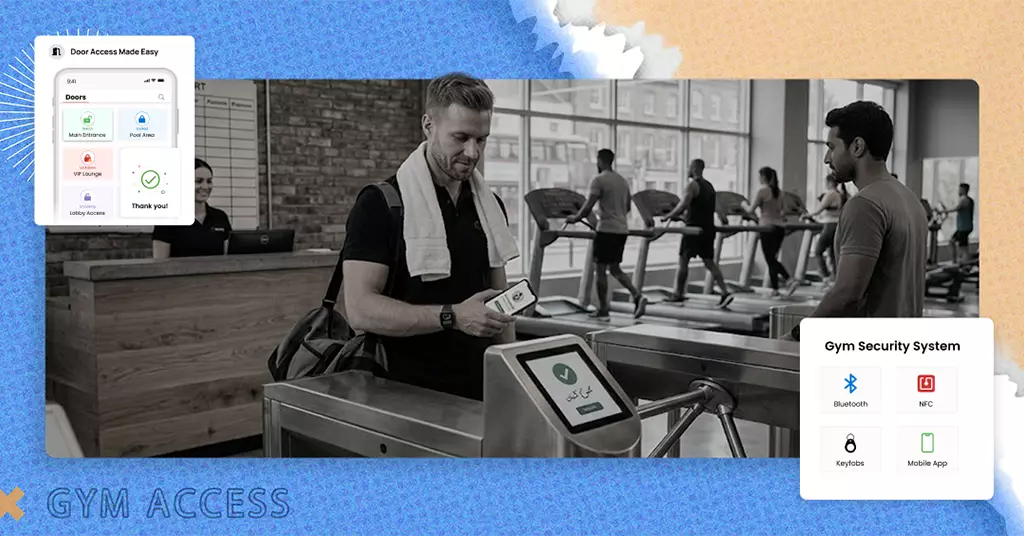
- Access control
- Workout tracking
- Reporting dashboard
- Marketing tools
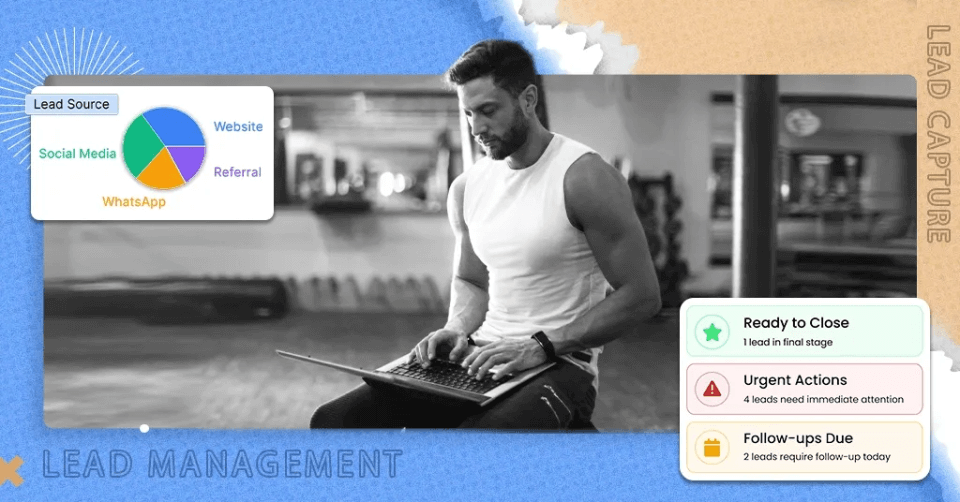
- Lead management
These features help a gym work faster and smarter. They also help members stay happy, which is the goal of every gym owner.
Think about the size of your gym
A large, multi-location gym needs bigger tools. A small studio needs lighter tools. Knowing your size helps you choose better. Some software works great for big chains. Some work better for small spaces. Matching size to software is key.
Step 2: Research the best gym software
Once a gym owner knows their needs, the next step is finding tools that fit. The research stage must be simple, clear, and organized.
Explore top gym management software platforms
There are many options. But every platform offers something different.
Some popular names include:
- GymRoute: All-in-one tools with strong automation, smart access control, marketing, and fast demos.
- Mindbody: Good for booking and payment tools.
- Glofox: Strong mobile app and automation features.
- Lark: Useful for custom operations.
Software options are growing every year. According to reports, over 42% of gyms now rely on at least three digital tools to run daily operations. This shows the industry is shifting to tech-first systems.
A gym owner must choose the software that reduces the number of tools they use, not increases it.
Check integration options
A gym owner must check if the software works with their existing tools:
- Payment gateway
- Access control
- CRM
- Website
- Social media
- Attendance systems
If the software cannot integrate, the gym may face confusion and extra costs.
Check device compatibility
The software must work on:
- Laptops
- Phones
- Tablets
- Staff desktops
Members use phones every day. Studies show 84% of gym members prefer mobile apps over web portals. So mobile support is key.
Read reviews and case studies
A smart gym owner checks real stories from people. Reviews show what is good and what is not. They also show whether the company supports its users well.
Good things to check:
- Response time
- Customer support quality
- Ease of use
- Bugs or downtime issues
- Hidden pricing
Read reviews before booking a gym software demo.
Step 3: Shortlist the best options
After research, a gym owner should have 2-4 software options. Not more. Not less. This makes the demo process simple.
Compare key points
A simple bullet comparison works well:
Compare:
- Price
- Main features
- Support
- Setup time
- Long-term cost
- Integrations
- Access control
- Mobile app quality
When the shortlist is ready, the next stop begins.
Step 4: Book the demo
This is the simplest step. But many gym owners do it in a rush. Doing it right makes the demo smooth and helpful.
Go to the vendor’s website
Every software brand has a “Book a Demo” button. It is usually found on:
- Top menu
- Homepage
- Bottom banner
The gym owner must click the demo button and fill out the form carefully.
Share accurate details
The form asks for:
- Full name
- Gym name
- Location
- Phone
- Gym size
- Goals
These details help the demo team prepare. If the information is wrong or unclear, the demo becomes less helpful.
Choose a good time slot
Booking a demo when the gym is busy is a bad idea. A gym owner should choose a quiet hour. This helps them focus and ask the right questions.
Step 5: Prepare for the demo
A great demo comes from good preparation. The gym owner should treat the demo like a business check.
Make a list of key questions
Here are simple questions a gym owner must ask:
About features
- Can it manage class schedules?
- Does it support online bookings?
- Can members pay automatically?
- Does it have access control?
- Is there a mobile app?
- Does it track member progress?
About support
- Do you offer 24/7 support?
- How long does setup take?
- Do you train our staff?
About pricing
- What is included in the main plan?
- Are there hidden fees?
- Does the price change with gym growth?
About performance
- How fast is the system?
- Is the data safe?
- How do updates work?
Prepare to compare
The gym owner must take notes. Notes help them compare all demos fairly. This is also the best time to learn how to evaluate gym management software based on real features, real support, and real business needs.
Step 6: Attend the demo like a pro
A demo lasts 20-45 minutes. It must be clear, simple, and useful.
Watch how smooth the software feels
If the software feels slow or confusing, it will slow the gym down too. Every button should be simple. Every screen should be clean.
Ask about real scenarios
The gym owner should know their real situation.
For example:
- “We run 5 classes per day. How does booking work?”
- “We have 300 members. How does payment billing work?”
- “We have peak hours. How does check-in handle that?”
This shows how well the software fits their gym.
Check the mobile app
A gym grows when the member experience grows. Mobile apps help members stay active and loyal.
Ask for live testing access
A good company offers a test account. This helps the gym owner try the system alone.
Step 7: Study the post-demo details
After the demo, the gym owner will receive:
- A proposal
- Pricing details
- Feature map
- Setup plan
They should read everything clearly.
Check the Start-Up Process
The setup must be simple. Onboarding should not take months. Most modern gym software takes 3–7 days for full setup (Fitness Tech Review, 2024).
Check the Support System
Good support means fast problem-solving. A slow support team can hurt a gym member’s experience.
Step 8: Make the right choice
Now the gym owner knows the facts. Now they can choose with confidence.
Good software should:
- Save time
- Reduce stress
- Support growth
- Improve member experience
- Offer strong support
- Fit long-term goals
This final choice shapes the future of the gym.
Final thought
Booking a gym software demo is not hard. A smart gym owner only needs a clear plan. They should know what they need, research well, prepare the right questions, and compare demos fairly. When they do this, the right software becomes easy to spot.
A good demo brings clarity. A great demo brings confidence. And the best demo leads to long-term success.
If you want a fast, smooth, and complete demo experience, GymRoute is one of the best choices. We offer simple tools, strong automation, powerful access control, easy payments, and friendly onboarding.
GymRoute’s demo team guides gym owners step by step so they can make the best decision for their business. It also helps to review a gym management software comparison guide so that final decisions are based on clear features, pricing, and long-term fit.