A gym POS system is more than a card machine. It helps the gym manage payments, membership, billing automation, bookings, check-ins, retail sales, and reports in one place. This reduces admin work, improves member experience, and prevents revenue leaks like failed payments and missed renewals. Smart billing features like payment retries and reminders help recover lost income without staff chasing members. A good POS also tracks inventory, supports staff permissions, and scales for multi-location gyms. Always check gym software pricing carefully, including hidden fees and payment processing costs, before signing.
A gym pos system is the software your gym uses to take payments and sell memberships, class packs, PT sessions, and retail items like shakes and supplements. A modern POS also connects billing automation, member profiles, bookings, check-ins, and reports.
Your gym can be packed and still feel tight on money. That is not always a marketing problem. It is often a money-flow problem.
Money flow is simple. It means:
“Do you collect the right money, from the right people, at the right time, without chaos?”
If your setup is a mix of a card machine, a spreadsheet, and “We will fix it later,” you will leak revenue. You will also waste staff hours every week.
This guide is built for gym owners who want one clear answer:
“What should a gym POS system do, and how do I pick the right one without getting trapped by fees?”
Why gyms struggle in 2026
Many gyms have a strange feeling. The gym floor looks active. But the bank account does not match the energy.
This happens when your gym is busy in the wrong way.
You may have:
- Lots of check-ins
- Lots of questions at the front desk
- Lots of “Can you fix my payments?” moments
- Lots of manual booking work
- Lots of time spent on admin
Busy does not always mean profitable. It can mean your system is doing too little, so your people do too much.
This shows up in the UK, the US, and the UAE. The market is different, but the pain is similar.
- UK gyms often deal with direct debit habits, VAT concerns, and strict privacy rules
- US gyms often deal with high card volume, chargebacks, and heavy promo pricing
- UAE gyms often deal with premium packages, multi-service sales, and rapid scaling
A strong POS system supports all of these. A weak setup makes all of these harder.
Full gym, weak cash flow
Cash flow means money arrives on time. Not “It will arrive later.” If your billing is messy, you get surprise gaps.
Surprise gas makes payroll stressful. They also make marketing feel risky, even when you need it.
High churn
Churn means members leave. Some churn is normal. But messy billing can push churn higher than it should be.
Members leave when:
- Billing feels confusing
- Canceling is unclear
- Payment fail and nobody helps
- Check-in is slow and awkward
- Booking is messy
A POS affects these experiences every day.
Staff stuck in admin
Admin is not a small issue. It is a hidden cost that grows with your member count.
If staff spend 2 hours per day fixing billing and bookings, that is 10 hours per week. That is time they could spend:
- Greeting members
- Selling add-ons
- Doing gym walks
- Handling leads
- Improving service
A modern POS reduces admin. That is one of its biggest jobs.
The hidden cost of manual systems
Manual systems feel cheap at first. Then your gym grows, and manuals turn into chaos.
Common manual tools:
- Spreadsheets for memberships
- A cash register for sales
- WhatsApp for bookings
- Paper waivers
- Manual receipts
- Staff memory for “special deals”
These tools cause three problems.
Problem 1: Double work
You enter the same info twice. That wastes time.
Problem 2: Mistakes
Wrong plan. Wrong price. Wrong date. That creates complaints and refunds.
Problem 3: No clean history
When a dispute happens, you can’t prove what happened. That increases chargebacks and lost revenue.
Manual systems also break when staff changes. If one key person leaves, the system “in the head” leaves too.
The 3 silent revenue leaks
These leaks do not always show on day one. But they hurt every month.
Leak 1: Failed payments
A failed payment occurs when billing tries to charge a card, but it does not go through.
Common reasons:
- Expired card
- Not enough funds
- Bank decline
- Card replaced
If you do nothing, you lose that month’s money. You might also lose the member.
Leak 2: Missed renewals
If renewals rely on staff reminders, they will be missed. Your team is busy. Members are easy too.
A POS with automation can:
- Renew on time
- Send reminders
- Offer a clean self-pay option
Leak 3: Untracked secondary sales
Secondary sales on add-ons like:
- PT packages
- Class packs
- Shakes
- Supplements
- Merch
- Towel service
- Guest passes
If you don’t track these well, you miss profit. You also miss patterns. Patterns matter because they tell you what to stock, promote, and bundle.
What is a gym POS system?
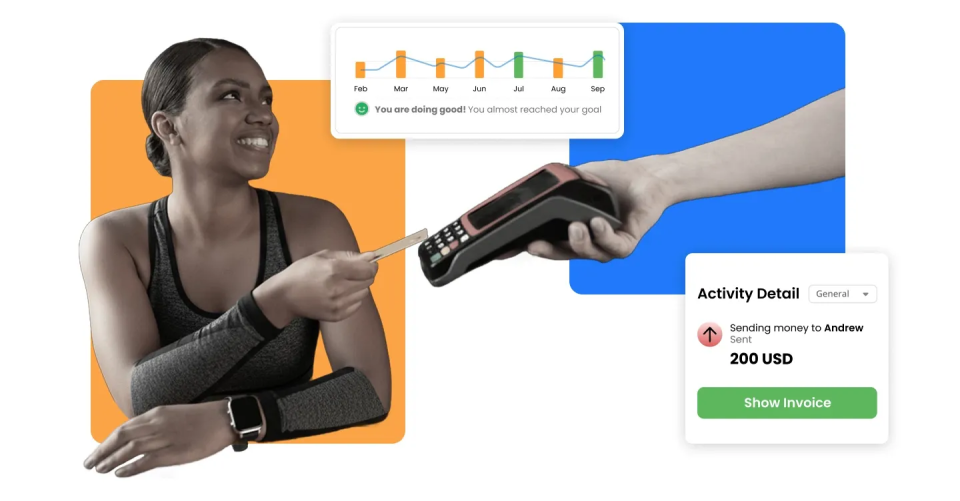
A gym POS system is a point of sale system for gyms. It helps you sell things and take payments.
But the key difference is this:
A gym POS should link every sale to a member profile.
That way, the system knows:
- Who bought it
- What they bought
- What access should they have
- When to bill again
- What they can book
- What receipts and invoices exist
Gym POS vs card machine
A card machine is not a POS. A card machine can:
- Take a payment
- Show “approved”
- Print a receipt
Take it.
A gym POS software can:
- Sell memberships and packs
- Store member info and plan details
- Auto bill on schedule
- Recover failed payments
- Connect bookings to payment status
- Manage refunds with logs
- Track retail inventory
- Show reports and trends
Card terminal = Payment device.
Gym POS system = Your sales and billing brain
Gym POS vs gym management software
This is another common confusion point. Gym management software is the bigger system.
It can include:
- Memberships
- Bookings
- Check-ins
- Staff roles
- Reporting
- Automation
- POS features
A gym POS system can be:
- Part of gym management software, or
- A POS-only tool
What overlaps:
- Checkout
- Payments
- Receipts
- Basic sales reports
What is different:
- Gym management software usually handles the full member journey, not just payment
Why “POS-only” tools fail many gyms:
Because a gym is not a store. A gym is a recurring billing business.
If your POS cannot handle:
- Membership billing automation
- Freezes and holds
- Upgrades and downgrades
- Pro-rated changes
- Class pack rules
- Access control links
You will end up doing manual work.
Manual work brings mistakes. Mistakes bring disputes. Disputes bring churn.
How modern gym POS systems work
Here is the modern flow, end to end.
Lead → Sign-up → Payment → Check-in → Booking → Retail → Reporting → Retention
Let’s break it down.
- A lead fills out a form or walks in
- Staff creates a member profile
- The member chooses a plan or pack
- Payment is taken at the desk or online
- The billing schedule is set automatically
- The member checks in (QR, RFID, Staff check-in)
- The member books classes in an app or portal
- The member buys retail items at checkout
- The owner reviews reports weekly
- Automation helps keep the member active and paying
A good POS connects these steps. A weak POS breaks them into separate tools.
The 11 core benefits
Here are the 9 core benefits that you can get after using gym POS software:
1. Effortless payment processing
A good POS makes checkout fast. Fast checkout matters in gyms because peak hours are busy.
Simple example:
A member wants a day pass and a protein shake. A strong POS lets staff do it in seconds. That keeps the line moving.
Look fast:
- Fast checkout screens
- Saved products and bundles
- Quick discounts
- Digital receipts
2. Simplified membership management
Membership management means:
- Selling plans
- Tracking status
- Handling changes
- Billing on schedule
A POS system for gyms should handle:
- Monthly and annual plans
- Day passes
- Class packs
- Family memberships
- Corporate memberships
- Add-ons
This keeps your offers clean and repeatable. Repeatable offers are easier to train staff on.
3. Better inventory tracking
If you sell shakes and supplements, inventory matters. Even small gyms feel this problem.
Without tracking, you get:
- Out of stock best sellers
- Overstock slow sellers
- “We thought we had more’ moments
- Lost retail revenue
POS inventory tracking for gyms should support:
- Live stock count
- Low-stock alerts
- Reorder points
- Best sellers
- SLow sellers
4. Boosted member experience
Members feel your POS, even if they never see the back end.
They feel it when:
- Sign-up is quick
- Check-in is smooth
- Billing is clear
- Booking works
- Receipts are easy to find
A smoother experience reduces churn. It also increases referrals.
5. Time-saving automation
Automation means the system repeats tasks for you.
Examples:
- Recurring billing
- Payment reminders
- Booking confirmations
- Invoices and receipts
- Follow-ups for inactive members
Automation saves staff hours every week. Those hours turn into better service and more sales.
6. Real-time insights and reporting
Reports help you run the gym with facts, not guesses.
A strong POS can show:
- Revenue by plan
- Failed payment rate
- Recovered revenue
- Class fill rate
- No-show rate
- Retail sales by item
- Staff sales performance
This helps you fix problems early.
7. Flexibility for growth
As your gym grows, small problems become big problems.
More members means:
- More billing events
- More failed payments to recover
- More booking demand
- More refunds and changes
- More retail sales
A POS should scale without becoming slow or confusing.
8. Enhanced security
A POS touches money. So security matters.
Look for:
- Separate staff logins
- Role permissions
- Audit logs
- Secure payment handling
Audit log means: A record of what did what and when. This helps prevent mistakes and protects you during disputes.
9. Customization and integration
Every gym is different.
- A UK studio may focus on class packs and waitlists
- A US gym may focus on membership and retail
- A UAE gym may focus on premium packages and personal training
A strong POS should adapt to your workflow, not force you into a weak one.
10. Fewer chargebacks and disrupts
Chargebacks happen when a member disputes a charge with their bank. They cost money and time.
A good POS reduces chargebacks by keeping:
- Clear invoices
- Clear cancellation history
- Clear refund records
- Proof of agreement
- Better staff accountability
11. Better staff accountability
Staff accountability is not about blame. It is about clarity.
If a discount was applied, you should know who did it. If a refund was issued, you should know why and when.
What a modern POS actually includes
A modern POS is not one feature. It is a connected set of tools.
If you want POS and membership management in one place, these features matter.
1. Membership & packages
A good system supports different offers without messy workarounds.
Common membership types:
- Monthly memberships
- Annual memberships
- Pay-as-you-go plans
- Class packs
- Family memberships
- Corporate memberships
It should also support:
- Add-ons
- Joining fees
- Discounts
Small rule that matters: Your system should make it hard to “accidentally” sell the wrong plan.
2. Class scheduling + bookings
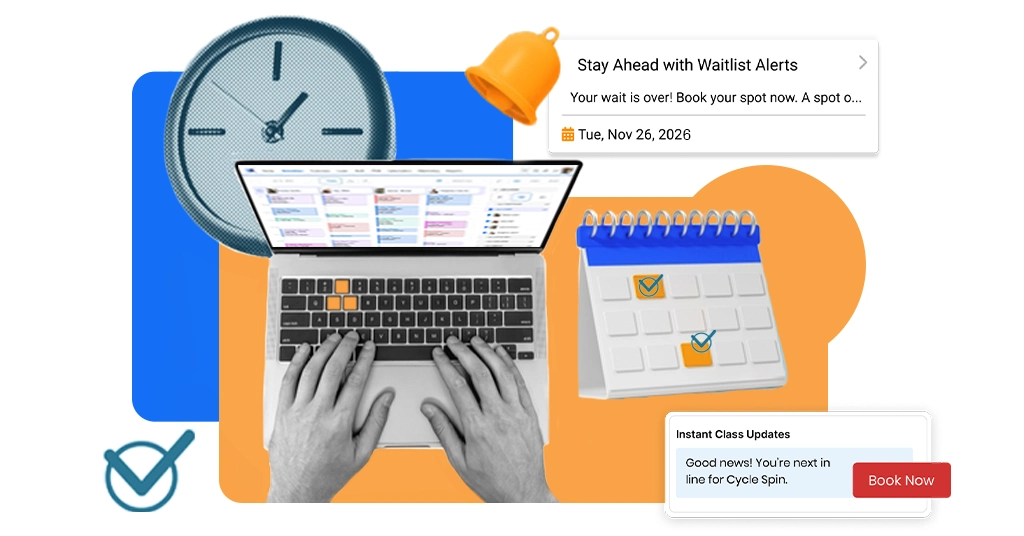
If you run classes, your POS should connect to booking.
Look for:
- Capacity limits
- Waitlists
- Cancellations rules
- Auto reminders
- Class packs that deduct correctly
Simple example:
Members buy a 10-class pack. They book a class. The system deducts 1 class after check-in.
If they cancel in time, it returns the credit. That is what “connected” looks like.
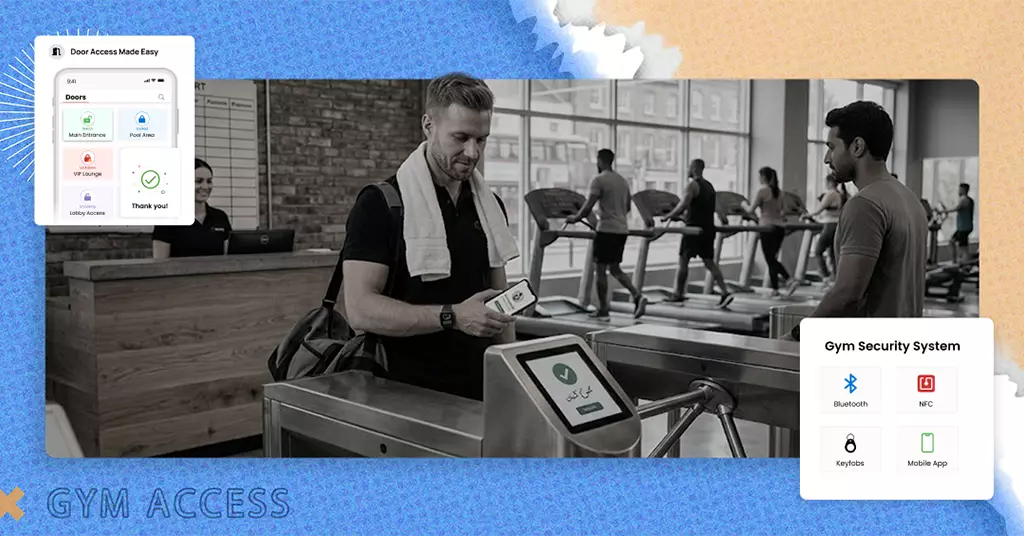
3. Check-in & access tools
Check-in is where the gym experience starts. If check-in is slow, the gym feels messy.
Common check-in options:
- QR check-in
- RFID tap-in
- Staff-assisted check-in
- Door access systems
- Turnstiles
Key goal:
- Active member = Smooth entry
- Expired or unpaid = Clear message and next step
A POS should not “surprise block” a member. It should guide staff with a clear reason and a clean fix.
4. Retail POS
If you sell retail, you need a real retail flow.
Common retail items:
- Protein shakes
- Supplements
- Bottled drinks
- Bars and snacks
- Apparel
- Accessories
Retail features that matter:
- Quick product search
- Barcode scanning
- Bundles and discounts
- Tax handling
- Stock deduction after sale
5. Staff roles and permissions
This protects profit.
Control who can:
- Discount
- Refund
- Edit billing dates
- Change membership price
- Delete a sale
Also, look for permission levels by role:
- Front desk staff
- Manager
- Owner
- Trainer
6. Multi-location management
If you have two locations or plan to grow, you need:
- Centralized reporting
- Site-level permissions
- Pricing templates across branches
- Product lists that can be shared or customized
- Member access rules by location
Example:
A member can visit both branches in the same plan. Or a plan is location-only. Your POS should support both models cleanly.
Payment & billing: the heart of gym revenue
Billing keeps the light on. It is your most important repeat process.
When billing is strong, you get:
- Stable income
- Predictable cashflow
- Fewer staff headaches
- Fewer angry emails
- Fewer disputes
This is why gym billing software quality matters as much as features.
Common billing failure gyms face
Billing fails for normal human reasons.
Common causes:
- Expired cards
- Insufficient funds
- Bank declines
- Members forgot to update payment details
- Chargebacks
- Wrong plan applied
- Cancellation not recorded correctly
- Freeze is handled manually and forgotten
These issues happen everywhere. UK, US, UAE.
Different banks. Same problems.
The true cost of failed payments
Failed payments cost more than one month of dues.
They also cost:
- Staff time
- Member trust
- Attendance
- Retention
Here is a simple way to think about it.
If you have 300 members and 5% of payments fail each month, that is 15 failed payments.
If staff spend even 10 minutes per case, that is 150 minutes. That is 2.5 hours per month.
Now add:
- Follow-up messages
- Access issues
- Refund requests
- Member frustration
That is how failed payments turn into churn.
What smart billing means
Auto-pay is basic. Smart billing is what protects revenue.
- Automated recurring billing
Recurring billing means the system charges on a schedule.
This helps because:
- Members don’t “forget” to renew
- Income becomes predictable
- Staff stops chasing renewals
This is the foundation of membership billing automation.
Smart retry logic
Retry logic means the system tries again after a failed payment. This matters because many failed payments are temporary.
Good retry logic can:
- Retry on different days
- Retry at different times
- Send reminders before the next attempt
- Stop retries if a member cancels
- Alert staff only when needed
This reduces lost revenue without staff effort.
Dunning
Dunning is a billing word. It means a message flow that recovers payments.
In simple terms: A calm reminder system.
A basic dunning flow can look like this:
- Message 1: “Your payment did not go through. Update your card here.”
- Message 2: “Quick reminder. Update your payment to keep access active.”
- Message 3: “Final reminder. Access may pause until payment is updated.”
Dunning works best when:
- Messages are short
- The next step is clear
- Links are easy
- Tone is polite
Billing rules gyms actually need
Gyms need rules because real life changes plans.
Rules you will likely need:
- Freezes
A freeze pauses the membership for a set time. It is common for travel or injury. - Holds
A hold can pause access or billing under a rule. Different gyms use “hold” in different ways. - Upgrades
Members move to a higher plan. The system should handle the price change cleanly. - Downgrades
Members move to a lower plan. The system should apply the next billing cycle correctly. - Pro-rated changes
Pro-rated means a fair partial charge. Example: upgrade mid-month, pay only the difference for the remaining days. - Failed payment grace rules
Many gyms allow a short grace period. Your system should support that with clear steps.
Refund and cancellation handling
Refunds and cancellations create disputes when they are messy.
A strong POS should support:
- Clear cancellation dates
- Clear reason notes
- Confirmation messages
- Refund logs
- Policy references
This helps members feel safe. It also protects your gym if a dispute happens later.
Member experience improvements
A POS is an owner tool and a member tool. Members feel it through speed and clarity.
Faster sign-up and onboarding
Sign-up should feel simple.
A clean flow:
- create profile
- choose plan
- take payment
- sign waiver
- start today
If onboarding takes 20 minutes, some people walk away. Speed helps conversions.
Smooth check-in experience
Check-in should take seconds.
A smooth check-in reduces:
- lines
- awkward payment talks
- staff stress
- member frustration
If the system shows a clear status, staff can help quickly.
Self-service member portal
Self-service is one of the biggest retention helpers.
Members should be able to:
- Update payment method
- View invoices
- Book classes
- Cancel bookings
- Buy packs
- See membership status
This reduces front desk load. It also gives members control.
Mobile-first payments and bookings
Members live on phones.
Mobile features that matter:
- Quick booking
- Clear schedule
- Easy payment updates
- Receipts inside the account
When mobile works well, attendance increases. And attendance drives retention.
Personalization that feels human
Personalization should feel helpful, not weird.
Simple examples:
- birthday offer for a shake
- “Congrats on 25 visits” message
- “We noticed you like evening classes,” suggestions
- “Welcome back” message after two weeks away
These are small touches. They make your gym feel cared for.
Automation that saves staff hours every week
Automation is where you get your time back.
Think of it like this: Every repeat task you remove is a staff hour saved.
Automated receipts and invoices
Every payment should create a record automatically.
Receipts help with:
- Refunds
- Questions
- Expense claims
- Disputes
Invoices help with:
- Corporate memberships
- Bulk packages
- Clear accounting
Payment reminders
Reminders reduce awkward in-person conversations.
Good reminders are:
- Short
- Polite
- Clear on next step
Best practice: Always include a simple link to update payment details.
Booking confirmations
Booking confirmations reduce confusion. They also reduce no-shows when paired with reminders.
Staff scheduling
Not every POS includes staff scheduling. But if it does, it can help reduce admin.
Even if scheduling is separate, your POS should still track:
- Staff sales
- Staff refunds
- Staff discounts
This helps with coaching and consistency.
Follow-ups for inactive members
Inactivity is a churn signal.
Simple triggers:
- No visit in 7 days
- No visit in 14 days
- No visit in 30 days
Then send:
- A friendly check-in
- A class suggestion
- A quick re-start offer
Keep it short. Keep it kind.
Promotions based on real behavior
Behavior-based promos feel natural.
Examples:
- Buys shakes often → offers a shake bundle
- Book yoga weekly → offer a class pack
- New member → offer starter PT session
- Returning member → offer “welcome back” pack
These promos work because they fit the person.
Inventory + retail revenue
Retail is not “extra.” For many gyms, retail is a profit booster.
Why retail matters for profit
Membership revenue is steady. Retail can raise the value of each visit.
If a member buys a shake 2–3 times per week, that adds up fast. Retail also improves convenience. Convenience keeps people coming back.
What POS inventory tracking does
Inventory tracking helps you avoid guessing.
It can show:
- Livestock levels
- Low stock alerts
- Reorder points
- Best sellers
- Slow sellers
- Profit by product type
Reorder point means: The stock level at which you should restock.
Smart retail strategies
Retail works best when it is clear and easy.
Try these:
- Bundles: Shake + bar
- Checkout add-ons: Water, towel
- Seasonal promos: Hydration in summer, recovery in winter
- Loyalty perks: Small discount for regular buyers
- Starter packs: “New member bundle” with shaker + drink
Keep prices clear. Keep checkout quick.
Reporting, KPIs, and what you should track weekly
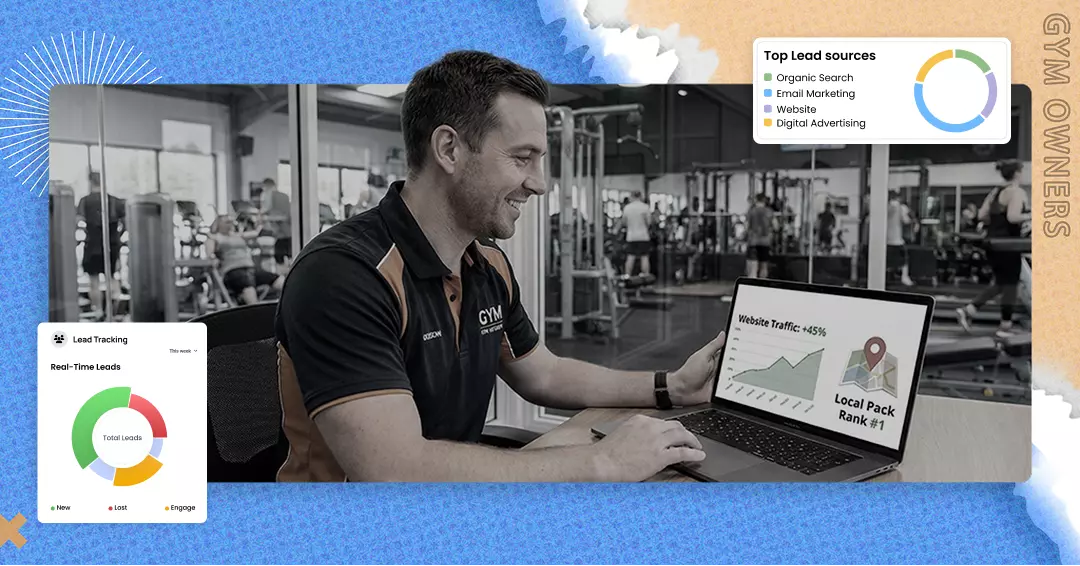
A KPI is a key performance indicator. It tells you if your gym is healthy. You don’t need a giant dashboard. You need the right few numbers every week.
Revenue metrics
- MRR (Monthly Recurring Revenue)
This is your repeating membership income per month. - Failed payment rate
How many billing charges fail? - Recovered revenue
Money you recovered with retries and reminders. - ARPU (Average Revenue Per User)
Average revenue per member.
ARPU helps you see if add-ons and packages are working.
Member metrics
- Churn
How many members leave? - Retention rate
How many stay over time? - Attendance rate
Members who attend more often tend to stay longer. - Conversion rate
Leads that become paying members.
Operations metrics
- Peak hours
Know your busy times to staff right. - Class fill rate
How full classes are. - No-show rate
How often do bookings not show up? - Staff performance
Sales, refunds, and discounts by staff.
This is not about blame. It is about training and consistency.
Retail metrics
- Top sellers
Protect your best sellers from stockouts. - Profit by category
Some items sell well, but the profit is low. - Inventory turnover
How fast items sell and get replaced.
Slow turnover often means you bought too much. Or the product is not a good fit.
A simple weekly review routine
Do this once per week.
- Check the failed payment rate.
- Check recovered revenue.
- Check churn and cancellations.
- Check class fill rate (if you run classes).
- Check retail top sellers and low stock.
Then pick one action for the week. One action is enough.
How gym software really charges you
Gym software pricing is often confusing on purpose. You need to see the full picture.
Why gym software pricing is never simple
Your total cost can include:
- monthly platform fee
- per-member fees
- per-location fees
- extra staff logins
- SMS charges
- add-on modules
- onboarding fees
- payment processing fees
So “$X per month” is not the full cost.
The 5 pricing models explained
1) Flat pricing
One set monthly fee.
Pros:
- predictable
- easy to plan
Cons:
- may limit features at lower tiers
2) Per-member pricing
Cost rises with member count.
Pros:
- low cost at a small size
Cons:
- can punish growth
3) Tiered pricing
Basic, Pro, Premium levels.
Pros:
- you pick what fits
Cons:
- you may need a higher tier for one key feature
4) Transaction-based pricing
The cost rises when you sell more.
Pros:
- low cost when you are small
Cons:
- gets expensive as you grow
5) Freemium
Free base plan, paid upgrades.
Pros:
- easy to try
Cons:
- essentials may be locked behind paid add-ons
What pricing model is best for which gym type
- Small studio (class-based)
Tiered pricing often works well.
You need bookings, packs, waitlists and reminders. - Mid-size gym (membership-based)
Flat or tiered is often safer.
Per-member can become costly as you grow. - Retail-heavy gym
Watch transaction fees and processor fees.
Retail adds lots of small transactions. - Multi-location chain
Look for predictable pricing that scales cleanly.
Avoid per-staff and per-location surprises.
This matters in fast-growth markets like the UAE too. Growth should feel exciting, not expensive.
Hidden fees checklist
Hidden fees are where owners get burned.
Ask about these before you sign:
- Setup fees
- Onboarding and training fees
- SMS and email charges
- Add-on modules (billing, reporting, access control)
- Extra staff logins
- API or integration fees
- Data export fees
- Cancellation penalties
- Forced payment processor fees
If a vendor won’t answer clearly, that is a red flag.
Payment processing fees
Processing fees can become your highest cost over time. That is why you must understand them.
What processing fees are
Processing fees are fees charged on each card payment.
They often include:
- a percentage of the sale
- a fixed fee per transaction
Rates vary by country and bank. The UK, US, and UAE can all look different.
The key point is the same: Fees scale with your sales.
Why they scale as you grow
As revenue grows, fees grow.
A gym that doubles revenue often doubles processing fees too. So “cheap software” can become costly later.
How to calculate true cost (simple)
Do this:
- Estimate monthly membership card volume.
- Estimate monthly retail volume.
- Estimate the number of transactions.
- Apply the fee structure.
Then compare vendors using the total annual cost. Not just monthly software prices.
How gyms get trapped in expensive processors
Common traps:
- you must use the vendor’s processor
- rates are not clear at the start
- switching is hard
- there are contract penalties
- “intro rates” change later
What to ask vendors before signing
Ask these questions:
- Do I have to use your processor?
- Can I bring my own processor?
- Are rates fixed or can they change?
- Any extra fees for refunds?
- Any extra fees for chargebacks?
- What is the contract term?
- How fast are payouts?
- What support do you provide for disputes?
Clear answers build trust. Vague answers are a warning.
Hardware: What you need
Hardware should fit your workflow. Not your ego.
POS terminal vs tablet setup
A POS terminal is an all-in-one device. It can be great for retail-heavy gyms.
A tablet setup can be simpler and more flexible. It works well for many gyms.
Choose based on:
- Front desk traffic
- Retail volume
- Space
- Staff comfort
Barcode scanners and printers
Barcode scanners help if you sell retail. They speed up checkout and reduce errors. Receipt printers are optional. Many gyms use digital receipts now.
Access control hardware
If you offer 24/7 access, hardware matters more.
Common options:
- Door locks
- Keypads
- Card readers
- Turnstiles
The best setup links access to billing status.
Turnstiles vs door locks
Turnstiles are good for high-volume gyms. They control entry well. Door locks are simpler for smaller gyms. They can still work great with clean access rules.
Budget ranges
A basic setup can be low-cost. A full setup with access control and retail tools can be higher cost.
The smart rule: Buy what you need now. Make sure it can grow later.
Security, compliance, and trust
Your POS touches payments and personal data. So trust matters.
Payment security basics (PCI-style compliance)
PCI is a payment security standard. It is a set of rules for safer card payments.
A good POS helps by:
- Using secure payment handling
- Reducing risky card storage
- Working with secure processors
Secure logins + staff permissions
Each staff member should have a unique login. This helps track actions and central access.
Permissions should control:
- Refunds
- Discounts
- Billing edits
- Membership changes
Data backups and cloud security
Cloud software stores data online.
Good cloud systems use:
- Backups
- Secure servers
- Access controls
Ask vendors how they protect data.
GDPR(UK) + general privacy expectations
If you operate in the UK, GDPR matters. These are privacy rules for personal data.
Even if you are outside the UK, members still expect privacy. Keep data collection simple.
Limit staff access. Use clear policies.
Reducing chargebacks and fraud
You reduce chargebacks with:
- Clear cancellations rules
- Clear invoices
- Proof of agreement
- Clean refunds records
- Quick support for billing issues
A POS with logs makes this easier.
Integrations that matter
Integration can help a lot. But too many tools can create chaos.
Must-have integrations
These matters for most gyms:
- Accounting tools
- Email/SMS tools
- Access control tools
- Website lead forms
The goal is simple: No double entry.
Nice-to-have integrations
These can be helpful, but are not required for every gym:
- Wearables
- Nutrition apps
- Advanced CRM tools
CRM means Customer Relationship Management. It is a tool to track leads and follow-ups.
Some gym systems already cover enough CRM for many gyms.
Avoiding “Frankenstein systems”
A Frankenstein system is too many tools stitched together.
It creates:
- Mismatched data
- Broken billing connections
- Duplicate member records
- Staff confusion
A connected system usually beats a pile of tools.
Quick integration test checklist
Before you commit, ask:
- Does the integration sync in real time or once per day?
- What data syncs, and what does not?
- Who supports it if it breaks?
- Is there an extra fee?
- Can I test it before launch?
Scaling to multiple locations
Scaling is exciting. It also adds complexity.
Multi-branch challenges
Multi-location gyms often struggle with:
- Reporting across sites
- Staff permissions by location
- Standard pricing across branches
- Shared membership vs location-only memberships
- Consistent retail stock lists
Without a strong system, multi-location reporting becomes spreadsheet work.
How POS supports expansion
A strong POS supports expansion by giving:
- One owner dashboard
- Location-level reporting
- Standard plan templates
- Controlled permissions
- Consolidated billing views
This helps you grow without doubling admin.
What features matter most for chains
For chains, prioritize:
- Centralized reporting
- Role-based permissions
- Location settings
- Member roaming rules
- Clear pricing control
This matters in every region. But it can matter even more in fast-growth areas like the UAE.
Migration: How to switch without chaos
Switching POS systems feels scary because billing is sensitive. But switching can be smooth with a plan.
What data do you need to move
At minimum, move:
- Member list
- Membership plans and status
- Billing schedules
- Invoices
- Attendance history
- Inventory list
Billing data must be handled carefully. Ask how it is moved and protected.
Common migration mistakes
Common mistakes include:
- Moving messy data without cleaning it
- Missing custom discounts and special plans
- Not testing billing rules before launch
- Forgetting about freezes and holds
- Training staff too late
A simple switching of timelines (7-30 days)
Here is a clean timeline many gyms use:
- Days 1-3: Export data and clean member lists
- Days 4-7: Set up plans, packages, taxes, and products
- Week 2: Test billing, check-in, booking, and retail
- Week 3: Train staff and do a soft launch
- Week 4: Go live fully and monitor daily
Some gyms switch faster. Some take longer. The goal is fewer mistakes, not speed.
Training staff fast
Staff resists changes when they feel lost. So keep training practical.
Train these first:
- Sell a membership
- Take a payment
- Book a class
- Process a refund
- Update payment details
- Freeze a membership
Then add advanced tasks later.
Use:
- Short cheat sheets at the front desk
- A “System Lead” on the team
- Quick practice sessions before launch
Common mistakes gym owners make when choosing POS software
These mistakes are common. And they are avoidable.
Mistake 1: Buying cheap and paying more later
Cheap systems often lack:
- Billing recovery
- Strong reporting
- Permissions
- Clean automation
You pay later in:
- Lost revenue
- Staff time
- Churn
Mistake 2: Ignoring payment fees
Payment fees can cost more than the software fees long-term.
Always ask about:
- Processing rates
- Chargeback fees
- Refund fees
- Contract rules
Mistake 3: Ignoring contracts
Long contracts with penalties can trap you. Read the terms. Ask direct questions
Mistake 4: Choosing a tool that doesn’t scale
Your gym might grow from 200 to 00 members. Your software should not break at 400.
Mistake 5: Picking software with poor support
When billing issues happen, you need help fast. Support quality is not a “nice extra.”
It is a core feature.
Mistake 6: Trusting the demo more than the real workflow
Demos look perfect. Real gyms have:
- Peak-hour rush
- Plan changes
- Refunds
- Failed payments
- Messy edge cases
Test the real journey
Buyer checklist: How to choose the right gym pos POS system
This is the must-have list that a gym owner should follow.
The must-have features list
Most gyms should look for:
- Memberships and packages
- Recurring billing
- Payment retries and reminders
- Clear invoices and receipts
- Check-in tools
- Bookings (if you run classes)
- Retail POS and inventory (if you sell products)
- Reporting and dashboards
- Staff permissions and audit logs
The best questions to ask vendors
Ask these:
- How do failed payment retries work?
- Do you send automatic reminders?
- Can members update their cards themselves?
- Can I set freezes, holds, upgrades, and pro-rating?
- Do you support class packs and waitlists?
- Can I control refunds and discounts by role?
- Do you have audit logs for staff actions?
- What reports do I get weekly?
- Can I export my data anytime?
- What is your support response time for billing issues?
If answers are unclear, pause. Clarity is a sign of a good partner.
Red flags
Watch out for:
- hidden fees for basics
- forced processors with vague terms
- weak reporting
- no retry system
- messy cancellation handling
- no audit logs
- long contracts with high exit penalties
- slow or unhelpful support
Best POS setup by gym type
- Small studio
Focus on booking, packs, reminders, and easy payments. - Mid-size gym
Focus on billing recovery, fast check-in, and clear reporting. - Boutique class gym
Focus on waitlists, no-show tools, and clean class pack rules. - Multi-location chain
Focus on centralized reporting, permissions, and standard pricing templates.
Real-world use cases
These are common real problems, and how a modern POS fixes them.
Use case 1: Failed payment every month
Problem
Every month, payments fail. Staff spend hours chasing members.
Fix
Use smart billing tools:
- automated retries
- dunning reminders
- self-service payment updates
- clear grace rules
Result
More revenue collected. Less awkward chasing. Lower churn from payment stress.
Use case 2: Front desk queues and slow check-ins
Problem
Peak hours create long lines. Check-in is slow. Members get annoyed.
Fix
Use:
- QR check-in or RFID
- clear member status display
- quick day pass sales
- saved retail bundles
Result
Faster entry. Better first impression. Staff feel calmer
Use case 3: Retail sales but no inventory control
Problem
You sell shakes and supplements, but the stock is guessing.
Best sellers run out.
Slow sellers pile up.
Fix
Use inventory tracking:
- live stock
- low-stock alerts
- reorder points
- best seller reports
- barcode scan checkout
Result
Fewer stockouts. Less dead stock. More retail profit.
FAQs
1. What is a gym POS system?
A gym POS system is software that helps you sell memberships, packs, PT, and retail items, and take payments at the front desk and online. It links every sale to a member profile, so billing, check-ins, and reports stay accurate. It is more than a card machine.
2. What’s the difference between POS and gym management software?
POS focuses on sales and payments. Gym management software is the bigger system that can include POS plus bookings, check-ins, automation, and member messaging. Many gyms prefer one connected platform because it prevents gaps, like bookings not matching billing or access not matching payment status.
3. Do gyms need POS for memberships?
Yes, if you want clean tracking and fewer mistakes. A POS system for gyms sells the membership, stores plan rules, and sets recurring billing. Without it, renewals get missed, staff chase payments, and member records become messy. A POS also supports upgrades, freezes, and clear receipts.
4. How do recurring payments work in a gym?
Recurring payments charge members on a schedule, like monthly or yearly. The system stores the plan, billing date, and payment method, then bills automatically. If a payment fails, strong systems retry and send reminders. This keeps cash flow stable and reduces front desk admin work.
5. How do payment retries recover revenue?
Payment retries try a failed charge again. Many failures are temporary, like an expired card update or timing around payday. Smart retry logic can retry on different days and send reminders before trying again. This recovers revenue without staff chasing, and it reduces churn caused by payment friction.
6. What is dunning in gym billing?
Dunning is a billing term for payment recovery messages. It is a short sequence of reminders sent after a payment fails. It usually includes a friendly notice, a link to update payment details, and a final reminder before access pauses. Done well, it reduces lost revenue and disputes.
7. What pricing model is best for gyms?
It depends on your gym size and growth plan. Flat or tiered pricing is often easier to predict. Per-member pricing can be low at first but may get expensive as you grow. Transaction-based pricing can also climb quietly. Always compare total yearly cost, not just the monthly fee.
8. What hidden fees should I expect with gym POS software?
Hidden fees can include setup, onboarding, SMS charges, add-on modules, extra staff logins, integration fees, data export fees, cancellation penalties, and forced payment processing costs. Ask for a full fee list in writing. If a vendor avoids clear answers, that is a red flag.
9. Can a POS system track inventory and supplements?
Yes. Many POS systems can track retail inventory like supplements, shakes, and apparel. It can show live stock levels, best sellers, low-stock alerts, and slow sellers. This helps you avoid stockouts and reduce dead stock. It also speeds up checkout when products are organized and searchable.
10. Is gym POS software secure?
Good gym POS software uses secure payment handling, role permissions, and audit logs. It also supports secure logins and data protection. You should still use strong passwords and unique staff accounts. Security is both software and staff habits. Clear refund rules and logs also reduce fraud and disputes.
11. Can a gym POS handle VAT or taxes?
Yes, most systems can handle taxes, but you must confirm how it works for your region. UK gyms may need VAT handling for certain items. US gyms may have state-level tax rules for retail. UAE gyms may have VAT rules too. Ask how taxes apply to memberships versus retail.
12. Can I sell gift cards or vouchers through a gym POS?
Many gym POS systems support gift cards or vouchers, but not all. If you plan to sell them, ask how gift balances are tracked, how refunds work, and if gift cards can be used online and in person. Gift cards can be great for holiday sales and referrals if the system supports them cleanly.
13. What happens if the internet goes down?
This depends on the system. Some POS tools have offline modes for basic sales, while others require the internet for all actions. Ask what still works offline, how data syncs after the internet returns, and what your backup plan should be. For gyms, offline check-in is also important to ask about.
14. How long does switching gym POS software take?
Many gyms can switch in 7–30 days, depending on data quality and setup complexity. The key steps are exporting member data, setting plans and products, testing billing rules, training staff, and doing a soft launch. The biggest risk is billing errors, so testing before full launch matters.
15. What should I ask in a POS demo to avoid mistakes later?
Ask to see real workflows, not just highlights. Watch how the system sells a membership, sets recurring billing, handles a failed payment, processes a refund, freezes a membership, and books a class. Ask about fees, contracts, support speed, and audit logs. If answers are unclear, slow down.
Final thoughts
A gym POS system is not just a checkout screen.
It is the system that connects money, members, and daily operations.
A strong POS helps you:
- collect more revenue on time
- recover failed payments with automation
- reduce front desk admin and stress
- track retail and inventory
- understand your KPIs weekly
- avoid pricing traps as you grow
If you want the next step, choose one:
- Book a demo (see the full flow: sign-up → billing → check-in → reporting)
- See pricing (compare total cost, including payment fees and add-ons)
- Get a checklist (features, fees, questions, red flags)
- Compare features (billing, booking, retail, access, reports)
Want to know about the best gym POS software?
Simply book a demo with GymRoute and find out why this software is the market leader.