
Gym payroll software
Calculate staff wages, trainer commissions, overtime, completed sessions, and approved time off from one connected system.
GymRoute gym payroll software helps you prepare every pay cycle with fewer spreadsheets, fewer manual calculations, and a clear breakdown of what each team member has earned.
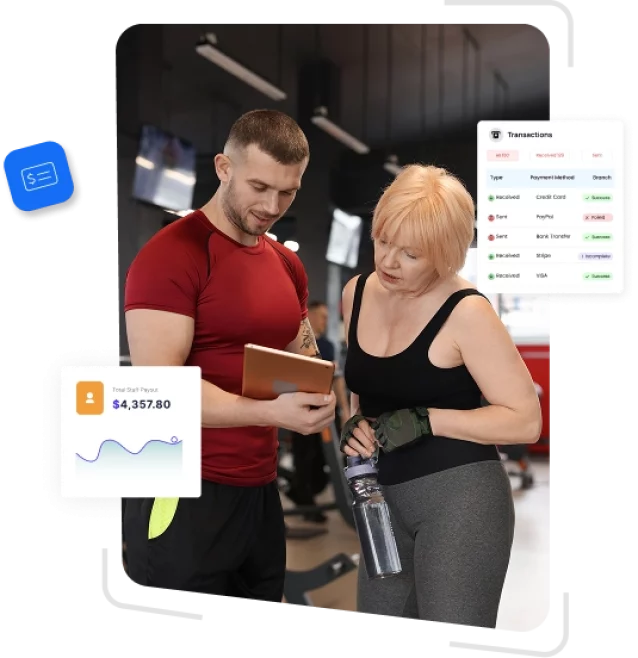
Gym payroll management software helps gyms and fitness studios calculate staff wages, track trainer commissions, manage work hours, record time off, and prepare payroll reports.
GymRoute connects payroll data with staff schedules, class bookings, attendance, personal training sessions, and retail sales. This means gym owners and managers do not need to transfer the same information between timesheets, calendars, spreadsheets, and payroll reports.
Once pay rates and commission rules are configured, the system organizes each employee’s earnings throughout the pay period. Managers can then review the information, correct discrepancies, approve the pay run, and export the final report.
Automated calculations
Calculate hourly wages, salaries, overtime, per-session payments, commissions, and approved deductions using the pay rules assigned to each employee.
Commission tracking
Create flat-fee, percentage-based, or combined commission structures for personal training sessions, group classes, boot camps, memberships, and retail sales.
Leave management
Let employees request time off through the staff app while managers review balances, approve requests, and keep schedules updated.
Payroll reporting
Generate gym payroll reports showing hours, sessions, commissions, leave, overtime, and total earnings for each staff member.
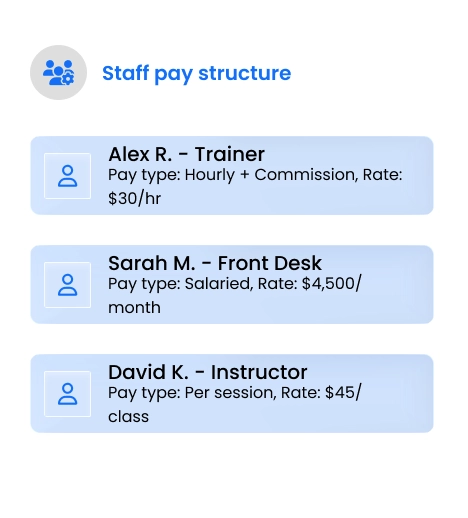
Staff payroll software
Your trainers, instructors, front-desk employees, sales staff, and managers may all be paid differently.
GymRoute staff payroll software lets you assign the right compensation structure to each employee. You can manage hourly pay, annual salaries, per-class payments, personal training commissions, retail bonuses, and overtime from one staff record.
As employees work shifts, teach classes, or complete booked services, their earnings are added to the relevant pay period. This provides managers with a current payroll view instead of leaving every calculation until the end of the month.
- Set hourly, salaried, and per-session pay rates
- Create different pay rules for trainers, instructors, managers, and front-desk staff
- Apply your configured overtime rules to qualifying hours
- Connect clock-in and clock-out records with employee timesheets
- Calculate gross earnings throughout the pay period
- Use reusable pay templates for employees with similar roles
- Review individual pay breakdowns before payroll is approved
Trainer commissions calculation software
Trainer commission management is often one of the most complicated parts of fitness payroll.
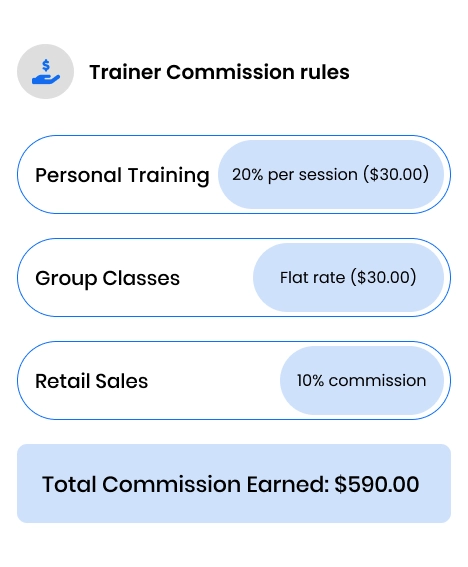
A coach may earn a fixed amount for teaching a group class, a percentage of a personal training session, a sales commission on retail products, or a combination of several payment types.
GymRoute trainer commission software lets you create separate earning rules for each employee, service, and sale type. The system then connects those rules with completed sessions, attendance records, and eligible sales.
This gives managers a clearer way to calculate fitness instructor payroll while helping trainers understand how their earnings were determined.
- Set flat, percentage-based, or hybrid commission rules
- Create separate rates for personal training, group classes, and boot camps
- Assign different commission structures to individual trainers
- Include eligible product and service sales in commission calculations
- Decide how no-shows and late cancellations affect instructor pay
- Track commissions throughout the current pay cycle
- Give trainers permission to view their own earnings breakdown
Connect payroll with scheduling, attendance, and sales
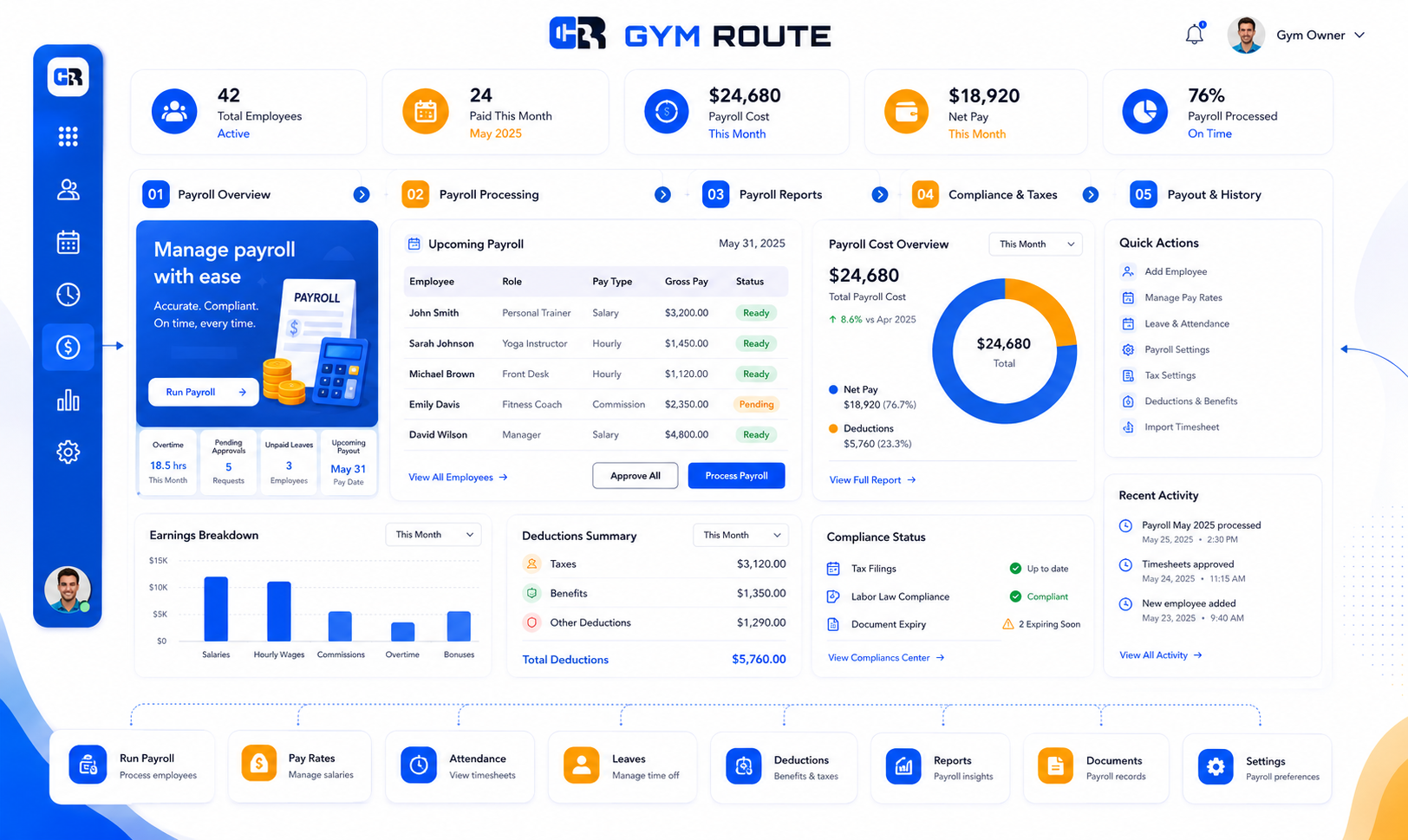
GymRoute connects staff pay with the operational records that determine what each employee has earned.
Hours can be linked with time tracking, trainer payments with completed sessions, commission with eligible sales, and approved leave with employee schedules. This reduces manual data entry and gives managers a clearer path from completed work to reviewed payroll.
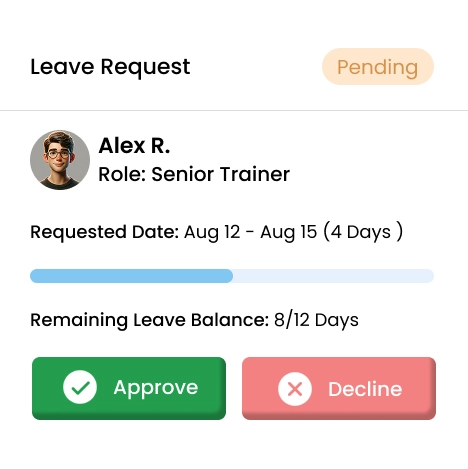
Gym leave management software
Paper leave forms, separate holiday spreadsheets, and last-minute schedule conflicts can create avoidable payroll errors.
GymRoute staff leave management software keeps time-off requests, employee balances, work schedules, and payroll information connected.
Staff can submit a leave request through the app. Managers can then review the dates, check the employee’s remaining balance, and approve or decline the request. Once approved, the absence is reflected in the relevant staff and payroll records.
- Create fixed, accrual-based, or role-specific leave policies
- Let employees request time off through the staff app
- View current and remaining leave balances
- Approve or decline requests from one dashboard
- Update balances automatically after approval
- Connect approved leave with staff schedule
- Reduce instructor conflicts and uncovered classes
- Apply consistent leave policies across multiple gym locations
Gym payroll reporting software
Payroll reporting should make it easy to understand how each total was calculated.
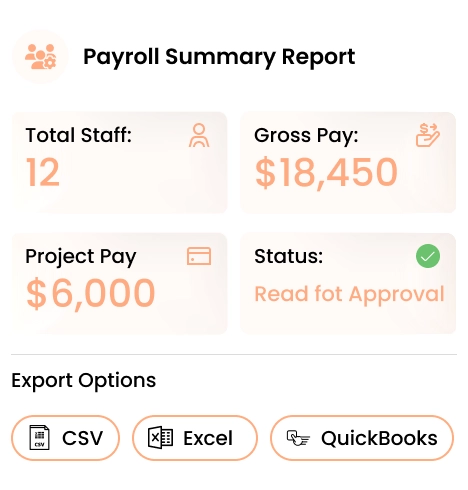
GymRoute creates clear payroll summaries for the complete team and detailed reports for individual staff members. Managers can review employee hours, completed sessions, commission, overtime, leave, and total gross pay before approving the payroll cycle.
The reports can also help gym owners monitor labor costs, compare staffing expenses, and identify changes in payroll over time.
- Generate payroll summaries for each pay period
- Review pay by employee, role, department, or location
- Separate hourly pay, salaries, sessions, overtime, and commissions
- Check approved leave and time-tracking records
- Review and approve payroll before finalization
- Export payroll information in CSV or Excel format
- Prepare data for accounting platforms such as QuickBooks, Xero, or Sage
- Track staffing and payroll cost trends from one dashboard
1 in 5
payrolls contain errors
An Ernst & Young survey cited by Paycom reported that one in five payrolls contains errors and that correcting each mistake costs businesses an average of $291.
Errors can occur when staff hours, completed sessions, overtime, leave, and commissions are recorded in separate systems. Connecting these records reduces repeated data entry and gives managers an opportunity to check the complete calculation before payroll is approved.
GymRoute helps fitness businesses maintain clearer payroll records, identify discrepancies earlier, and reduce the administrative work required at the end of each pay period.
Source: Ernst & Young survey, cited by Paycom.
Frequently Asked Questions
Have questions? We’re here to help. Learn how GymRoute’s marketing tools drive member engagement, boost retention, and grow your gym effortlessly.
Can GymRoute manage different gym staff pay structures?
Yes. GymRoute can manage salaried employees, hourly staff, trainers paid per session, and employees who earn commission.
Each employee can have their own pay rate, commission structure, service-based earnings, and overtime rules. This allows gyms to manage several compensation models without maintaining separate payroll spreadsheets.
How does GymRoute track staff hours for payroll?
GymRoute connects staff time tracking with schedules, bookings, and attendance records.
Employees can clock in and out digitally, while completed classes and personal training sessions can be linked with the assigned instructor. Managers can then review worked hours and delivered sessions before approving payroll.
How does a payroll cycle work in GymRoute?
Managers first configure employee pay rates, commission structures, overtime rules, and eligible services.
During the pay period, GymRoute records relevant hours, completed sessions, commissions, sales, and approved leave. Managers can review the full payroll summary, check individual staff breakdowns, approve the figures, and export the report for the next stage of their payroll process.
Does GymRoute calculate trainer commissions?
Yes. GymRoute supports flat fees, percentage-based commissions, and combined commission models.
Different rules can be created for personal training sessions, group classes, boot camps, memberships, services, and eligible retail sales. Managers can also define how no-shows and late cancellations affect trainer earnings.
Can GymRoute calculate overtime?
GymRoute can apply the overtime rules configured by your business to qualifying staff hours.
Managers should confirm that their settings reflect applicable employment requirements, contracts, and local regulations before finalizing payroll.
Can staff request leave through GymRoute?
Yes. Staff can submit time-off requests through the staff app.
Managers can review the requested dates, check available balances, and approve or decline the request. Approved leave can then be reflected in staff scheduling and payroll records.
Can I export payroll data to accounting software?
Yes. GymRoute can export payroll reports in CSV or Excel format.
The exported data can be prepared for use with accounting platforms such as QuickBooks, Xero, or Sage, depending on your internal payroll and accounting process.
Does GymRoute pay employees or file payroll taxes?
GymRoute is designed to calculate and organize operational payroll data, including hours, sessions, commissions, overtime, and leave.
Depending on your country and business process, you may still use an accountant, payroll bureau, or statutory payroll provider to make employee payments and handle tax filings. Confirm the exact payroll scope and available integrations during your GymRoute demonstration.
Is GymRoute suitable for fitness studios as well as gyms?
businesses, and multi-location fitness operators.
The system can accommodate employees who are paid hourly, by salary, per class, per appointment, or through commission.
Can trainers see their own earnings?
GymRoute can give trainers permission to view their own earnings information.
Depending on the permissions set by management, trainers can review completed sessions, applicable commissions, and their current earnings breakdown without gaining access to wider business payroll information.
Grow Better With GymRoute
Optimize operations, increase revenue, and enhance member experience with GymRoute’s all-in-one solution.